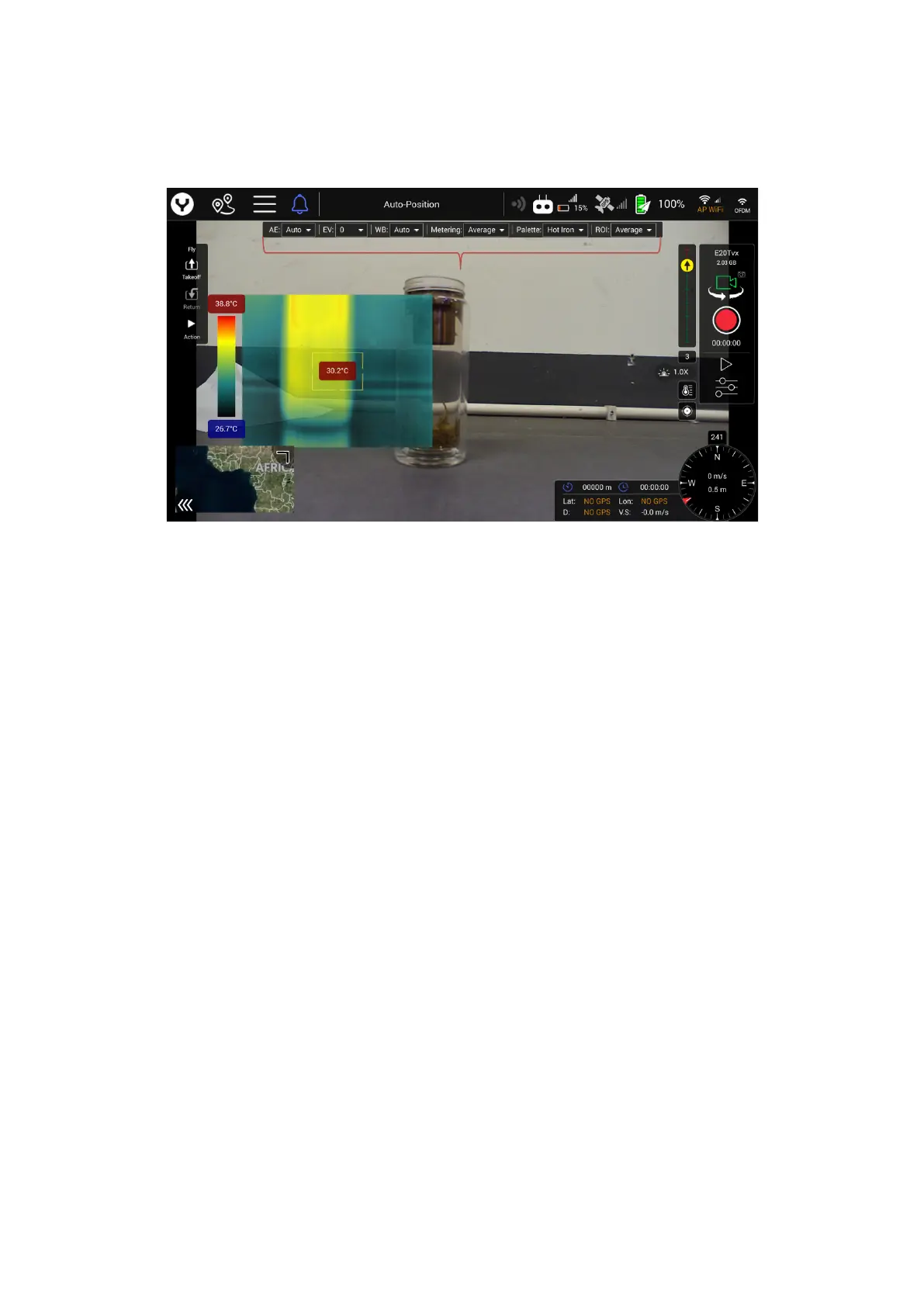
User interface introduction
1. Temperature Bar
2. Thermography Video
3. Measuring area and Temperature indication
4. Gimbal attitude indicator (Tilt and Pan)
5. Digital Zoom ratio indicator for Thermography
6. Camera quick-access menu
7. Gimbal type and SD card storage space
8. Video/Photo mode switch button
9. Shutter or Start/Stop recording button
10. Counter in photo mode/ Timer in video mode
11. Camera setting menu button
12. Temperature Measurement Range Setting Bar Switch
13. FFC ( Flat Field Correction) Button
Separate introduction of the USER interface
1. Temperature Bar
Show the color separation of different Temperature, which according to the
different Palette selection, the upper the higher temperature is.
The following table shows all palette options


 To Next Page