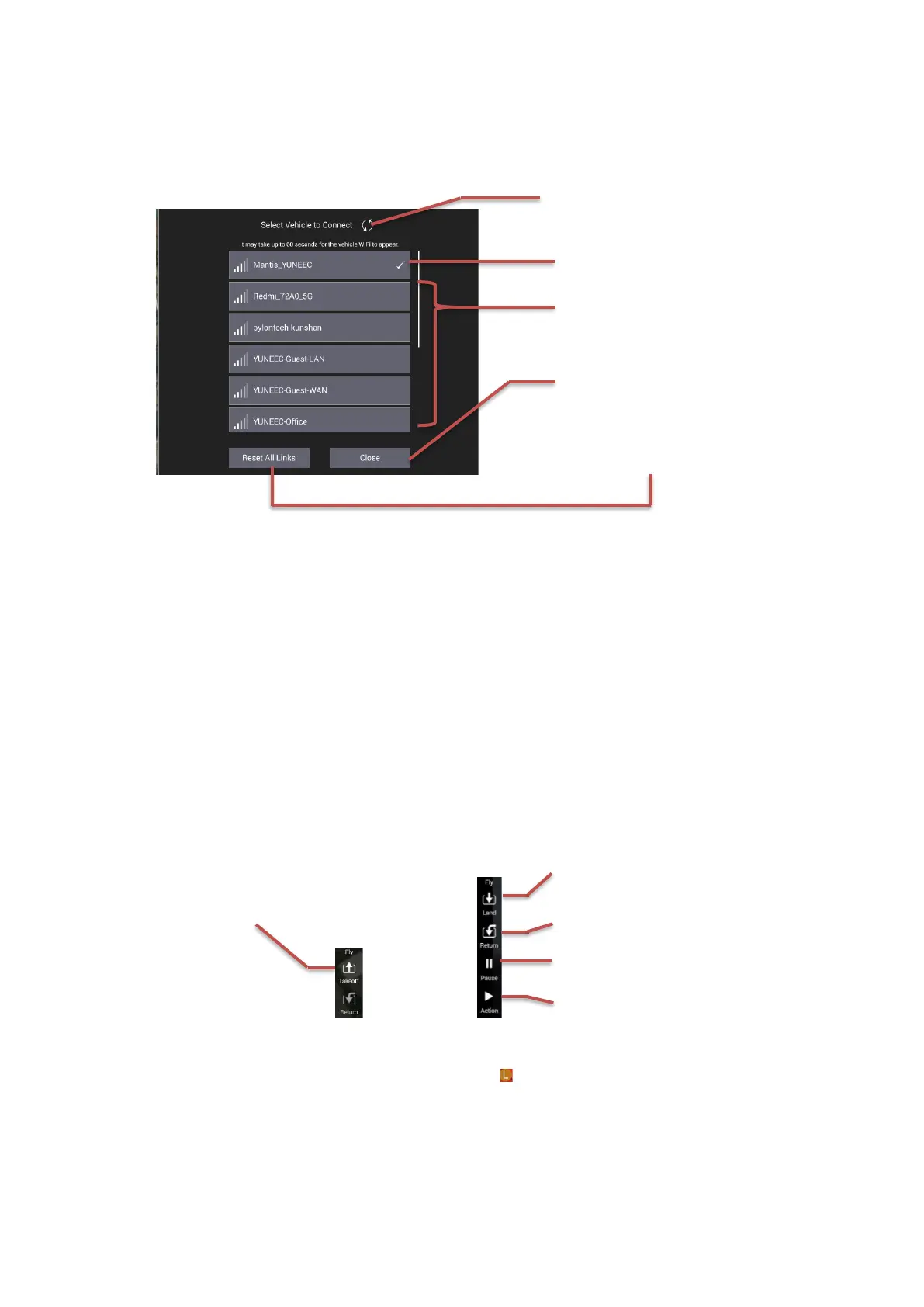
The operator can select, refresh, connect or reset the available Wi-Fi hotspot under the Wi-Fi
Setting Menu.
The operator can select the Wi-Fi hotspot wanted by tapping the SSID in the available Wi-Fi
hotspot list, and then enter the passwords to connect.
Once the Internet is connected, the operator can download the electronic map, get the
Network CORS source or action other operations.
12 OFDM RSSI & Setting button
This Icon displays the OFDM RSSI. The operator can also open the OFDM Menu by tapping this
icon for Binding or Unbinding.
13 Flight quick control panel
The operator can set the control command by using this panel. After the drone takes off the
panel will add 2 items as per the screenshot below:
14 Drone
Indicate the drone position and course. The L point means the Launch point of the drone.
15 Map /Video Switch
Display the thumbnail window of the map or Video link feedback. Tap to view the full screen
map or Video interface.



 To Next Page