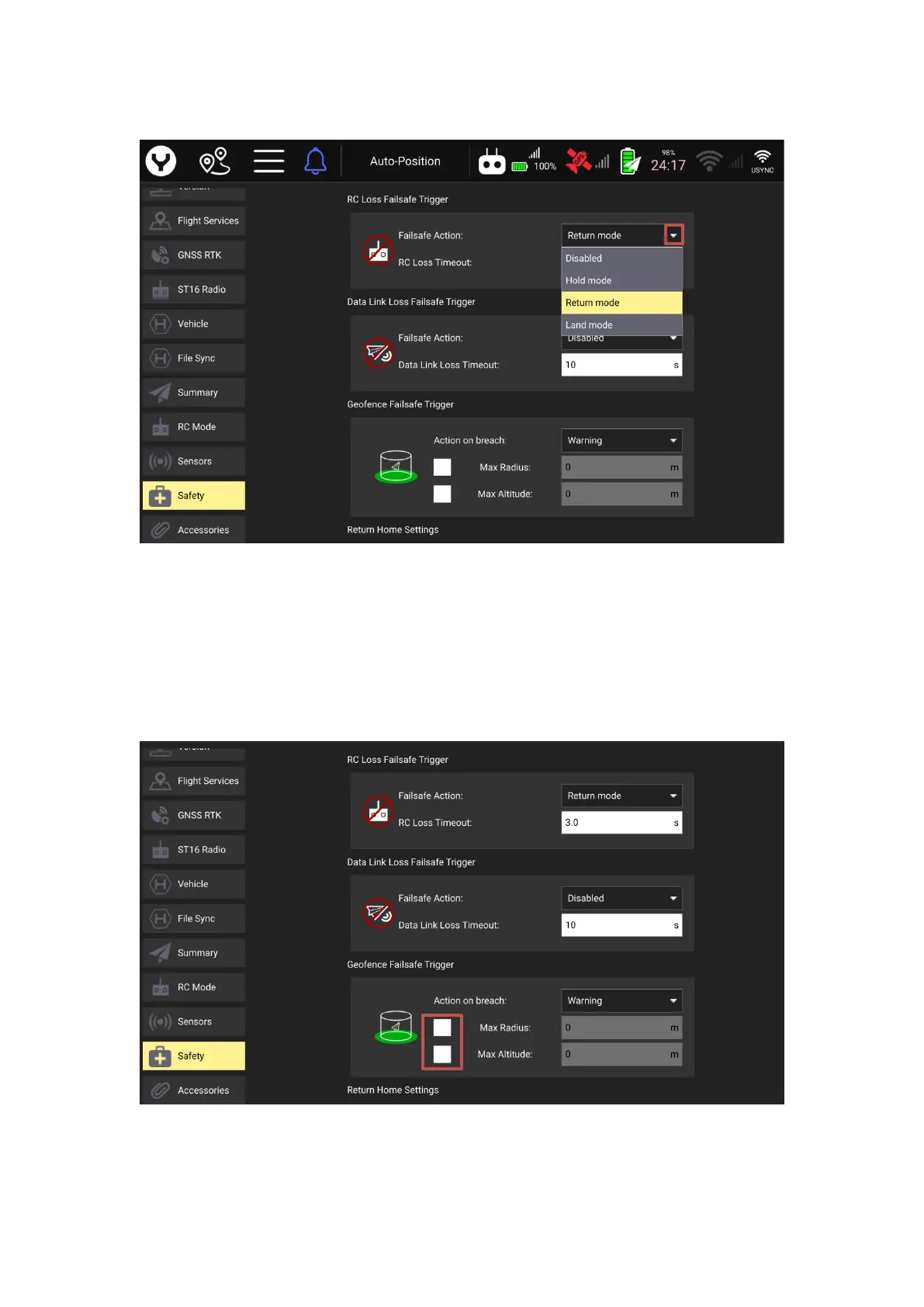
Tap the white arrow to open the drop-down menu then select a Failsafe behavior.
Disabled- The drone will maintain the last flight mode before the RC Loss.
Hold mode- The drone will keep hovering after the RC Loss.
Return mode-The drone will trigger the RTL mode after RC Loss.
Land mode-The drone will land directly at its current position after RC Loss.
Geofence Failsafe Trigger
The operator can set the Radius and Altitude of the Geo-fence also the drone behavior after
reaching the edge of the geo-fence.
Tick the box before the Max Radius and Max Altitude to enable the Geo-fence range.
The operator can type in the parameters directly to edit the Geo-fence after the boxes are
ticked.



 To Next Page