-7-
2.5 Powering the Dash Cam
Automatic Power
• Once the vehicle's engine is switched on, the dash cam will automatically
power on.
• When the vehicle's engine is switched off, the dash cam will automatically
save the recording and power off.
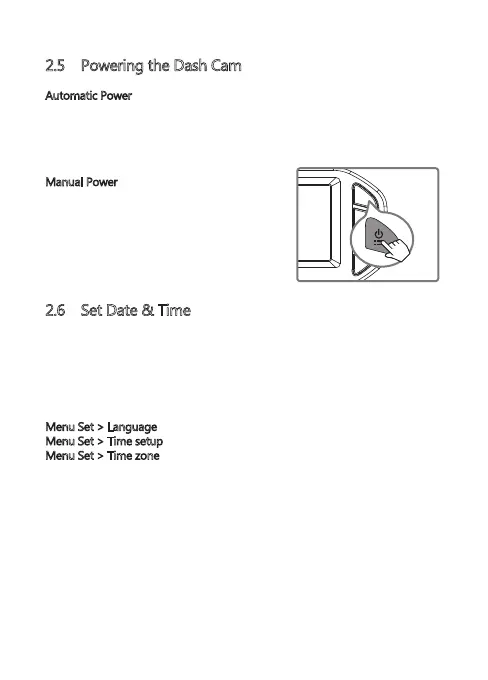
Manual Power
• To manually turn the power on, press and
hold the 'Power/Menu' button (3) for 3
seconds.
• To manually turn the power off, press and
hold the 'Power/Menu' button (3) for 3
seconds.
2.6 Set Date & Time
The first time you turn the camera on, the boot guide will appear. Please set the
language, time zone, date and time.
(Note: Set the correct time zone, the device will automatic calibration time
when the outdoor GPS signal is good)
You can also set it in the settings menu:
Menu Set > Language
Menu Set > Time setup
Menu Set > Time zone
Before using the device, we recommend you set the correct date and time:
• If the device is recording, short press the 'OK' button (6) to stop and enter
video Mode.
• Press the 'Power' button (3) to enter the Settings menu.
• Press the 'Up' and 'Down' buttons (4 & 5) to select Time setup and press 'OK'
button (6) to confirm. Adjust the date and time settings using the 'Up' ,
'Down' and 'OK' buttons (4,5,6)
• With all fields correct, press the 'OK' button (6) to save and exit the menu.



 To Next Page