26
Find more information at www.zaco.eu
English
Maintenance
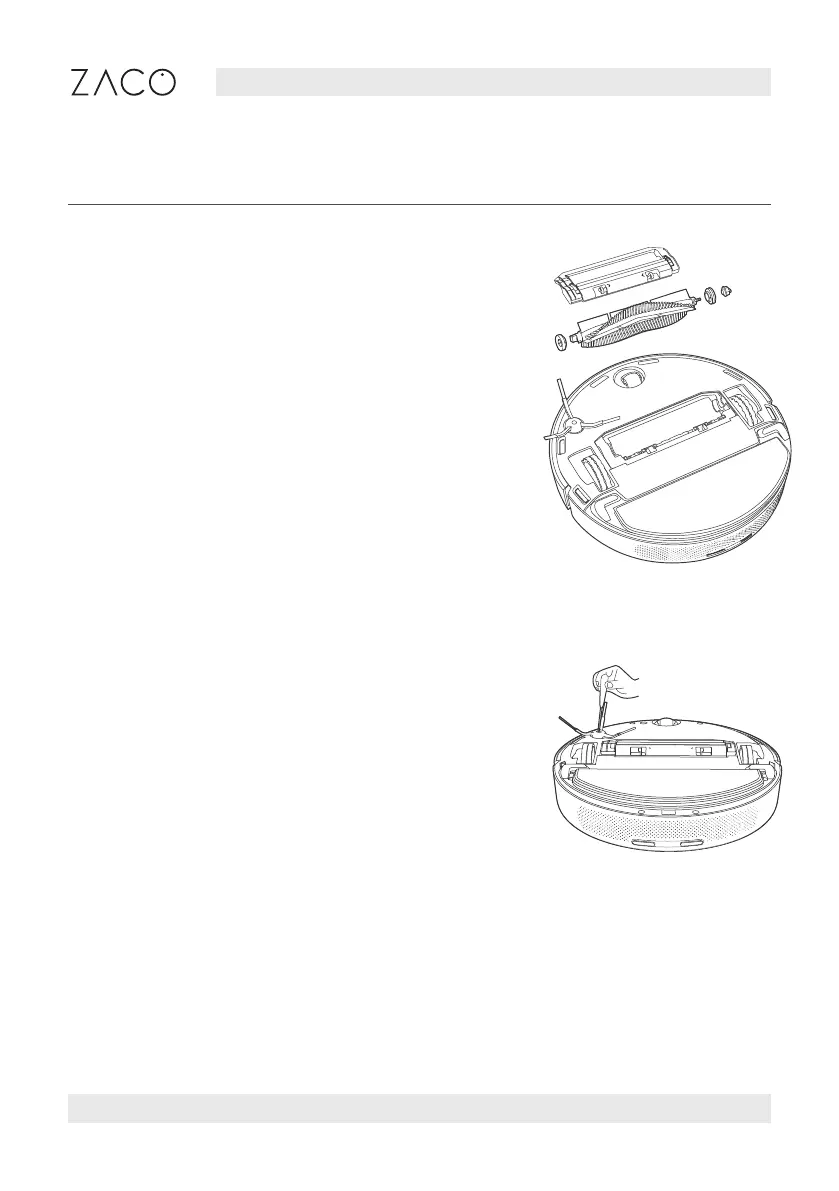
Main brush
Side brush
• Turn over the robot and press the two release
buttons to remove the main brush cover.
• Pull out the main brush upward.
• Remove the main brush brackets at both ends of
the main brush.
• To clean the main brush cut the hair wrapped on
the brush with the cleaning tool and remove.
• Assemble the individual parts of the brush.
• Replace the main brush and main brush cover.
• Turn over the robot and remove the
side brush fixing screw.
• Remove and clean the side brush.
• Replace the side brush and lock the screw.



 To Next Page