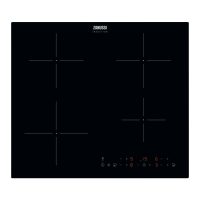
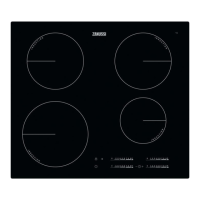
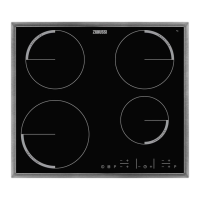
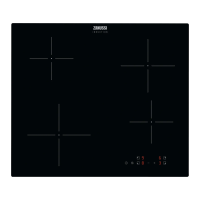
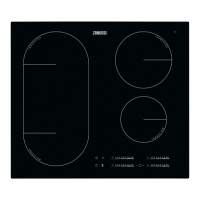
This document is a user manual for a Zanussi induction hob, model ZITN644K, designed to guide users through its installation, operation, maintenance, and troubleshooting.
The hob is an induction cooking appliance, meaning it generates heat directly in the cookware through an electromagnetic field, making cooking faster and more energy-efficient. It features multiple cooking zones and a control panel for operation.
Function Description:
The hob is primarily used for cooking food. It offers various heat settings, from low to high, to accommodate different cooking needs, such as keeping food warm, simmering, frying, and boiling. A key feature is the PowerBoost function, which provides extra power to an induction cooking zone for a limited time, accelerating the heating process. After this period, the zone automatically reverts to its highest heat setting.
The appliance includes a Timer function, which can be used as a Count Down Timer for individual cooking sessions, allowing users to set a specific cooking duration for each zone. It also has a Minute Minder function for general timing.
An Automatic Heat Up function is available to quickly reach a desired heat setting. When activated, the cooking zone initially operates at its highest setting before settling into the user-selected heat level. This function can only be activated when the cooking zone is cold.
For safety and convenience, the hob incorporates several automatic features:
- Automatic Switch Off: The hob will automatically deactivate if all cooking zones are off, no heat setting is selected after activation, an object is placed on the control panel for too long, the hob overheats (e.g., a saucepan boils dry), or incorrect cookware is used.
- Residual Heat Indicator: After a cooking zone is deactivated, an indicator (H) remains lit to warn users that the surface is still hot and poses a burn risk. This indicator also appears for adjacent zones, when hot cookware is placed on a cold zone, or when the hob is off but a zone is still hot.
- Pause Function: This feature allows users to temporarily set all active cooking zones to the lowest heat setting (level 1) and locks other control panel symbols. This is useful for short interruptions during cooking.
- Lock Function: This function enables users to lock the control panel while cooking zones are active, preventing accidental changes to heat settings. The timer, however, remains operational.
- Child Safety Device: This function prevents accidental operation of the hob, ensuring children cannot activate it. It can be activated and deactivated through specific touch sequences on the control panel.
- Power Management: When multiple zones are active and the total power consumption exceeds the supply limit, this function automatically distributes the available power among the cooking zones to protect the household fuses. The last selected cooking zone is prioritized, and power is allocated to other zones in reverse order of selection.
A unique feature is Hob²Hood, an advanced automatic function that connects the hob to a special hood via an infrared signal communicator. The fan speed of the hood is automatically adjusted based on the hob's mode setting and the temperature of the hottest cookware. Users can also manually operate the hood's fan speed from the hob's control panel. The Hob²Hood function offers different automatic modes (H1-H6) that dictate how the fan and light operate in response to cooking activity.
Usage Features:
The hob is operated using sensor fields on the control panel. Users activate the hob by touching the ON/OFF sensor field. Heat settings are selected by touching or sliding a finger along a control bar. Cooking zones automatically adapt to the size of the cookware placed on them. For optimal performance, cookware should fully cover the cross/square marking on the cooking surface.
When using the Hob²Hood function, it's important to protect the hood panel from direct sunlight, avoid spotting halogen light on it, and ensure the hob control panel is not covered. Interrupting the signal between the hob and the hood (e.g., with a hand or tall pot) should also be avoided.
Maintenance Features:
Regular cleaning is essential to prevent deterioration of the hob's surface material. The hob should be cleaned after each use, ensuring it has cooled down first. A moist soft cloth and neutral detergents are recommended. Abrasive products, abrasive cleaning pads, solvents, or metal objects should not be used.
For specific types of dirt:
- Melted plastic, plastic foil, sugar, and food with sugar should be removed immediately using a special hob scraper at an acute angle to prevent damage.
- Limescale rings, water rings, fat stains, and shiny metallic discoloration should be removed once the hob is sufficiently cool, using a moist cloth and a non-abrasive detergent, then wiped dry with a soft cloth.
- Shiny metallic discoloration can also be cleaned with a solution of water and vinegar.
The manual explicitly states not to use a steam cleaner for cleaning the appliance.
In case of a cracked glass ceramic surface, the appliance must be immediately switched off and disconnected from the power supply to prevent electrical shock. The manufacturer's Authorized Service Centre should then be contacted.


 To Next Page
 General