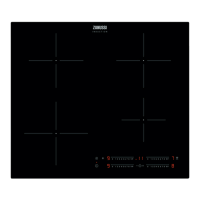
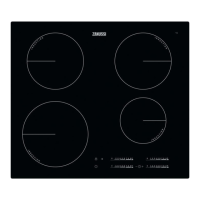
This document is a user manual for the Zanussi ZITN643K hob, providing comprehensive instructions for its installation, operation, maintenance, and safety.
Function Description
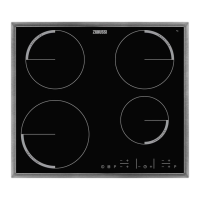
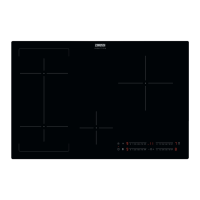
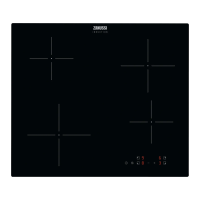
The Zanussi ZITN643K is a built-in induction hob designed for household cooking. It features four induction cooking zones and a control panel for operation. The hob utilizes a strong electromagnetic field to generate heat directly in the cookware, ensuring efficient and fast cooking. The glass ceramic surface is heated by the cookware itself, rather than directly by the hob.
Key functions include:
- Heat Setting Adjustment: Users can increase or decrease the heat setting for each cooking zone.
- Automatic Heat Up: This function allows for quicker heating by temporarily setting the cooking zone to the highest heat setting before reducing it to the desired level. It is activated when the cooking zone is cold.
- PowerBoost: This feature provides additional power to induction cooking zones for a limited period, enabling faster heating. After this period, the zone automatically reverts to its highest heat setting.
- Timer Functions: The hob includes a Count Down Timer for setting the duration of a cooking session for a specific zone, and a Minute Minder for general timing when cooking zones are not active.
- Automatic Switch Off: The hob automatically deactivates under certain conditions, such as when all cooking zones are turned off, no heat setting is selected after activation, an object is placed on the control panel for too long, the hob overheats, or incorrect cookware is used.
- OptiHeat Control (3-step Residual Heat Indicator): This feature indicates the level of residual heat in the cooking zones, allowing users to continue cooking, keep food warm, or be aware of remaining heat for safety.
- Lock / Child Safety Device: This function locks the control panel to prevent accidental changes to heat settings during operation or to prevent children from operating the hob.
- Hob²Hood Function: An advanced automatic function that connects the hob to a special hood via an infrared signal communicator. The hood's fan speed is automatically adjusted based on the hob's mode setting and the temperature of the hottest cookware. Users can also operate the fan manually.
- Power Management: This function manages the power distribution between cooking zones connected to the same phase, ensuring that the total electricity loading does not exceed a maximum limit (3700 W per phase). If the limit is exceeded, the function reduces power to other zones.
Usage Features
The hob is operated using sensor fields on the control panel. Displays, indicators, and sounds provide feedback on the active functions.
- Activating/Deactivating: The hob is activated or deactivated by touching the ON/OFF sensor field for 1 second.
- Setting Heat: Heat settings are adjusted using the +/- sensor fields. Touching both +/- simultaneously deactivates a cooking zone.
- Cookware Placement: Cookware should be placed on the designated cross/square on the cooking surface. Induction zones automatically adapt to the cookware's bottom dimension. Large cookware can be used across two cooking zones simultaneously.
- Timer Operation: To set a timer, select the cooking zone, then use the +/- fields to set the desired time. The indicator for the cooking zone will flash as the time counts down. An acoustic signal and "00" flash when the countdown ends.
- Locking the Control Panel: After setting the heat setting, the control panel can be locked to prevent accidental changes.
- Hob²Hood Operation: The automatic mode for Hob²Hood can be set from H1 to H6, with H5 being the default. The hood responds to hob operation and adjusts fan speed based on cookware temperature. Manual fan speed adjustment is also possible. The light on the hood can be set to activate automatically with the hob.
- Energy Saving: Hints for energy-efficient cooking include using only the necessary amount of water, always using lids on cookware, placing cookware on the zone before activation, using smaller cookware on smaller zones, centering cookware, and utilizing residual heat.
Maintenance Features
Regular cleaning and proper care are essential for maintaining the hob.
- General Cleaning: The hob should be cleaned after each use once it has cooled down. A moist soft cloth and neutral detergents are recommended. Abrasive products, abrasive cleaning pads, solvents, or metal objects should not be used.
- Removing Spills: Melted plastic, plastic foil, sugar, and food with sugar should be removed immediately using a special hob scraper at an acute angle to prevent damage to the hob surface.
- Removing Stains: Limescale rings, water rings, fat stains, and shiny metallic discoloration should be removed when the hob is cool using a moist cloth and a non-abrasive detergent. A solution of water with vinegar can be used for shiny metallic discoloration.
- Cookware Care: Ensure pan bases are clean and dry before placing them on the hob surface to avoid scratches. Avoid sliding or rubbing pots across the ceramic glass.
- No Steam Cleaner: Do not use a steam cleaner to clean the appliance.
- Service: For repairs, contact an Authorised Service Centre and use original spare parts only.
- Disposal: The appliance should be disposed of correctly according to municipal authority information, disconnected from the mains supply, and the electrical cable cut off.


 To Next Page
 General
 Weight and Dimensions