EasyManua.ls Logo

Zanussi ZIFN844K - User Manual

Zanussi ZIFN844K
20 pages
Print Icon
To Next Page IconTo Next Page
Loading...
GETTING
STARTED?
EASY.
User Manual
ZIFN844K
EN User Manual
Hob
Question and Answer IconNeed help?

Do you have a question about the Zanussi ZIFN844K and is the answer not in the manual?

Summary

Safety Information

Children and Vulnerable People Safety

Safety guidelines for children and vulnerable individuals.

General Safety Precautions

Important safety precautions for hob operation.

Safety Instructions

Installation and Electrical Connection

Key safety instructions for installation and electrical setup.

Operation, Care, and Service

Guidelines for daily use, maintenance, and service.

Disposal Instructions

Instructions for safe and environmentally friendly disposal.

Installation

Before Installation

Information to record before installing the hob.

Built-in Hobs

Guidance on installing built-in hobs.

Connection Cable

Specifications for the connection cable.

Assembly

Assembly instructions, especially with hoods.

Product Description

Cooking Surface and Control Panel Layout

Diagrams showing the cooking zones and control panel.

Control Panel Details

Heat Setting Displays

Explains the indicators for heat settings.

OptiHeat Control

Information on residual heat indicators.

Daily Use

Activating and Deactivating

How to turn the hob on and off.

Automatic Switch Off

Conditions for automatic hob deactivation.

Heat Setting and Cooking Zones

How to adjust heat and use cooking zones.

Special Functions Overview

Overview of JoinZone and Automatic Heat Up.

Advanced Daily Use

PowerBoost and Timer

Using PowerBoost and setting timers.

Pause and Lock Functions

How to use Pause and Lock features.

Safety and Management Features

Child Safety Device and Power Management

Child lock and power distribution features.

Hob²Hood Operation

How the Hob²Hood function works.

Hints and Tips

Cookware Selection

Guidance on selecting and using cookware.

Operation Sounds and Cooking Examples

Understanding hob noises and cooking applications.

Hob Hood Tips

Hob²Hood Tips

Tips for using the Hob²Hood function.

Care and Cleaning

General Cleaning Information

General advice for cleaning the hob.

Specific Cleaning Instructions

Specific instructions for cleaning the hob surface.

Troubleshooting

What to Do If...

Guide to resolving common operational issues.

Persistent Problems

Steps to take when problems persist.

Technical Data

Rating Plate Information

Details found on the appliance's rating plate.

Cooking Zone Specifications

Specifications for each cooking zone.

Energy Efficiency

Product Information

Product details for energy efficiency assessment.

Energy Saving Tips

Tips for saving energy during cooking.

Environmental Concerns

Recycling and Disposal

Guidance on recycling and environmentally friendly disposal.

Overview

This document is a user manual for a Zanussi ZIFN844K hob, providing instructions for its installation, daily use, maintenance, and troubleshooting.

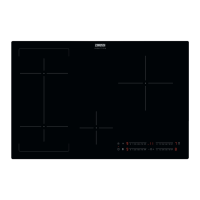
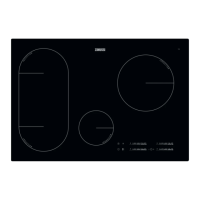
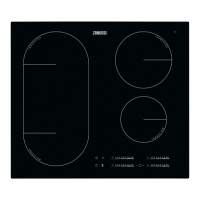
The hob is an induction cooking appliance designed for household use. It features a glass ceramic cooking surface with four induction cooking zones and a control panel for operation. The induction cooking zones generate heat directly in the bottom of the cookware, making cooking efficient. The hob automatically adapts to the dimension of the cookware's bottom, and users can cook with large cookware on two cooking zones simultaneously using the JoinZone function.

Function Description:

The hob is operated using sensor fields on the control panel. Key functions include:

  • ON/OFF: To activate and deactivate the hob.
  • Lock / Child Safety Device: To lock and unlock the control panel, preventing accidental changes to heat settings. This function can be activated by touching the sensor for 4 seconds without setting a heat setting. It can also be temporarily overridden for a single cooking session.
  • Pause: This function sets all active cooking zones to the lowest heat setting (1) and locks all other symbols on the control panel. It does not stop timer functions.
  • JoinZone: This function connects two left-side cooking zones, allowing them to operate as one. It is activated by touching the dedicated sensor and is effective when the pot covers the centers of both zones.
  • Heat Setting Display: Shows the current heat setting for each cooking zone.
  • Timer Indicators: Displays which zone has a timer set.
  • Timer Display: Shows the time in minutes.
  • PowerBoost: This function provides additional power to induction cooking zones for a limited period, allowing for faster heating. After this period, the zone automatically reverts to the highest heat setting.
  • Automatic Heat Up: Activates a desired heat setting in a shorter time by initially operating the zone at the highest setting before continuing at the desired level. This function requires the cooking zone to be cold at activation.
  • Count Down Timer: Allows users to set a specific cooking duration for a single session. The timer can be set from 00 to 99 minutes. An acoustic signal sounds and "00" flashes when the countdown ends, and the cooking zone deactivates.
  • Minute Minder: This timer can be used when the hob is active but cooking zones are not operating. An acoustic signal sounds and "00" flashes when the time finishes.
  • Hob²Hood: An advanced automatic function that connects the hob to a special hood via infrared signals. The hood's fan speed is automatically adjusted based on the hob's mode setting and the temperature of the hottest cookware. Users can also manually operate the fan from the hob. The hob can be set to activate the hood light automatically.

Usage Features:

  • Activating and Deactivating: The hob is activated or deactivated by touching the ON/OFF sensor for 1 second.
  • Setting Heat: Heat settings are adjusted by touching the control bar at the desired level or by sliding a finger along it.
  • Automatic Switch Off: The hob automatically deactivates under several conditions: if all cooking zones are off, if no heat setting is selected after activation, if something is spilled or placed on the control panel for more than 10 seconds, if the hob overheats, or if incorrect cookware is used. There's also a time-based automatic switch-off depending on the heat setting.
  • Cookware: For optimal performance, cookware should have a thick, flat, and clean base. Cast iron, steel, enamelled steel, stainless steel, and multi-layer bottom cookware are suitable. Aluminum, copper, brass, glass, ceramic, and porcelain are not suitable. Cookware is suitable if water boils quickly on the highest heat setting or if a magnet sticks to its bottom.
  • Noises During Operation: Users may hear crackling, whistling, humming, clicking, or hissing/buzzing noises during operation. These are normal and do not indicate a malfunction, often related to cookware material, power levels, or fan operation.
  • Power Management: If multiple zones are active and the consumed power exceeds the supply limit, the hob automatically divides available power among cooking zones, prioritizing the last selected zone. This may result in reduced heat settings for other zones.

Maintenance Features:

  • General Cleaning: The hob should be cleaned after each use. Use a special cleaner and scraper for the glass surface.
  • Immediate Cleaning: Melted plastic, plastic foil, sugar, and food with sugar should be removed immediately to prevent damage, using a special hob scraper.
  • Cool-Down Cleaning: Limescale rings, water rings, fat stains, and shiny metallic discoloration should be cleaned once the hob is sufficiently cool, using a moist cloth and a non-abrasive detergent.
  • Shiny Metallic Discoloration: Can be removed with a solution of water and vinegar.

The manual also provides troubleshooting steps for common issues like the hob not activating, residual heat indicators not appearing, Hob²Hood not working, or error codes. It advises contacting an Authorized Service Centre for persistent problems or damaged components.

Zanussi ZIFN844K Specifications

General IconGeneral
Hob²Hood functionYes
Large cooking zone3600 W
Number of boosters2
Simmer cooking zone2500 W
Regular cooking zone3200 W
Number of power levels-
Hob typeZone induction hob
Product colorBlack
Hob width size78 cm
Top surface typeCeramic
Appliance placementBuilt-in
Cooking zone 2 typeLarge
Cooking zone 3 typeSimmer
Cooking zone 4 typeExtra large
Cooking zone 1 power2300 W
Cooking zone 1 shapeRectangular
Cooking zone 3 power1400 W
Cooking zone 1 positionLeft rear
Cooking zone 2 positionLeft front
Cooking zone 3 positionMiddle front
Cooking zone 4 positionRight rear
Number of cooking zones4 zone(s)
Simmer cooking zone shapeRound
Cooking zone 3 power sourceElectric
Large cooking zone diameter240 mm
Number of gas cooking zones0 zone(s)
Simmer cooking zone diameter145 mm
Regular cooking zone diameter210 mm
Timer typeDigital
Control typeTouch
Timer duration99 min
Control positionTop right
Connected load (electric)- W
Weight and Dimensions IconWeight and Dimensions
Depth520 mm
Width780 mm
Height- mm
Cord length1.5 m
Installation compartment depth490 mm
Installation compartment width750 mm
Installation compartment height44 mm

Related product manuals