EasyManua.ls Logo

Zanussi ZIL8470CB - User Manual

Zanussi ZIL8470CB
16 pages
Print Icon
To Next Page IconTo Next Page
Loading...
GETTING
STARTED?
EASY.
User Manual
ZIL8470CB
EN User Manual
Hob
Question and Answer IconNeed help?

Do you have a question about the Zanussi ZIL8470CB and is the answer not in the manual?

Overview

This document is a user manual for a Zanussi ZIL8470CB hob, providing instructions for installation, operation, maintenance, and safety.

Function Description

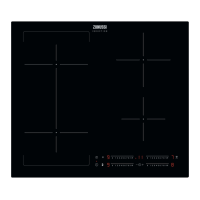
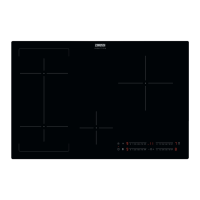
The Zanussi ZIL8470CB is an induction hob designed for cooking purposes. It features multiple cooking zones that utilize electromagnetic fields to directly heat the bottom of cookware, ensuring efficient and rapid cooking. The hob is equipped with a control panel that allows users to activate and deactivate the appliance, set heat settings, and manage various cooking functions.

Key functions include:

  • ON/OFF: Activates and deactivates the hob.
  • Heat Setting: Allows users to adjust the cooking intensity for each zone, ranging from 1 to 9, with a control bar for precise selection.
  • PowerBoost (P): Provides additional power to induction cooking zones for a limited period, ideal for boiling large quantities of water or searing meat quickly. After this period, the zone automatically reverts to its highest heat setting.
  • Bridge Function: Connects two left-side cooking zones, allowing them to operate as a single, larger zone, suitable for larger cookware.
  • Automatic Heat Up (A): Accelerates the heating process by operating the zone at its highest setting initially, then adjusting to the desired heat setting. This function is only available when the cooking zone is cold.
  • Pause (U): Sets all active cooking zones to the lowest heat setting, effectively pausing the cooking process. When this function is active, other control panel symbols are locked.
  • Timer Functions:
    • Count Down Timer: Allows users to set a specific duration (00-99 minutes) for a cooking zone to operate. An acoustic signal sounds and "00" flashes when the time ends, and the cooking zone deactivates.
    • Minute Minder: Functions as a standalone timer when the hob is activated but cooking zones are not in use. An acoustic signal sounds and "00" flashes when the set time ends.
  • Lock / Child Safety Device (L): Locks the control panel to prevent accidental changes to heat settings during operation or to prevent unintended use by children.

Usage Features

The hob is operated using sensor fields on the control panel. Displays, indicators, and sounds provide feedback on active functions and settings.

Activating and Deactivating: The hob is activated or deactivated by touching the ON/OFF sensor field for one second.

Setting Heat: Heat settings are adjusted using a control bar. Users can touch the desired setting or slide a finger along the bar.

Cookware Compatibility: Induction cooking zones require specific cookware materials such as cast iron, steel, enamelled steel, or stainless steel with a multi-layer bottom. Cookware is considered correct if a magnet sticks to its bottom and water boils quickly on the highest heat setting. Incorrect materials include aluminum, copper, brass, glass, ceramic, and porcelain. The bottom of the cookware should be as thick and flat as possible. The hob automatically adapts to cookware dimensions within certain limits, but using cookware with a smaller diameter than the minimum recommended will result in reduced power efficiency.

Power Management: The hob incorporates a power management system that groups cooking zones by phase. If the total electricity load for a single phase exceeds 3700 W, the function automatically reduces power to other cooking zones on that phase, indicated by a change in their heat setting displays.

Safety Features:

  • Residual Heat Indicator (H): Warns users that a cooking zone is still hot after use, indicating a risk of burns.
  • Automatic Switch Off: The hob automatically deactivates under several conditions: if all cooking zones are deactivated, if no heat setting is selected after activation, if an object is placed on the control panel for more than 10 seconds, if the hob overheats, or if incorrect/no cookware is detected.
  • Child Safety Device: Prevents accidental operation of the hob. It is activated by touching the lock sensor field for 4 seconds after activating the hob without setting a heat level.

Noises During Operation: Users may hear various noises, such as crackling (from multi-material cookware), whistling (high power with multi-material cookware), humming (high power), clicking (electric switching), and hissing/buzzing (fan operation). These noises are normal for induction hobs and do not indicate a malfunction.

Energy Saving: To save energy, users are advised to put lids on cookware, place cookware on the cooking zone before activation, use smaller cookware on smaller zones, center cookware on the zone, and utilize residual heat to keep food warm or melt it.

Maintenance Features

Regular care and cleaning are essential to prevent deterioration of the hob's surface material.

General Cleaning:

  • Clean the hob after each use.
  • Always use cookware with a clean bottom.
  • Scratches or dark stains on the surface do not affect hob operation.
  • Use a special cleaner designed for hob surfaces.
  • A special scraper for glass surfaces is recommended.
  • Clean the appliance with a moist, soft cloth and neutral detergents. Avoid abrasive products, cleaning pads, solvents, or metal objects.
  • Do not use water spray or steam cleaners.

Specific Cleaning Instructions:

  • Immediate Removal: Melted plastic, plastic foil, sugar, or food with sugar should be removed immediately using a special scraper at an acute angle to prevent damage to the hob.
  • Cool-Down Removal: Limescale rings, water rings, fat stains, and shiny metallic discoloration should be removed once the hob is sufficiently cool, using a moist cloth and non-abrasive detergent.
  • Shiny Metallic Discoloration: Can be cleaned with a solution of water and vinegar.

Safety During Maintenance:

  • Deactivate the appliance and allow it to cool down before cleaning.
  • Disconnect the appliance from the electrical supply before any maintenance.

Troubleshooting: The manual provides a troubleshooting guide for common issues, such as the hob not activating, residual heat indicator not coming on, automatic heat up not operating, heat settings changing, hot sensor fields, and error messages. Solutions often involve checking the electrical connection, resetting the hob, cleaning the control panel, or contacting an Authorized Service Centre if the problem persists.

Zanussi ZIL8470CB Specifications

General IconGeneral
Number of Zones4
Dimensions (WxD)590 x 520 mm
Installation TypeBuilt-in
Control TypeTouch Control
Residual Heat IndicatorYes
TypeInduction
Total Power7400 W
Safety FeaturesChild Lock

Related product manuals