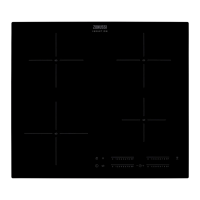
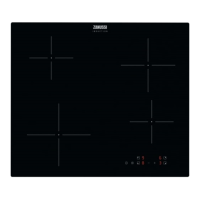
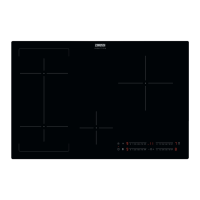
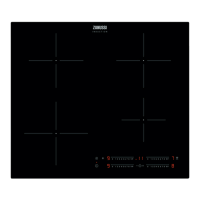
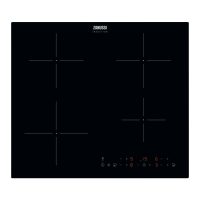
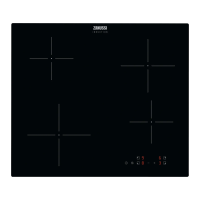
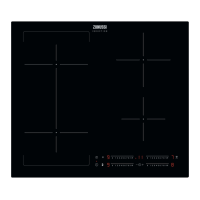
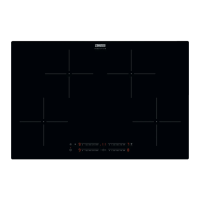
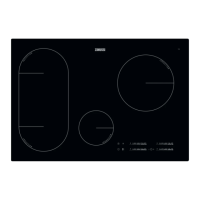
This document is a user manual for the ZIAN844K Zanussi Hob, providing instructions for its safe installation, operation, and maintenance.
Function Description
The Zanussi Hob is an induction cooking appliance designed for domestic use. It features four induction cooking zones and a control panel for operation. The hob utilizes induction technology, which generates heat directly in the cookware, making cooking efficient.
Key functions include:
- Heat Setting: Allows users to set and adjust the heat level for each cooking zone from 0 to 9.
- Automatic Switch Off: A safety feature that deactivates the hob automatically under certain conditions, such as prolonged inactivity, spills on the control panel, overheating, or incorrect cookware usage.
- BoilAssist: An automatic function that adjusts water temperature to prevent boiling over. It emits an acoustic signal when the boiling point is reached and automatically changes the heat level to 5.
- Automatic Heat Up: Activates a cooking zone at the highest setting for a short period to reach the desired heat setting faster, then continues cooking at the selected heat level.
- PowerBoost: Provides additional power to induction cooking zones for a limited time, useful for quickly boiling large quantities of water. After the set time, the zone reverts to its highest heat setting.
- Timer: Includes a Count Down Timer for setting a specific cooking duration (00-99 minutes) for individual cooking zones, and a Minute Minder for general timing when cooking zones are not active.
- Pause: Sets all active cooking zones to the lowest heat setting, allowing for temporary interruptions during cooking.
- Lock: Locks the control panel to prevent accidental changes to heat settings while cooking zones are in operation.
- Child Safety Device: Prevents accidental operation of the hob, requiring a specific sequence of touches to activate or deactivate.
- Power Management: Manages power distribution across cooking zones when multiple zones are active and consumed power exceeds the supply limit, ensuring the hob operates within the household's electrical capacity.
- Hob²Hood: An advanced automatic function that connects the hob to a special hood via an infrared signal communicator. The fan speed of the hood is automatically adjusted based on the hob's mode setting and the temperature of the hottest cookware. Users can also operate the fan manually.
Usage Features
The hob is operated using sensor fields on the control panel. Displays, indicators, and sounds provide feedback on the active functions.
Activating and Deactivating:
- Touch the ON/OFF sensor field for 1 second to activate or deactivate the hob.
Setting Heat Levels:
- Touch the control bar directly or slide a finger along it to select the desired heat setting.
Using BoilAssist:
- Activate the hob, then touch the BoilAssist symbol.
- Select a cooking zone (between heat settings 1-9) for the function to start.
- The function will not start if there is residual heat on the chosen zone or if all zones are in use.
- BoilAssist is best for boiling water and preparing potatoes, and it is recommended to use enamelled steel pots for optimal results.
- For efficient use, fill the pot with cold tap water between half and three-quarters full, leaving 4 cm from the rim empty, and ensure the total weight of water (or water and potatoes) is between 1-5 kg. Potatoes should be completely covered with water.
- Avoid external vibrations and add salt after the water reaches boiling point.
Using Automatic Heat Up:
- Touch the PowerBoost symbol (P) for the desired cooking zone.
- Immediately select a desired heat setting.
- The zone will operate at the highest setting initially, then switch to the selected heat setting.
Using PowerBoost:
- Touch the PowerBoost symbol (P) for the desired induction cooking zone.
- The function will activate for a limited period, then automatically revert to the highest heat setting.
Using the Timer:
- Count Down Timer: Set the heat setting for a cooking zone, then repeatedly touch the timer selection symbol until the indicator for the desired zone appears. Use the +/- symbols to set the time (00-99 minutes).
- Minute Minder: Activate the hob, then touch the timer selection symbol. Use the +/- symbols to set the time. This function does not affect cooking zone operation.
Using Pause:
- Touch the Pause symbol (||) to activate. All active cooking zones will switch to the lowest heat setting.
- Touch the Pause symbol (||) again to deactivate and resume previous heat settings.
Locking the Control Panel:
- Set the heat setting first, then touch the Lock symbol for 4 seconds to activate.
- Touch the Lock symbol again to deactivate.
Using Child Safety Device:
- Activate the hob, do not set any heat setting, then touch the Lock symbol for 4 seconds to activate.
- Deactivate the hob, then activate it again, do not set any heat setting, then touch the Lock symbol for 4 seconds to deactivate.
Using Hob²Hood:
- Set the automatic mode to H1-H6 for automatic fan speed adjustment based on cooking activity and temperature. The hob is initially set to H5.
- To operate the fan manually, touch the Hob²Hood symbol when the hob is active. Each touch increases the fan speed.
- Protect the hood panel from direct sunlight and halogen light, and avoid covering the hob control panel or interrupting the signal between the hob and hood.
Cookware:
- Use cookware with a thick, flat, and clean base.
- Suitable materials include cast iron, steel, enamelled steel, stainless steel, and multi-layer bottom cookware.
- Cookware is suitable if water boils quickly on the highest heat setting and a magnet sticks to its bottom.
- Induction zones adapt to cookware dimensions, but using cookware smaller than the minimum diameter will result in partial power.
- Avoid placing cookware too close to the control panel, as this may affect its functioning.
Maintenance Features
Regular cleaning and proper care are essential for maintaining the appliance.
General Cleaning:
- Clean the hob after each use once it has cooled down.
- Always use cookware with a clean base to prevent scratches.
- Scratches or dark stains on the surface do not affect hob operation.
- Use a special cleaner suitable for the hob's surface and a special scraper for the glass.
- Do not use water spray or steam cleaners.
- Clean with a moist soft cloth and neutral detergents. Avoid abrasive products, abrasive cleaning pads, solvents, or metal objects.
Specific Cleaning for Spills:
- Melted plastic, plastic foil, sugar, or food with sugar: Remove immediately while the hob is hot, using a special hob scraper at an acute angle. Be careful to avoid burns.
- Limescale rings, water rings, fat stains, shiny metallic discoloration: Remove when the hob is sufficiently cool. Clean with a moist cloth and a non-abrasive detergent, then wipe dry with a soft cloth.
- Shiny metallic discoloration: Use a solution of water with vinegar and clean the glass surface with a cloth.
Troubleshooting:
- The manual provides a troubleshooting guide for common issues, such as the hob not activating, acoustic signals, residual heat indicator not coming on, or Hob²Hood not working.
- If a problem persists and cannot be resolved using the guide, contact an Authorised Service Centre, providing information from the rating plate and any error messages.
Electrical Connection:
- All electrical connections must be made by a qualified electrician.
- The appliance must be earthed.
- Ensure the appliance is disconnected from the power supply before any operation.
- Use the correct electricity mains cable and ensure it does not tangle or touch hot parts.
- Do not use multi-plug adapters or extension cables.
- The electrical installation must include an isolation device with a contact opening width of at least 3 mm.
Disposal:
- Recycle packaging materials in relevant containers.
- Dispose of electrical and electronic appliances responsibly, using local recycling facilities or contacting municipal offices, rather than with household waste.

 Need help?
 General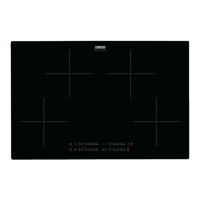

 To Next Page