Page 6
|
ZvSync-NA User’s Manual www.zeevee.com
1 Before Using the Product
This section provides detailed descriptions of the product and included
accessories.
1.1 FRONT PANEL
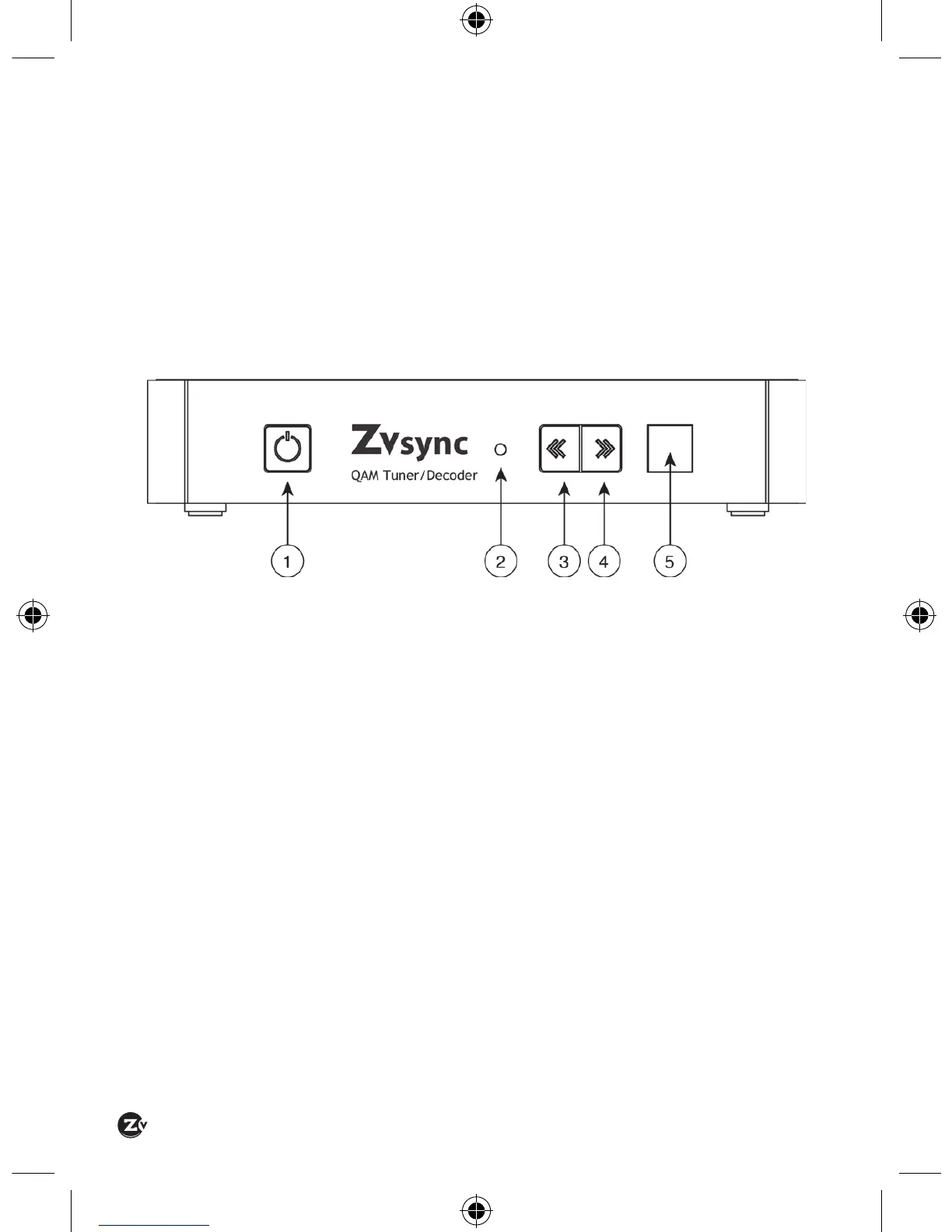
Power Button – Push to turn the unit on and off.
LED Status Indicator – Indicates state of unit.
RED – Power is available, but the unit is DEACTIVATED.
GREEN – The unit is powered-up and ACTIVATED.
Channel DOWN – Push to decrease the currently viewed program.
Channel UP – Push to increase the currently viewed program.
Infrared Sense Window – Must be placed in “line-of-sight” with
remote control to receive commands from remote handset.


 To Next Page