Page 8
|
ZvSync-NA User’s Manual www.zeevee.com
1.3 REMOTE CONTROL
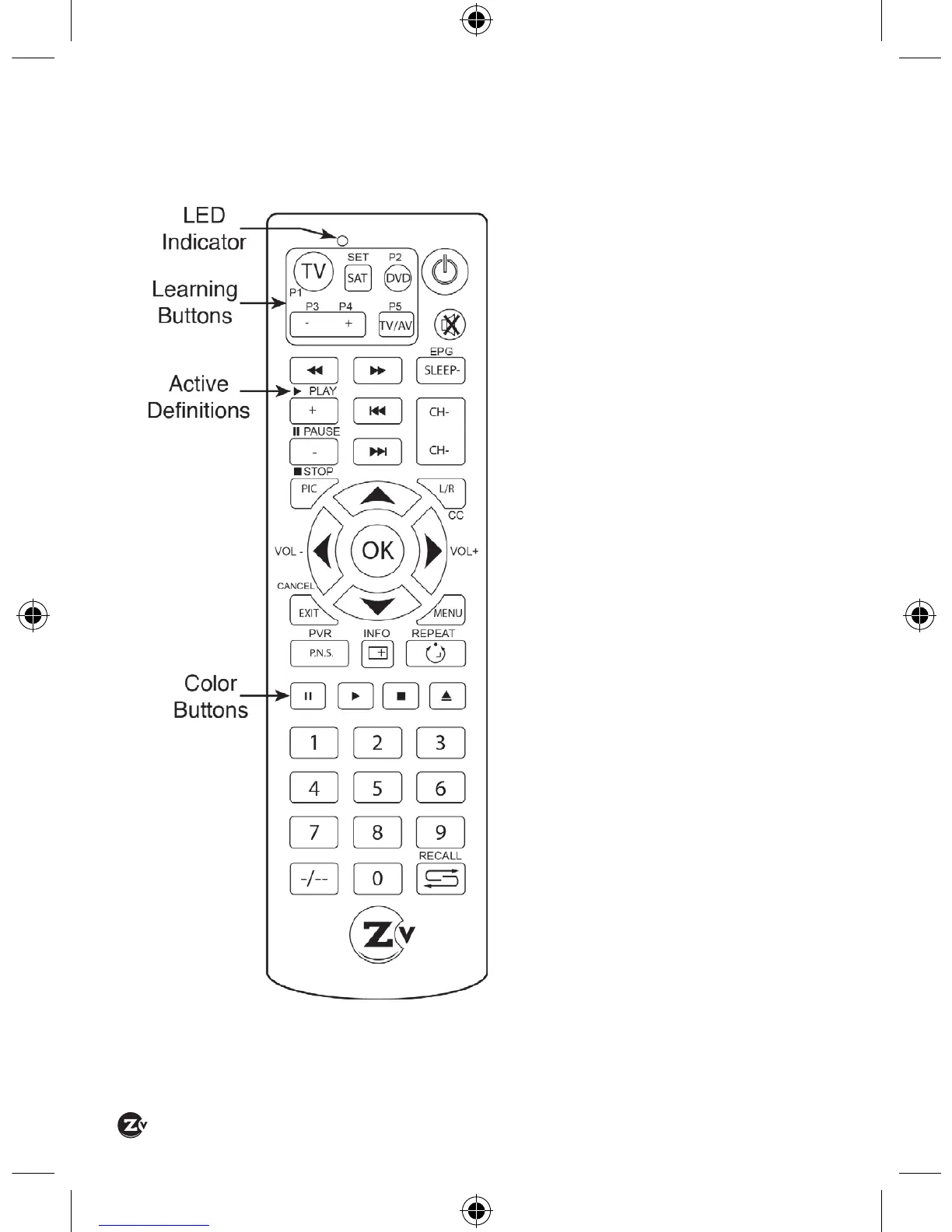
The ZvSync receiver/decoder is
supplied with a partial learning
remote control device. Buttons
P1-P5 can be programmed to
mimic the functions of a select
set of buttons from another
remote control unit.
The intention is that the TV
viewing experience can be
controlled from a single
handset to include power and
volume control of the television
set and all other functions
directed at controlling the
ZvSync receiver/decoder.
As the design of the remote
control device is used in
multiple applications some
buttons have multiple legends
or marks.
In general for the ZvSync
application, the markings
shown on the silkscreen
(white marks above or beside
buttons) are the active
de nitions of the key function.


 To Next Page