Page 12
|
ZvSync-NA User’s Manual www.zeevee.com
2 Setup
This chapter describes how to connect your ZvSync Receiver to the
television and receiving apparatus appropriately. The receiver has various
options and interface for connectivity. Select the method appropriate to
your application.
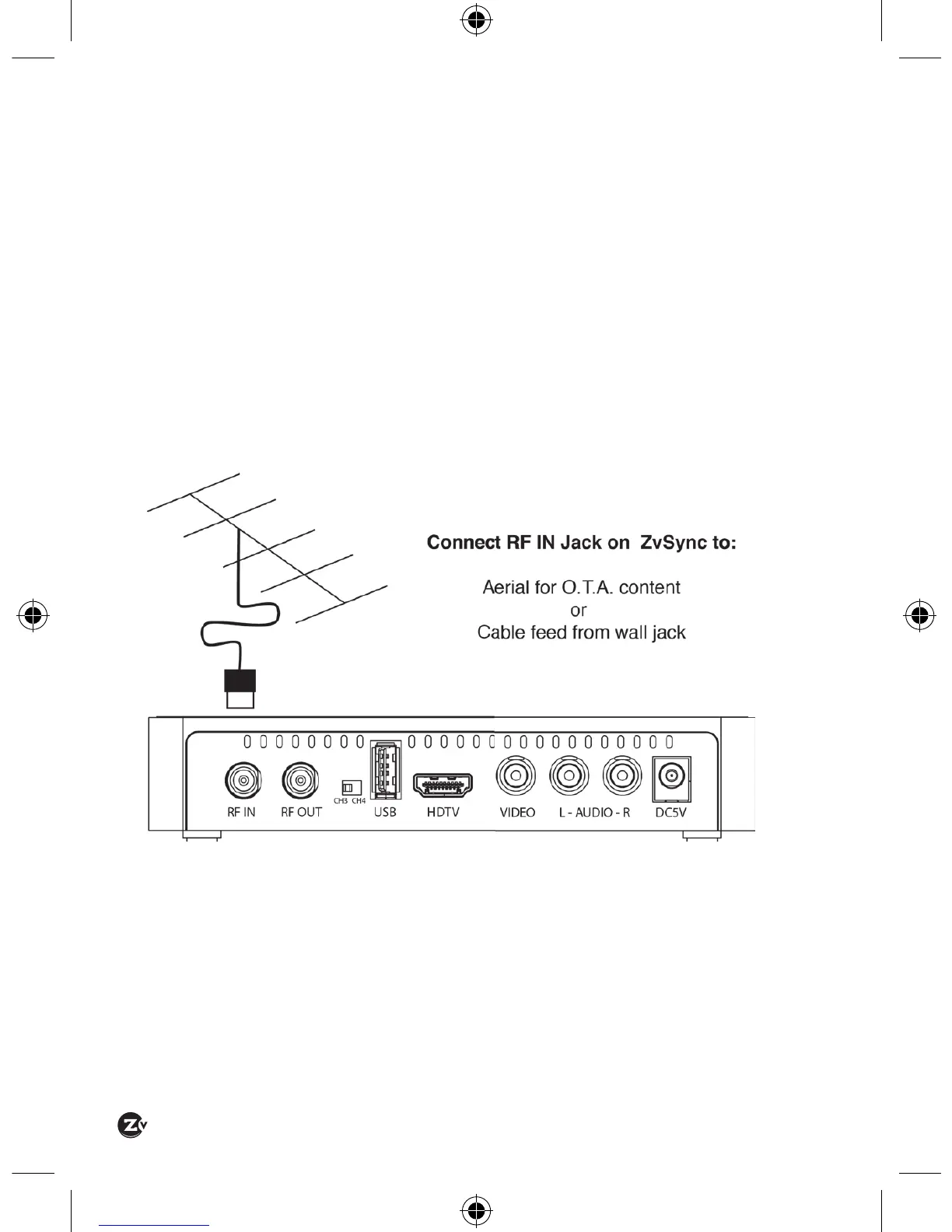
2.1 CONNECTING TO AN AERIAL
Connect your antenna to the ZvSync receiver’s ‘RF IN’ jack for over-the-air
reception, as follows:
2.2 CONNECTING TO A CABLE FEED
To receive a cable signal (or a channel generated by ZeeVee’s encoder/
modulator products) connect to the ‘RF IN’ jack on the rear face with a
cable to the source feed.


 To Next Page