3
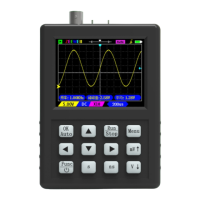
Buttons Function
1. Default function (function on button)
OK
Auto
1. When the menu opens, as the OK button.
2. as an "Auto" button
Stop Run / Stop
Single Single trigger
AC/DC Switch DC/AC coupling(CH1)
CH1/CH2 Change the CH1/CH2 priority
Menu Open/close the menu
Shift
When this button is pressed, the functions on the case will be
performed.
x1x10 Probe attenuation, which tells the oscilloscope what probe range you
are using. (CH1)
Gen Turn on/off the signal generator interface
Save Save a screenshot of the waveform
50% Quick centering (CH1)
DMM Turn the multimeter on/off. (Press Shift+DMM to full screen)
Select Multimeter function selection
mV/V Adjust vertical sensitivity (voltage of one grid)
s/ns Adjust the time base (the time of one grid)
2.Second function(Shift + other buttons)
Auto2 Enter real-time auto (CH1 only). Press any key to exit.
Zoom Turn on/off zoom mode.
Ref Reference waveform, the current waveform is locked to the
screen as a reference.
AC/DC Switch DC/AC Coupling (CH2).
CH2 Open/close CH2.
TgMode Change trigger mode: Auto / Normal.
x1x10 Probe attenuation, which tells the oscilloscope what probe range
you are using. (CH2)
TgEdge Change the trigger edge: rising edge/falling edge.
View View waveform screenshots


 To Next Page