6
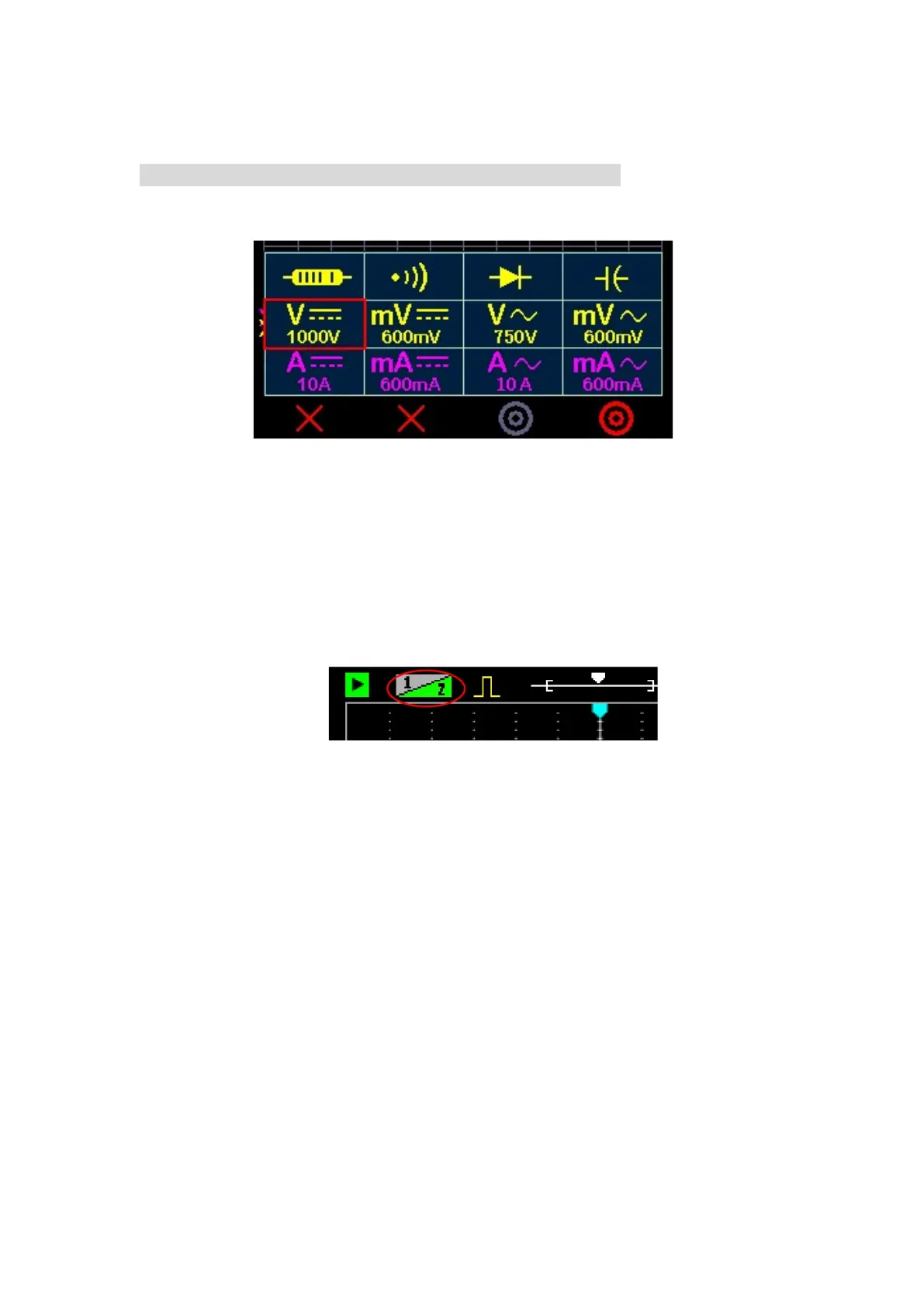
multimeter function table, select the function and press the [OK] key.
If you want to measure the current, insert the red pen into the current hole, and
pay attention to the "series" of the meter pen and the power line.
When charging: Multimeter is not supported, and the oscilloscope cannot
measure high voltage or non-isolated circuits.
2.6 Use dual channels
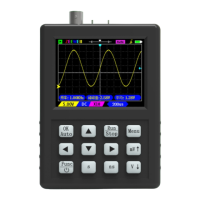
Press the [Shift] key, and then press the [CH1/CH2] key to open/close channel 2.
The default up and down keys move the channel 1 waveform, if you need to move the
channel 2 waveform, you can press [CH1/CH2] to set the high priority of channel 2
(pay attention to the change of the 1/2 icon in the upper left corner).
When not using dual channel measurements, Channel 2 should be turned off for
higher sample rates and reduced power consumption.
3 Probes
3.1 Probe calibration
The probes delivered with this machine have been compensated. If you use
another new probe before the first use, it must be calibrated before it can be used
normally, otherwise the measurement will be inaccurate (only for the 10X/100X). The
calibration method is as follows:
1. Switch the probe to X10.
2. Connect the probe to a 1KHz square wave with an amplitude of about 2V-3V. You
can use the built-in generator.
3. Adjust the horizontal and vertical scales of the oscilloscope so that the waveform


 To Next Page