8
first switch the probe to the 10X position before connecting the high voltage signal,
otherwise the high voltage may break down the internal circuit of the oscilloscope.
3.4.3 High bandwidth
Because the 1X probe has a large input capacitance, the bandwidth of the probe
1X is usually within 5MHz, so please use the 10X position when the measured signal
bandwidth is greater than 5M.
Summary: 10X is usually used in most applications.
4 Vertical system
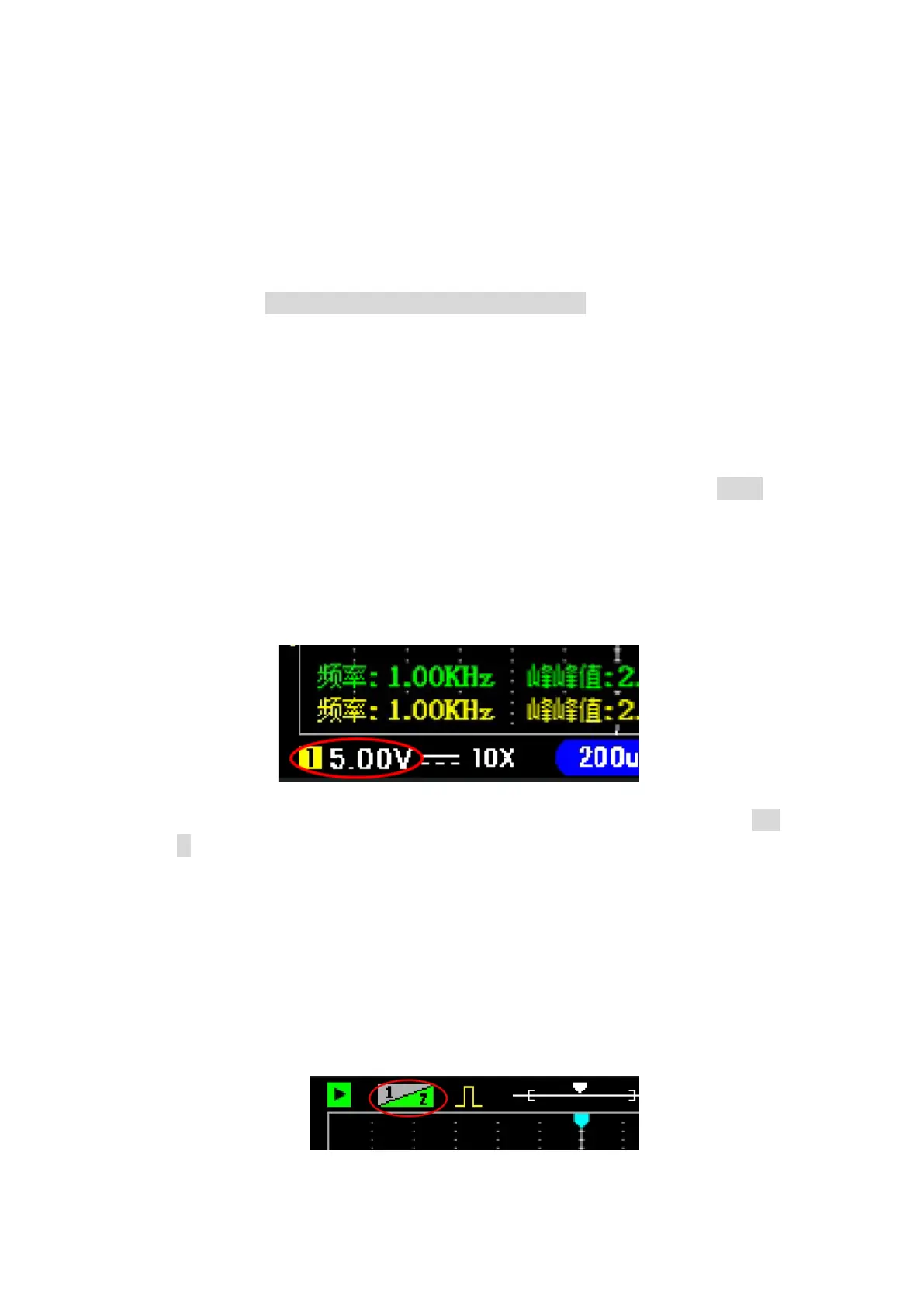
4.1 Vertical sensitivity
Oscilloscope vertical sensitivity refers to the voltage represented by a grid in
the vertical direction of the screen. There are 8 divisions in the vertical direction of
the oscilloscope. You can estimate the amplitude of the signal by observing how many
divisions the waveform occupies on the screen. For example, if the vertical sensitivity
is 1v/div, and the signal occupies 3 grids on the screen, you can know that the
amplitude of the signal is 3V.
The scope's vertical sensitivity range is 10mV / div ~ 10V / div (1X probe). In
the oscilloscope button panel, the keys for adjusting the vertical sensitivity are 'mV'
and 'V' button. Pressing the 'mV' button decreases the vertical sensitivity, which is
used to measure signals with smaller voltage amplitude. Press the 'V' button to
increase the vertical sensitivity for measuring signals with larger voltage amplitudes.
4.2 Vertical position
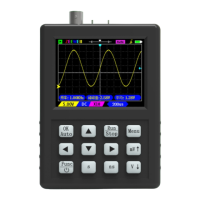
How to move the waveform up and down: Press the up and down buttons
directly to move the waveform up and down. The number in the upper left corner is
yellow 1 for movable channel 1, click the "CH1/CH2" key to switch to green 2
movable channel 2.


 To Next Page