10
000000Ć1150Ć839 IOLMaster 11.02.2004
StartĆup
In general, Carl Zeiss Meditec or other authorized personnel will
perform the following operations.
q Remove and unpack box containing accessories.
q Remove the instrument from the box with care. Only lift or carry the
instrument via the instrument base.
q Removing transportation locks:
Ć Loosen instrument lock knob (18, Fig. 1).
Ć Turn joystick clockwise (one turn) to move the instrument upward
and pull out the red plate underneath the base axis (patientĆside).
Ć Remove red pads from the gearboxes of the instrument base.
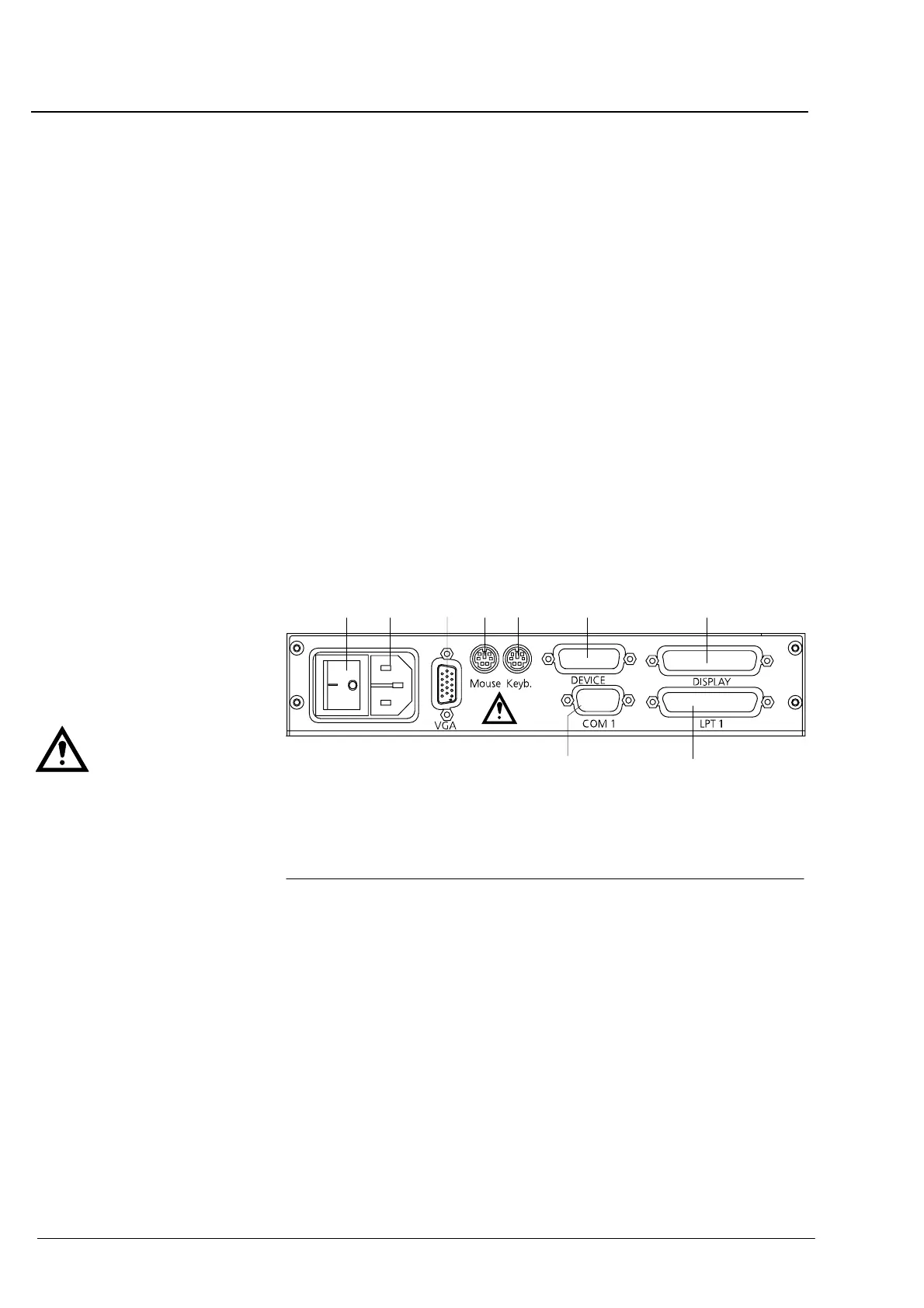
q Electrical connection (see Fig. 2):
Ć Connect display and device cables and secure them.
Ć Connect keyboard cable.
Ć Optional: Connect and secure printer (to LPT 1), mouse and interĆ
face cable (to COM 1), and monitor cable (to VGA).
Ć Connect power cable.
Fig. 2 Connector board of IOLMaster
1 Power switch
2 Power plug
3 Monitor connector
4 Mouse connector
5 Keyboard connector
6 Device connector
7 Display connector
8 Printer connector (LPT 1)
9 Serial port (COM 1) *
12 4 6 7
8
9
5
3
Use the power switch to turn on the instrument. After a successful quick
internal test you can start operating the instrument. Some operating
parameters are factory set and may be changed via the Setup Menu.
* If connecting an external PC or
an external monitor, the
owner/operator must ensure to
meet the safety requirements as
per IEC 60601Ć1Ć1 (medical
electrical systems)!
Instrument description















 To Next Page