41
000000Ć1150Ć839 IOLMaster 11.02.2004
After you have entered the necessary data, click the IOL CALCULATION
button to start IOL calculation for every selected lens type and every
measured eye.
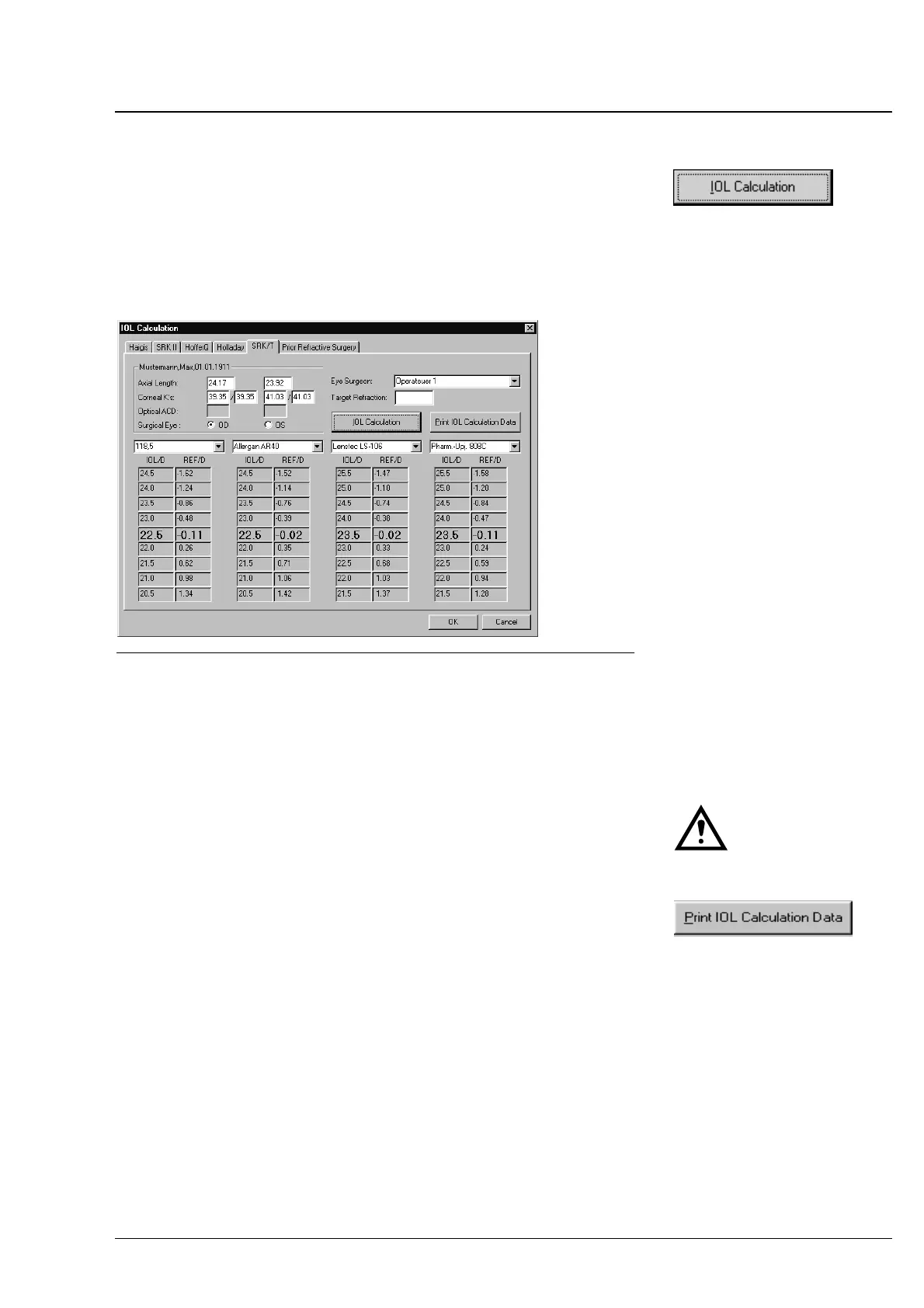
On the screen, only the data of the selected eye are being displayed.
To view the calculated IOL data of the other eye, activate the radio
button of the other Surgical Eye.
Fig. 28 IOL calculation
In the columns below the specified lenses, you will find the calculated
refractive powers and target refractions for those lenses. The middle line
appearing in bold types indicates that refraction of the corresponding
IOL that comes closest to the desired target refraction.
Caution:
The IOL calculation is valid only, if the biometric measurement was
correct, an appropriate IOL calculation formula was selected and the IOL
constants were optimized before for the specific application.
To print out the calculated data of the IOL to be implanted, click the
PRINT IOL CALCULATION DATA button. The printout corresponds to the
option selected on the Program Settings menu (page 18) showing
the IOL data of both eyes on either a single page or on separate
pages.
The measured values and the previously selected IOL will be
transferred to a correctly integrated PC (office management system)
(up to software version 3.0, without Option A). Mark the IOL by a
mouse click (mark: > ... <). You can mark only one IOL. The mark does
not appear on the printout.
With software version 3.0 plus Option A and the appropriate
selection in the Program Settings/Export menu, all formulas, all
selected lenses, all eyes and all proposed lenses will be transferred.
Click on
OK to finish IOL calculation.
Operation















 To Next Page