42
000000Ć1150Ć839 IOLMaster 11.02.2004
Optimization of lens constants
The lens data available in the database, may be optimized by the
following procedure.
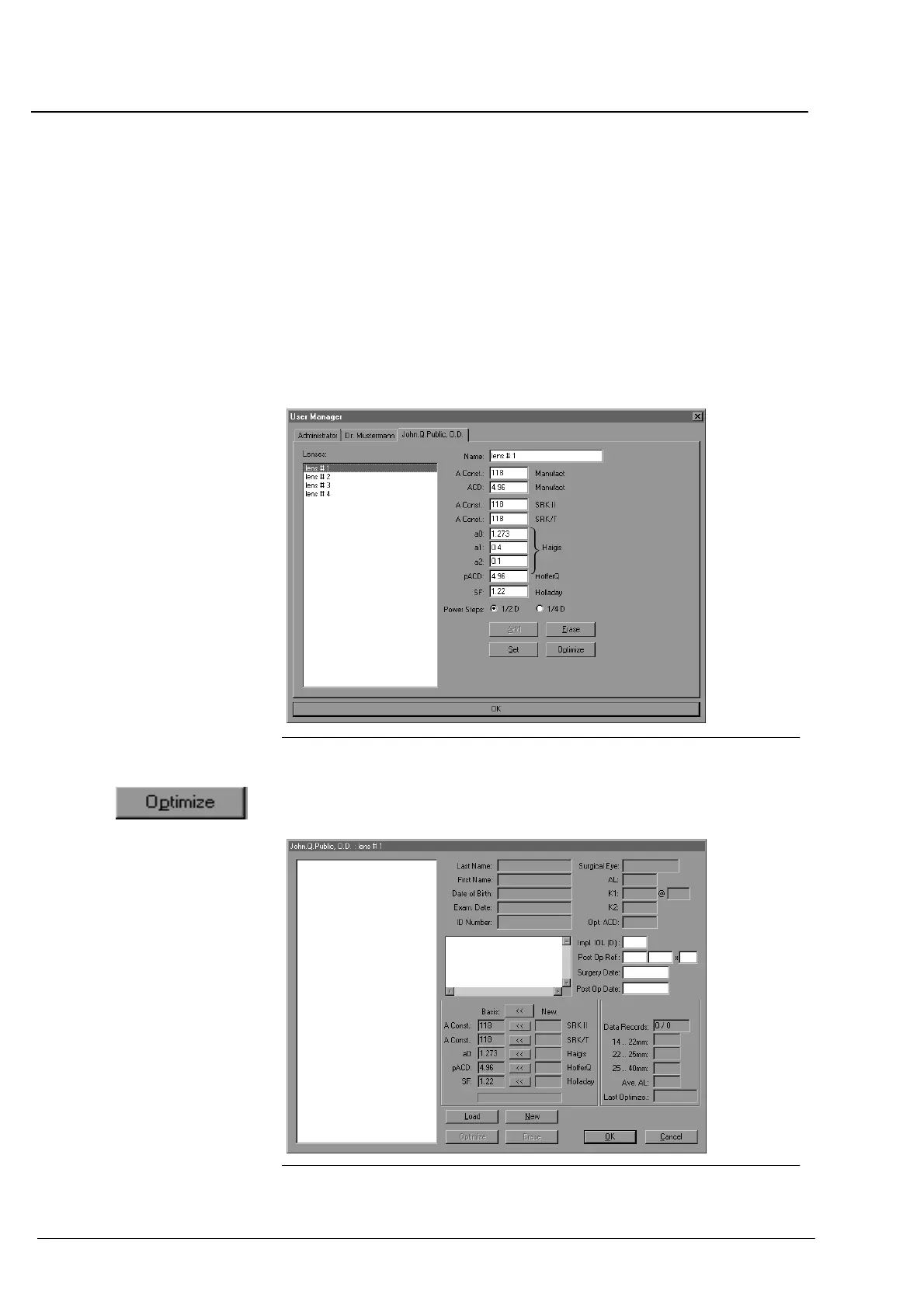
On the Options menu, activate User Manager. Select the respecĆ
tive operator and confirm your choice with
OK to open the User
Manager dialog box.
Choose a lens. The input mask contains nonĆoptimized constants
calculated from "A Constant of Manufacturer" or constants
optimized previously.
Fig. 29 Choice of lenses of a lens type
Click on the OPTIMIZE button.
In the dialog box of the selected lens, the lens constants will appear
in the Basis" column.
Fig. 30 Loaded lens type
Operation















 To Next Page