CHAPTER 4 - SYSTEM OPERATION
Lightsheet Z.1 Left Tool Area and Hardware Control Tools Carl Zeiss
02/2013 000000-1790-528 91
3.3.6 Processing – Filter
Tool accepts all types of image data recorded with the listed instruments. It is
generally advisable to perform certain processing steps (e.g. linear unmixing or
SIM processing) before applying filters. See full description of tool for details.
The filter function permits the processing of images with a
Median, Smooth, Sharpen, or Bandpass filter.
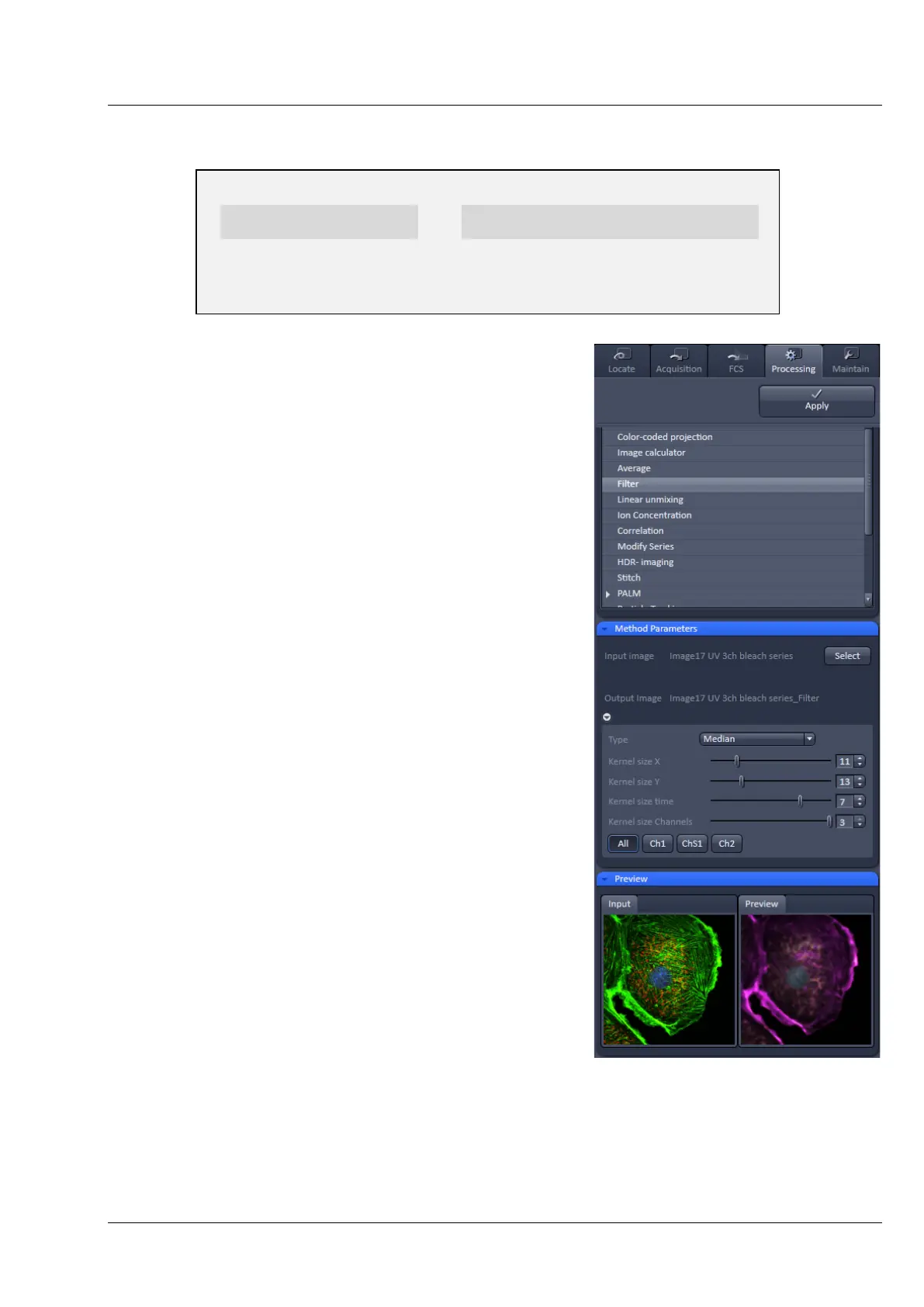
• To open the Filter tool, select it from the list under the
Processing main tab (Fig. 134).
• Select the Input Image with the Select button and
choose the filter of your choice from the Type pull down
(Median, Smooth, Sharpen, Band, and Gradient).
• Select the channels you want to process with the All,
Ch-T1 or Ch-T2 buttons.
Once a filter has been selected from the type drop down
menu, filter specific settings are available.
Median Filter
With the median filter, the gray value of each center pixel is
replaced with the median value of the neighboring pixels.
The viewed neighbor pixels are defined by a square of a
certain size called the kernel. The modified pixel now is the
center pixel of this pixel matrix.
The median value is defined as the middle value (not
average) of all the gray values sorted in ascending order
within a matrix.
Image noise will be reduced by the application of the
median filter. The cut-off of regions will slightly blur. Local
maxima will be flattened. The dynamic range will be
reduced considerably.
Fig. 134 Processing – Filter


 To Next Page