EasyManua.ls Logo

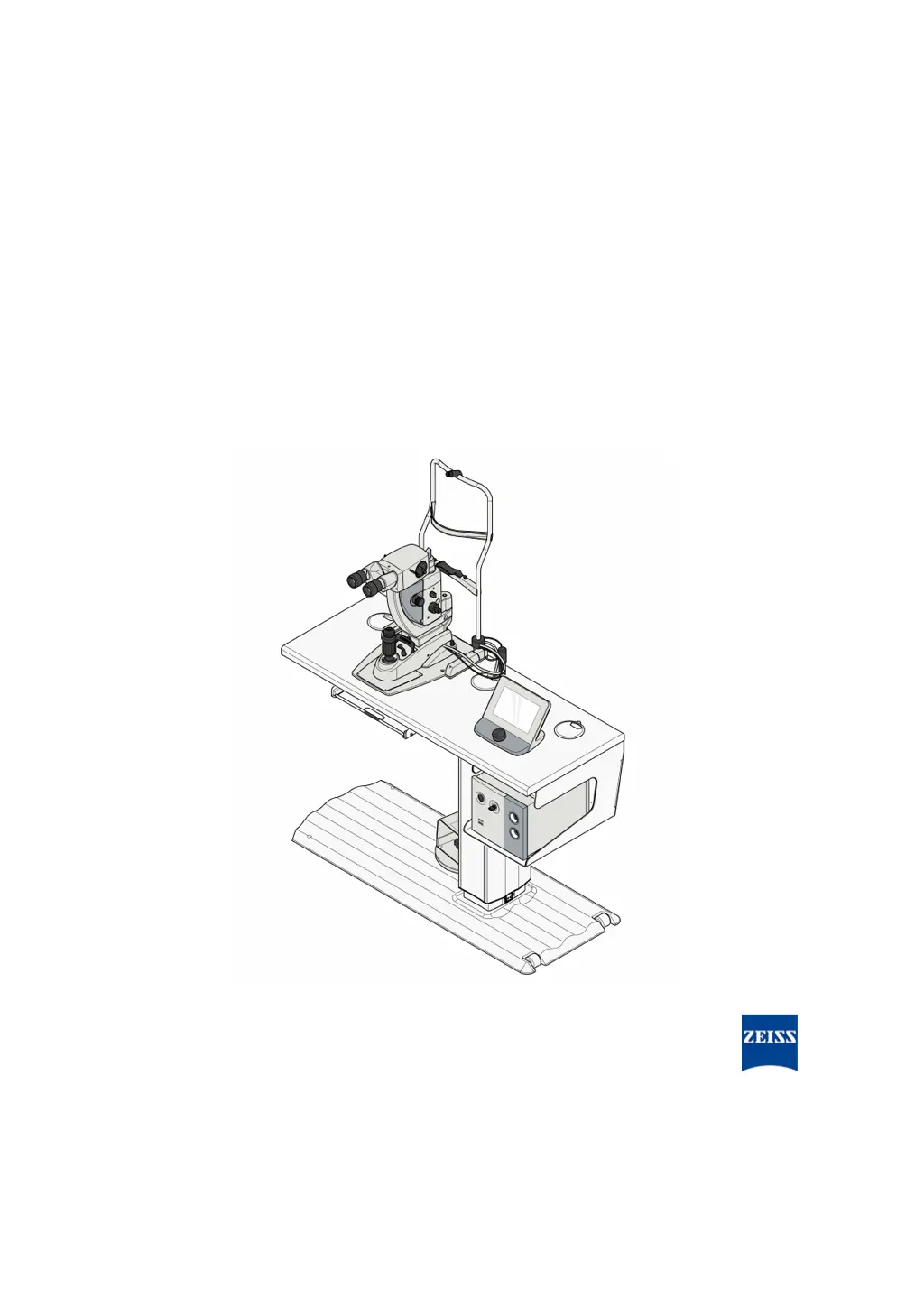
Zeiss VISULAS green - User Manual

Zeiss VISULAS green
136 pages
Print Icon
To Next Page IconTo Next Page
Loading...
VISULAS
green
Documentation set

Table of Contents

Questions and Answers

  • A
    Ashley KingAug 20, 2025
    What to do if temperature monitoring error occurs in Zeiss VISULAS green?
    • J
      Julie KochAug 20, 2025
      If the temperature within the Zeiss Medical Equipment laser console is too high, ensure that the vent slots on the laser console are not covered and that the ambient temperature is below 35 °C.
  • B
    Barbara NguyenAug 22, 2025
    What to do if Zeiss VISULAS green says 'Fiber not connected'?
    • J
      Jeremy MitchellAug 22, 2025
      If the Zeiss Medical Equipment shows that the fiber is not connected, check that the optical fiber is properly inserted and screwed in tightly.
  • J
    Juan BryantAug 25, 2025
    What to do if I get a connection error of physician's safety filter on my Zeiss VISULAS green?
    • D
      Diane RodriguezAug 25, 2025
      If there is a connection error of the physician's safety filter on your Zeiss Medical Equipment, check that the slit lamp and the OPMI (ENDO physician's safety filter) are correctly connected and properly inserted.
  • S
    Sarah CareyAug 27, 2025
    What to do if Zeiss Medical Equipment says 'Trigger not connected'?
    • T
      Tina ColemanAug 27, 2025
      If the Zeiss Medical Equipment indicates that the trigger is not connected, verify that the foot switch and the slit lamp are correctly connected and properly inserted.
  • C
    Connie TateAug 28, 2025
    How to fix door switch issue on Zeiss VISULAS green Medical Equipment?
    • G
      glennvanessaAug 28, 2025
      If there is a problem with the door switch on the Zeiss Medical Equipment, ensure the door is shut or check that the shorting plug is correctly plugged into the yellow socket.
  • R
    ryandavisAug 30, 2025
    What to do if the laser stop switch is locked on Zeiss VISULAS green?
    • T
      thomas94Aug 30, 2025
      If the laser stop switch is locked on the Zeiss Medical Equipment, unlock the laser stop switch.
  • W
    wfloydAug 31, 2025
    Why does 'DEMO treatment' appear instead of 'Treat' on my Zeiss VISULAS green?
    • C
      Chad SmithAug 31, 2025
      If the 'DEMO treatment' work step appears instead of the 'Treat' work step and the laser cannot be triggered on your Zeiss Medical Equipment, deactivate the DEMO mode by pressing the [DEMO] button under "Settings / System / Information".
  • N
    nathan77Sep 2, 2025
    What to do if Zeiss VISULAS green says 'Trigger pressed'?
    • J
      Jennifer CainSep 3, 2025
      If the trigger is pressed on the Zeiss Medical Equipment, release the trigger to continue, as it is not permitted to switch to treatment mode while the trigger is pressed for safety reasons.
  • D
    David GravesSep 4, 2025
    What to do if ERROR log deactivated on Zeiss VISULAS green?
    • A
      Aaron SchwartzSep 4, 2025
      Please contact ZEISS Service if the ERROR log is deactivated on your Zeiss Medical Equipment, and remember that patients must not be treated in this mode!
  • A
    Anthony SmithSep 6, 2025
    What to do if the Zeiss Medical Equipment shows a power warning?
    • B
      bhowellSep 6, 2025
      If the internal monitoring of your Zeiss Medical Equipment identifies that the actual laser power output deviates from the target power output selected on the control panel by more than 20 %, this triggers a power warning. If this warning repeats, notify ZEISS Service.

Summary

Notes on the Instructions for Use

Scope of Application

Defines the applicability of the VISULAS green system.

Purpose and Storage of Documentation

Explains the purpose of the manual and its storage guidelines.

Questions and Comments

Provides contact information for inquiries and feedback.

Conventions in All Text Areas

Details conventions for lists, cross-references, and highlighted text.

Conventions in a Course of Action

Explains conventions for warnings, cautions, notes, prerequisites, and actions.

Applicable Documents

Lists other relevant documents for additional components and accessories.

Safety Notes

Intended User Profile

Specifies the qualifications and training required for system operators.

Intended Field of Application

Details the system's intended use and limitations for eye treatments.

Indications

Specifies the medical conditions for which the device is indicated.

Side Effects and Contraindications

Lists potential side effects and conditions where the device is contraindicated.

Responsibilities and Duties of the Responsible Organization

Defines the obligations of the organization operating the system.

Measures and Duties of the Operator

Outlines essential safety measures and responsibilities for system operators.

Hazards Related to Laser Radiation

Covers risks associated with both incoherent and coherent laser radiation.

Risk of Fire

Addresses precautions to prevent fire hazards during system operation.

Damage to Fiber Optics

Provides guidelines to prevent damage to fiber optic components.

Maintenance Measures

Specifies requirements for system maintenance and repairs.

Description of the Device

Package Check List

Lists the components included in different VISULAS green system versions.

Markings on the System

Explains the various labels and symbols found on the laser console and components.

System Structure

Illustrates the overall system configuration and interconnections.

Controls, Display Elements and Connectors

Identifies and explains the function of system controls and ports.

Functional Description

Explains the basic principles of laser beam generation.

Installation and Setup

Installation Safety

Highlights critical safety precautions during system installation.

Connecting Components

Provides instructions and warnings for connecting system parts.

Mounting the Foot Switch on the Instrument Table

Details the procedure for attaching the foot switch to the instrument table.

Moving the Instrument Table with Devices

Explains safe procedures for relocating the instrument table.

Daily Startup

Preparation Safety

Outlines daily pre-use checks to ensure system readiness and safety.

Switching On the System

Describes the procedure for powering on the VISULAS green system.

Operation

Operation Safety

Lists critical safety warnings and precautions during system operation.

Operation with Laser Slit Lamp

Guides the user through the process of using the laser with a slit lamp.

Operation with Laser Endoprobes

Guides the user on connecting and operating the system with laser endoprobes.

Switching Off the System

Outlines the correct procedure for powering down the VISULAS green system.

Software Description

Data Security

Discusses measures for protecting system data and user information.

Overview of User Interface

Introduces the main elements of the control panel's user interface.

On-Screen Keyboard

Explains how to use the on-screen keyboard for data entry.

Configure Work Step

Details how to set up basic treatment parameters before starting.

Prepare Work Step

Guides the user in setting specific laser parameters for treatment.

Treat Work Step

Describes how to activate the laser and adjust parameters during active treatment.

Document Work Step

Explains how to view, export, and save treatment data and reports.

System Settings

Covers configuration options for language, treatments, contact lenses, system info, and maintenance.

Cleaning and Disinfection Procedures

Safety During Cleaning and Disinfection

Highlights hazards related to moisture and cross-contamination during cleaning.

Cleaning the Device

Provides instructions on how to clean device components safely.

Disinfection

Explains the procedure for disinfecting patient-contact parts.

Maintenance and Safety Checks

Testing Electrical Safety

Details procedures for checking protective earth resistance and insulation.

Performing Safety Inspections

Outlines the requirements for annual safety inspections of the device.

Replacing the Halogen Bulb in the Laser Slit Lamp

Step-by-step guide for replacing the slit lamp's halogen bulb.

Replacing the Fuse

Instructions for safely replacing fuses in the laser console.

Replacing the LED of the Fixation Lamp (Optional)

Guide for replacing the optional fixation lamp's LED.

Troubleshooting and Service

Faults with Messages

Lists error messages and their corresponding causes and remedies.

Faults without Messages

Covers system messages that do not trigger audible alerts or error codes.

Service Information

Directs users to find local ZEISS representatives online.

Technical Specifications

Risk-Relevant Performance Features

Lists key performance features critical for safe and effective operation.

System Classification

States the UMDNS number and laser class of the system.

VISULAS Green Laser System Specifications

Provides detailed technical data for the laser system.

LSL Green Laser Slit Lamp Specifications

Lists technical specifications for the LSL green laser slit lamp.

Ambient Conditions

Specifies operating and storage environmental requirements.

Electromagnetic Compatibility (EMC)

Details EMC guidelines, emissions, and immunity standards.

Optional Accessories and Spare Parts

Instrument Table

Covers safety and connection aspects related to instrument tables.

Laser Endoprobes

Details specifications and usage recommendations for laser endoprobes.

Connecting the Door Contact Isolator to the Laser Console

Explains how to connect the door contact isolator for safety interlocks.

Physicians Safety Filter

Describes the importance and types of physician's safety filters.

Disposal of the System

Disposal Procedures

Provides guidelines for environmentally responsible disposal of the system and its components.

References

Glossary

Index

Zeiss VISULAS green Specifications

General IconGeneral
Wavelength532 nm
CoolingAir-cooled
Laser TypeFrequency-doubled Nd:YAG
Power at the corneaUp to 1.5 W
Spot Size50 - 500 µm
Treatment ModesSingle, Continuous Wave (CW)
Aiming Beam635 nm, adjustable brightness
Electrical Requirements100 - 240 V, 50/60 Hz
ApplicationRetinal photocoagulation
Slit Lamp CompatibilityZEISS slit lamps, Haag-Streit slit lamps (with adapter)

Related product manuals