34 Rev.C 35 Rev.C
APPLE CARPLAY
CarPlay is an optimal co-pilot inside the car, on safer way to use your iPhone in the car. CarPlay
takes the things you want to do with your iPhone while driving and puts them on your car’s built-in
display. You can get directions, make calls, send and receive messages, and listen to music, all in a
way that allows you to stay focused on the road. Just connect your iPhone and go.
USING APPLE CARPLAY
PREPAR ATION:
• Connect the compatible iPhone with the BACKSIDE USB-1 connector of the ZENEC device.
• Bluetooth will be automatically establish on BACKSIDE USB first time connection.
• Unlock your iPhone.
INITIAL OPERATION:
1. For the initial operation, the vehicle must not be in motion and the hand brake must be put on.
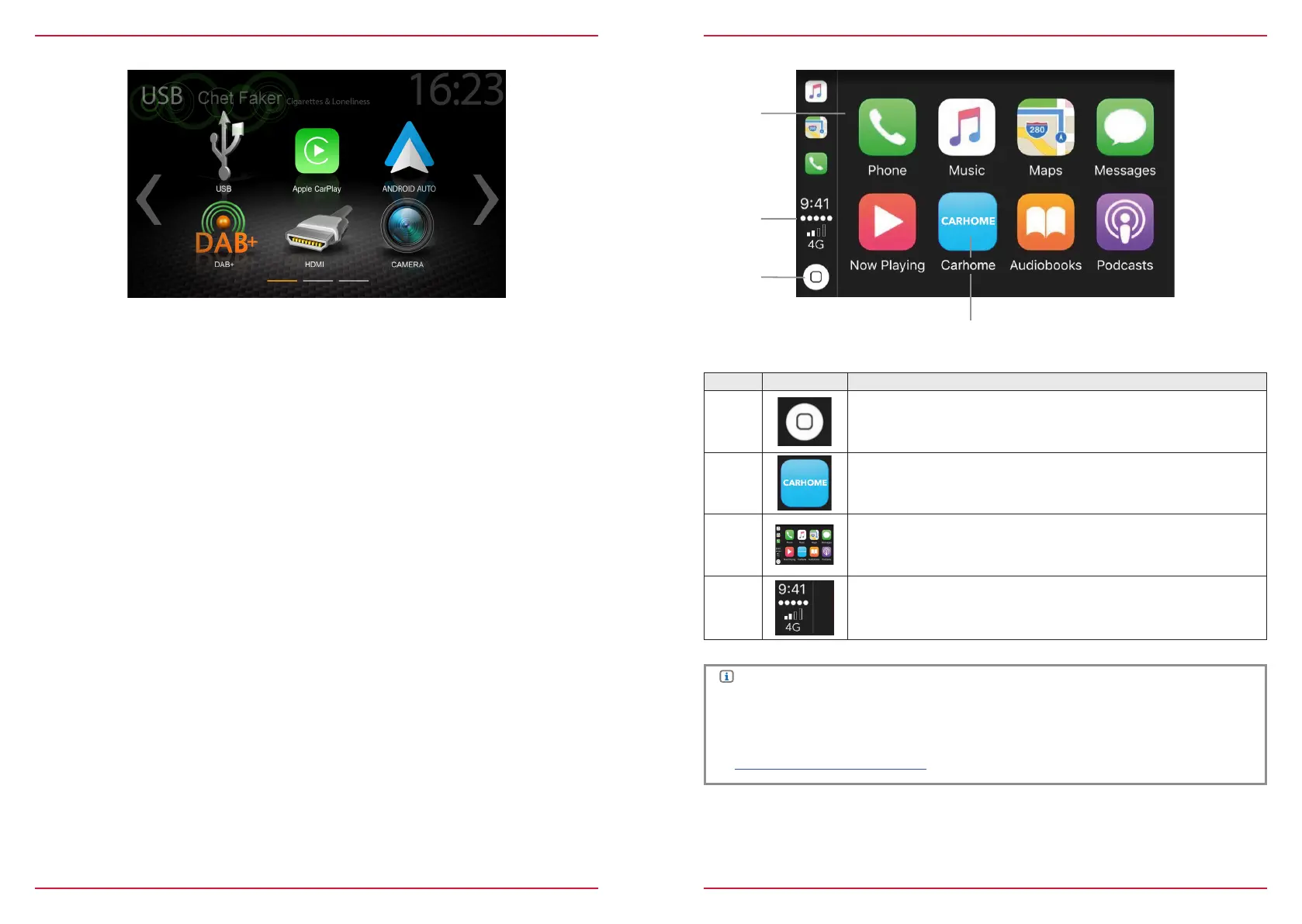
2. Tap to the CarPlay icon in the main menu of the ZENEC device to choose the CarPlay source.
3. After the initial operation has been completed successfully, the CarPlay user interface appears on
the screen of the ZENEC device.
APPLE CARPLAY OPERATION
Item Icon Operation
1
Tap to display the home screen of CarPlay
2
Tap to open the ZENEC main menu
3
Tap any of the APP icon to start the application
4
iPhone status information
NOTE
● CarPlay isn`t available on older iPhones..
● To use CarPlay with your iPhone, at least iOS 7.1.x or a higher version of the Apple operation
system must be installed on your phone.
● For more detailed information about Apple CarPlay, please visit
https://www.apple.com/de/ios/carplay/



 To Next Page