Need help?
Do you have a question about the ZENEC Z-E2026 and is the answer not in the manual?
Describes the manual's content regarding device operation and vehicle facts.
Provides crucial safety warnings and cautions for operating the ZENEC system.
Outlines initial steps and important guidelines before the first use of the system.
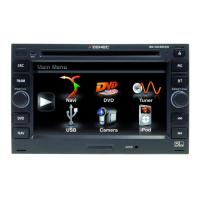
Details the physical components and controls of the ZENEC system unit.
Explains the functions and controls of the steering wheel interface for the ZENEC system.
Instructions for manually and automatically turning the ZENEC system on and off.
Information on the anti-theft function and password management.
Covers adjusting volume via the system's rotary knob and steering wheel buttons.
Details how to adjust bass, mid, treble, ultrabass, and loudness for audio.
Adjusting audio balance between left/right and front/rear speakers.
Configuration for pre-installed OE amplifier settings like SDVC and Gain.
Car-specific settings including Park Assist, AC Pop-Up, Driver Position, Brand, and Vehicle Type.
Display of air conditioning status like Ventilation, Heating, and Temperature settings.
How seat heater settings are displayed via indicators and color gradations.
Settings for displaying parking aid sources: OFF, CAM, OPS, or OPS & CAM.
Requirements and steps to update navigation maps using Naviextras Toolbox.
System specifications and approval numbers, including manufacturer details.
 General
| Screen Size | 6.2 inches |
|---|---|
| Screen Resolution | 800 x 480 pixels |
| Touchscreen | Yes |
| Navigation | Yes |
| Bluetooth | Yes |
| USB | Yes |
| Apple CarPlay | Yes |
| Android Auto | Yes |
| DAB+ | Yes |
| DVD Player | Yes |
| Amplifier Output | 4 x 50 watts |
| Radio | FM/AM |
| SD Card Slot | Yes |
| GPS Navigation | Yes |
| Rear View Camera Input | Yes |
| Steering Wheel Control | Yes |


 To Next Page