10
CAR
Function Icon Operation
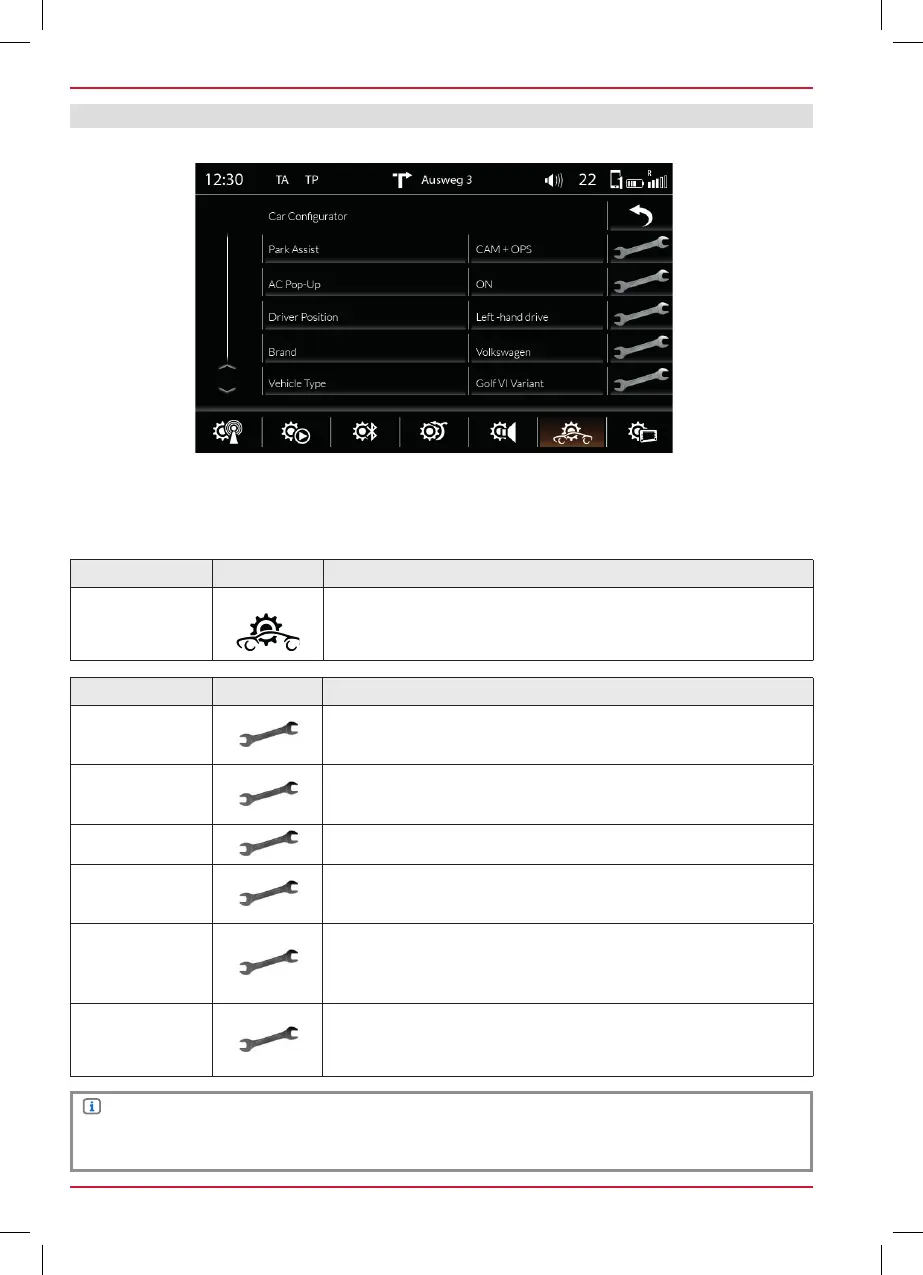
CAR Setup
Touch to get to this view.
Device User Manual → Setup → CAR Setup
In this menu you can make all the settings specific to the car. You will find an explanation of the
abbreviations at the end of the main manual.
Fig. S / 06
NOTE
These functions are only supported if supported by the vehicle.
Function Icon Operation
Park Drive Assist
Touch to set the parking aid display source.
OFF / CAM / OPS / OPS & CAM
Reverse
Audio Assist
Touch to set the muting function when parking aid is active.
OFF / Reduced Volume / CAM Audio / MUTE Audio
Brand
Touch to choose the vehicle manufacturer.
Vehicle Type
Touch to choose the corresponding vehicle for the OPS and AC
Info indication.
AC Info
Off = Air conditioning pop-up window does not appear during
adjusting
On = Air conditioning pop-up window does appear during
adjusting
Driver Position
Left-hand drive / Right-hand drive
SETUP



 To Next Page