44
3.1.8 Selecting a location on the map
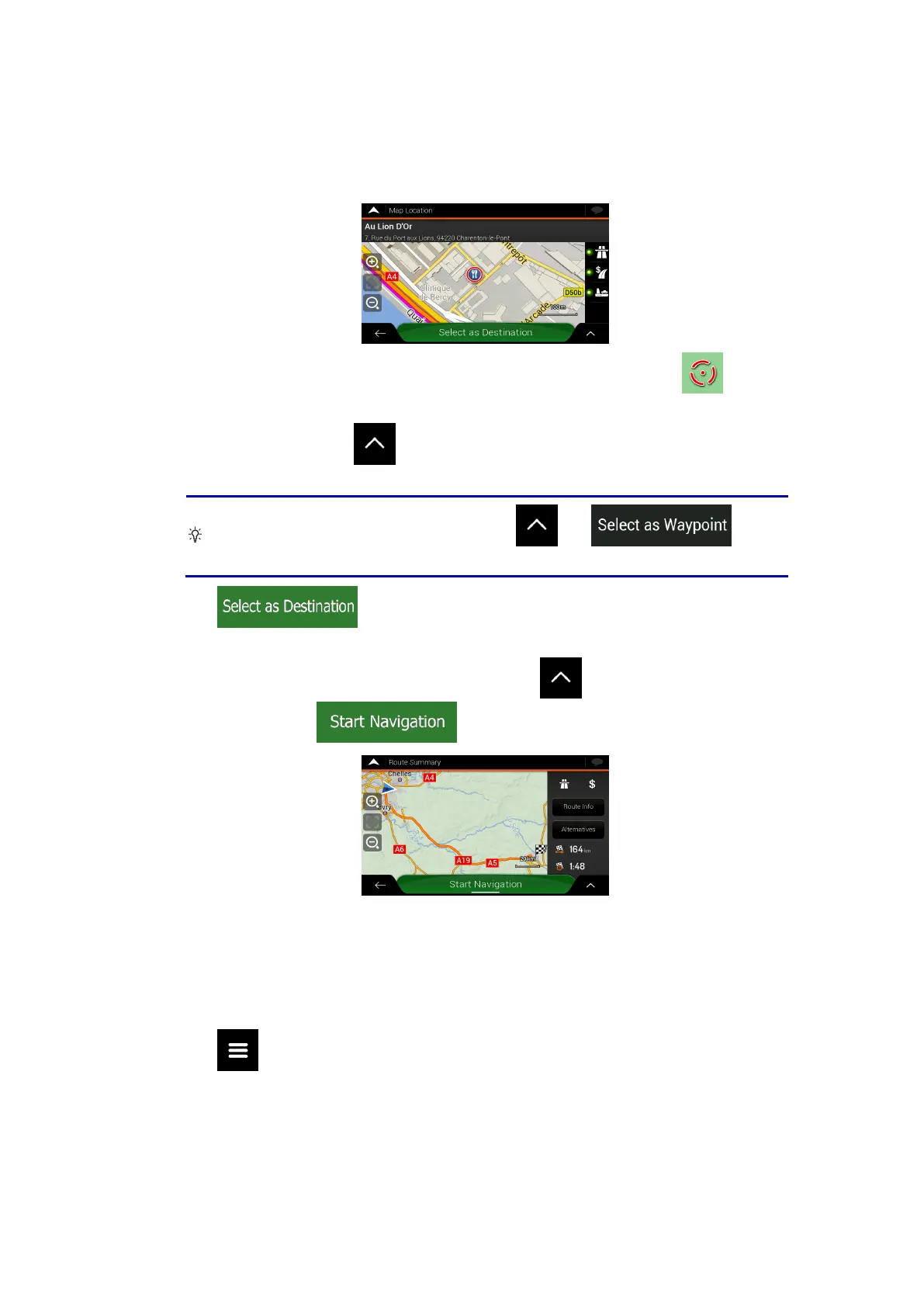
To select a map location, perform the following steps:
1. Locate your destination on the map. Move and scale the map as necessary.
2. Tap the location that you want to select as your destination. The cursor (
)
appears there.
3. (optional) If needed, tap
to list the Places near the selected point or to save this
location.
Tip!
If you already have a planned route, tap
and to add
the selected location to your route.
4. Tap to select the cursor as the destination.
5. The route is calculated and the map appears showing the entire route, where you can
check route information and route alternatives. Tap
to modify the route
parameters, or tap
to start your journey.
3.1.9 Planning a Multipoint Route
To build your route destination-by-destination, perform the following steps:
1. Tap
on the Navigation view to access the Navigation menu.



 To Next Page