12
Connections (Continued)
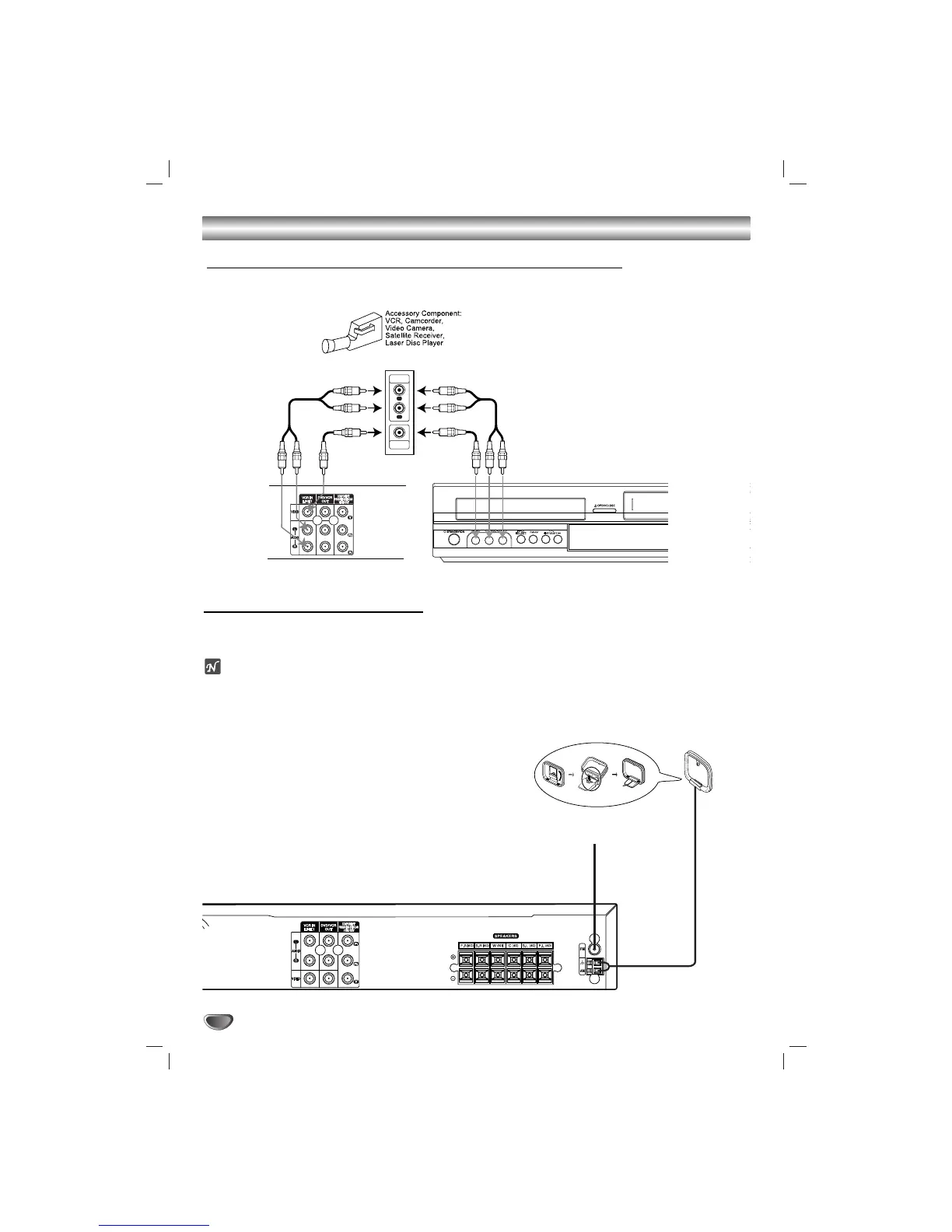
Accessory Audio/Video (A/V) Connections to the unit
Connect the LINE 1 or LINE 2 jacks on the unit to the AUDIO/VIDEO OUT jacks on your
accessory component, using the optional audio/video cables.
Radio Antenna Connections
Connect the supplied FM/AM antennas for listening to the radio.
• Connect the AM loop antenna to the AM antenna connector.
• Connect he FM wire antenna to the FM antenna connector.
otes
•To prevent noise pickup, keep the AM loop antenna away from the DVD+Hi-Fi VCR and other components.
• Be sure to fully extend the FM wire antenna.
• After connecting the FM wire antenna, keep it as close to horizontal as possible.


 To Next Page