16
VCR Operation Setup (Continued)
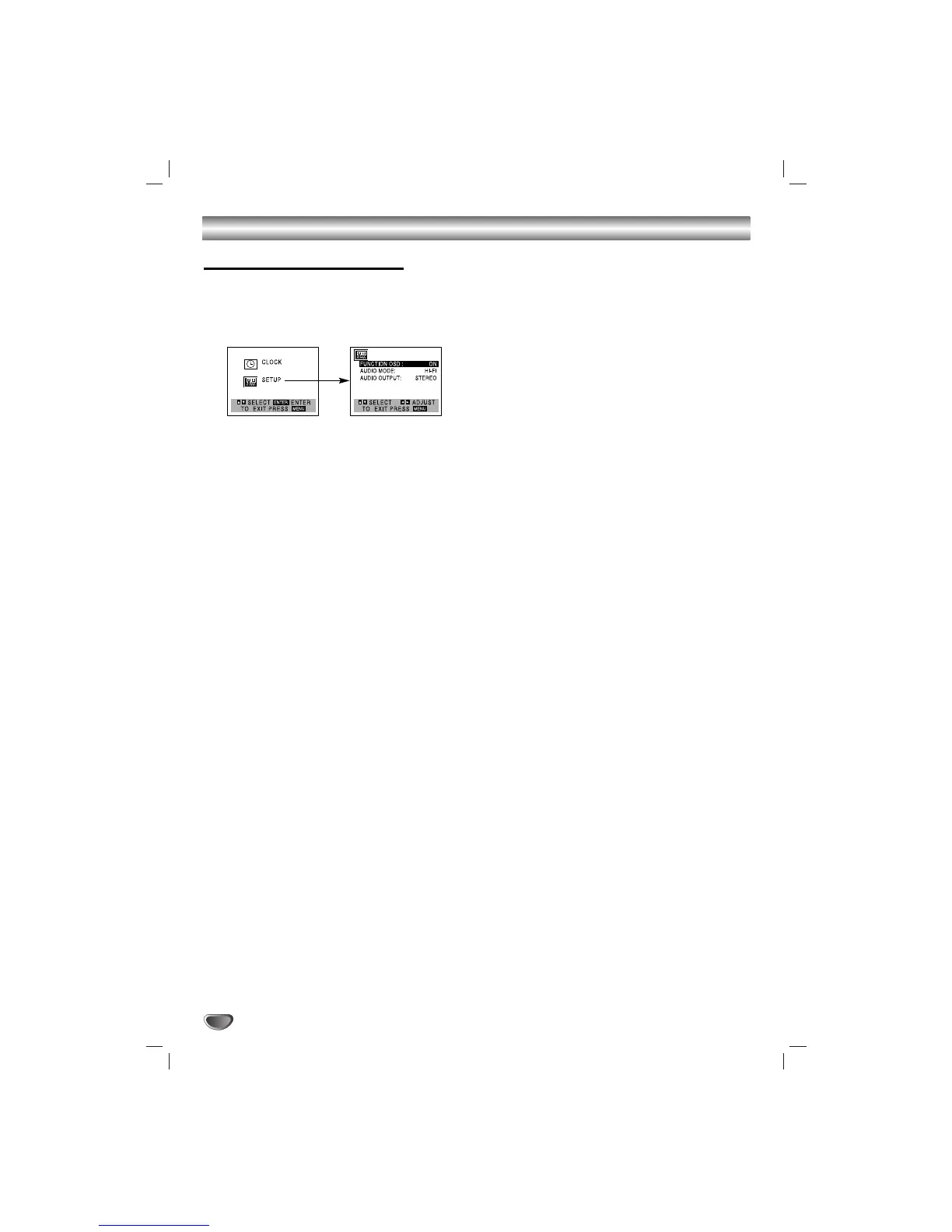
VCR Setup Menu Options
11
Press MENU and the MAIN menu will appear.
22
Use
vv
/
VV
to select the SETUP menu, then press
MEMORY/ENTER.
The SETUP menu will appear.
33
Use
vv
/
VV
to choose a desired option on the
SETUP menu. Then use
bb
/
BB
to choose a
desired setting.
FUNCTION OSD
The on-screen display of this unit can be turned on or off.
• FUNCTION OSD: Choose ON and OFF with b/B.
AUDIO MODE
The unit has two separate audio playback systems, the high
quality VHS Hi-Fi system and standard NORMAL mono sys-
tem. The same audio is generally recorded on both systems.
The VHS Hi-Fi system plays on separate (left and right) chan-
nels, and the NORMAL system plays monaural sound. The
normal track is always played so the cassette can be played
on a unit that does not have VHS Hi-Fi.
• AUDIO MODE: Choose HI-FI or NORMAL with b/B.
AUDIO OUTPUT (STEREO/LEFT/RIGHT)
Used during playback [when AUDIO MODE (HI-FI/NORMAL) is
in HI-FI position] for selecting the audio output signals from the
AUDIO OUT terminals (L ch and R ch), and RF.OUT.
This display setting should normally be left in the stereo posi-
tion, so that when a stereo tape is played, the stereo sound will
be heard through the left and right channels. If a mono tape is
played and the audio output is set to stereo, the same mono
sound will be heard from both left and right channels.
• AUDIO OUTPUT: Choose STEREO, LEFT, or RIGHT with
b/B.
44
Press MENU when finished.


 To Next Page