SR23 - 923-03509 1-3 CS - GENERAL
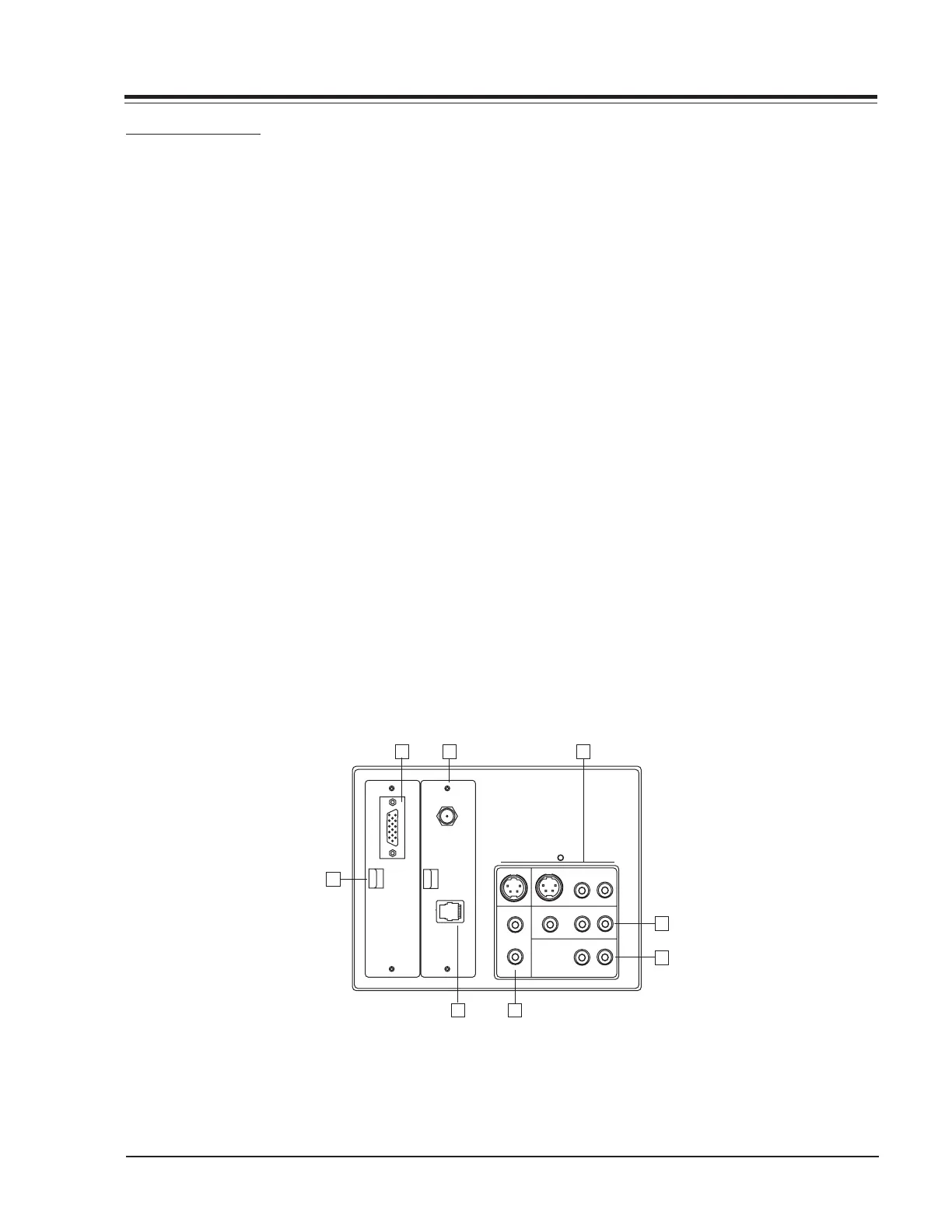
CONNECTION CENTER
1. COMPUTER VIDEO INPUT (HD15)
Standard DB15 receptacle for SVGA input video signal
from either PC or Macintosh format. This provides a
“Flicker-Free” view of the computer.
2. ANTENNA/CABLE JACK
This jack is used for 75-ohm antenna-type signal con-
nections to the TV. Attach antenna, cable TV line, or
other video equipment to jack. The input cable may come
from an outdoor or master antenna, cable TV line, cable
decoder box, or the RF output from a VCR.
3. S-VIDEO IN AND OUT
These jacks are for input and output connections to
SUPER-VHS video equipment. Use the input jack for view-
ing S-Video. Use the output jack to loop the S-Video
signal to an additional TV or monitor. The right and left
audio jacks are used for the stereo input or output paired
with the S-Video Signal.
4. VIDEO IN AND AUDIO IN
Use the Video and Audio In jacks for baseband video
and audio input signals from a VCR or other signal source.
To view the signal input to these jacks, select the AUX
channel on the TV.
CONNECTIONS
5. COMPUTER AUDIO IN
These jacks provide left and right audio input that can
be paired with the computer data input.
6. AUDIO OUT
These jacks provide preamp audio out to be used with
an external amplifier.
7. MPI (MULTIPLE PROTOCOL INTERFACE) JACK
Standard RJ11 jack to provide interface with in-room
entertainment and video services. Also used with the
installer’s remote control for programming other TVs in
the system with the same features as the master TV.
8. POWER INDICATOR
The Scan Card power indicator LED (if the set has a Scan
Card).
9. SUPERPORT
Allows easy installation of an accessory module without
removing the cabinet back. Module is housed inside the
TV cabinet and receives operating power and all neces-
sary interface signals through internal connections.
S-VIDEO OUT
S-VIDEO IN
RL
R
L
ANTENNA
CABLE
M. P. I.
VIDEO
COMPUTER
AUDIO
AUX IN
AUDIO OUT
--AUDIO--
RL
--AUDIO--
RL
--AUDIO--
2
9
7
4
5
6
1
3
C
O
M
P
U
T
E
R
I
N



 To Next Page