10
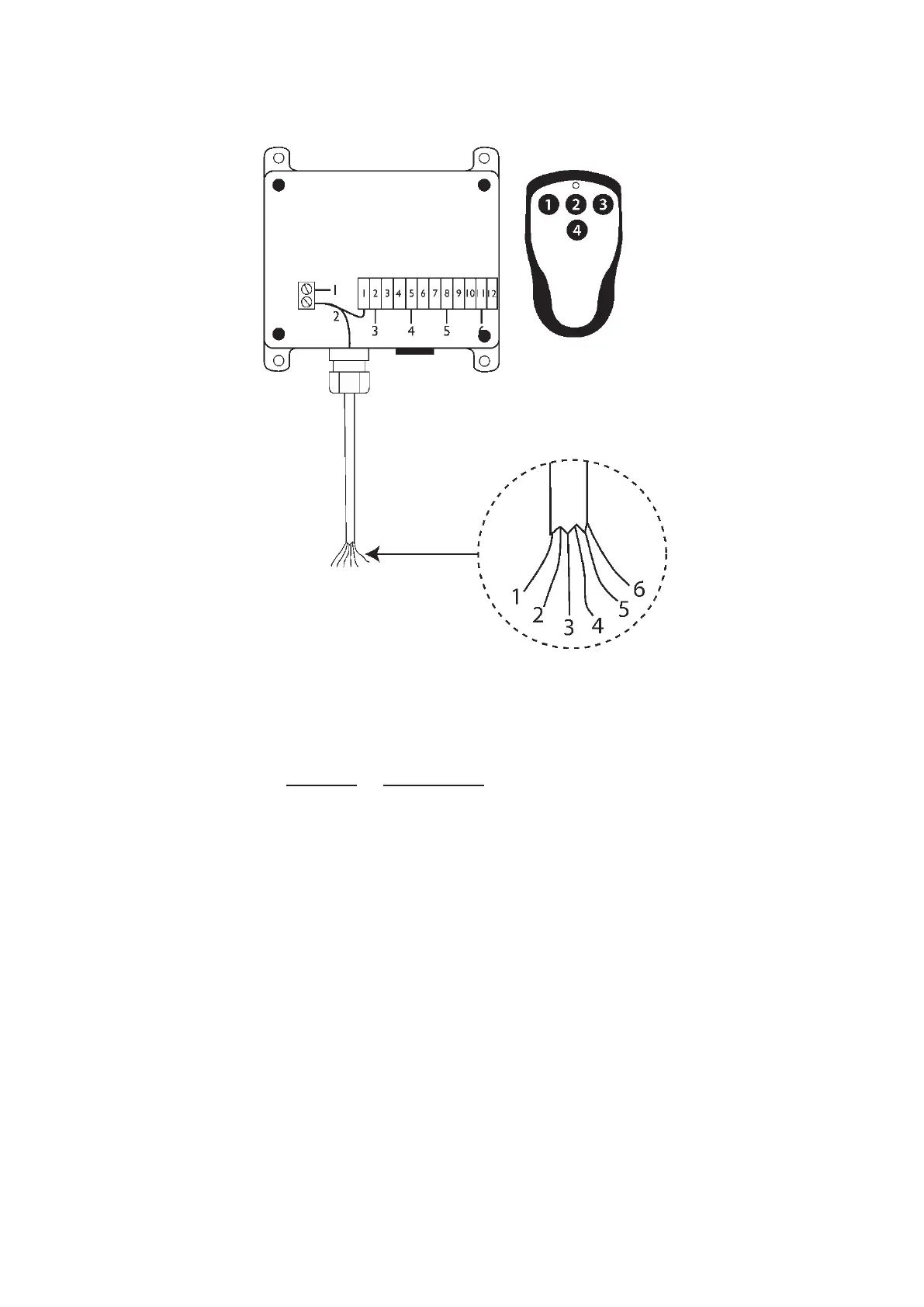
6. Zepro T60 - 4 channel radio
Colour of cable and function.
1. White: Earth (marked with a - minus sign)
2. Black: 12 V DC or 24 V AC/DC (or black marked with a + plus sign)
3. Brown: UP function
4. Blue: TILT function
5. Yellow/Green: DOWN function
6. Grey Lock/Unlock function
The lock/ unlock function
Press button 4 to lock. Press button 2 to unlock.
Note! When the transmitter is locked, button 1 and 3 cannot be activated.
When the transmitter is locked, button 2 unlocks the transmitter. When the
transmitter is unlocked, button 2 activates the tilt function.
Applies only control system with software version 9.0 or later:
Locking is maintained if the lift loses power and then is started up again, the
number 7 is ashing on the control board display. Unlocking is done by turning
operating power Off/On using the cabin switch (CS).



 To Next Page