4.2
3G/4G Setting
4.2.1
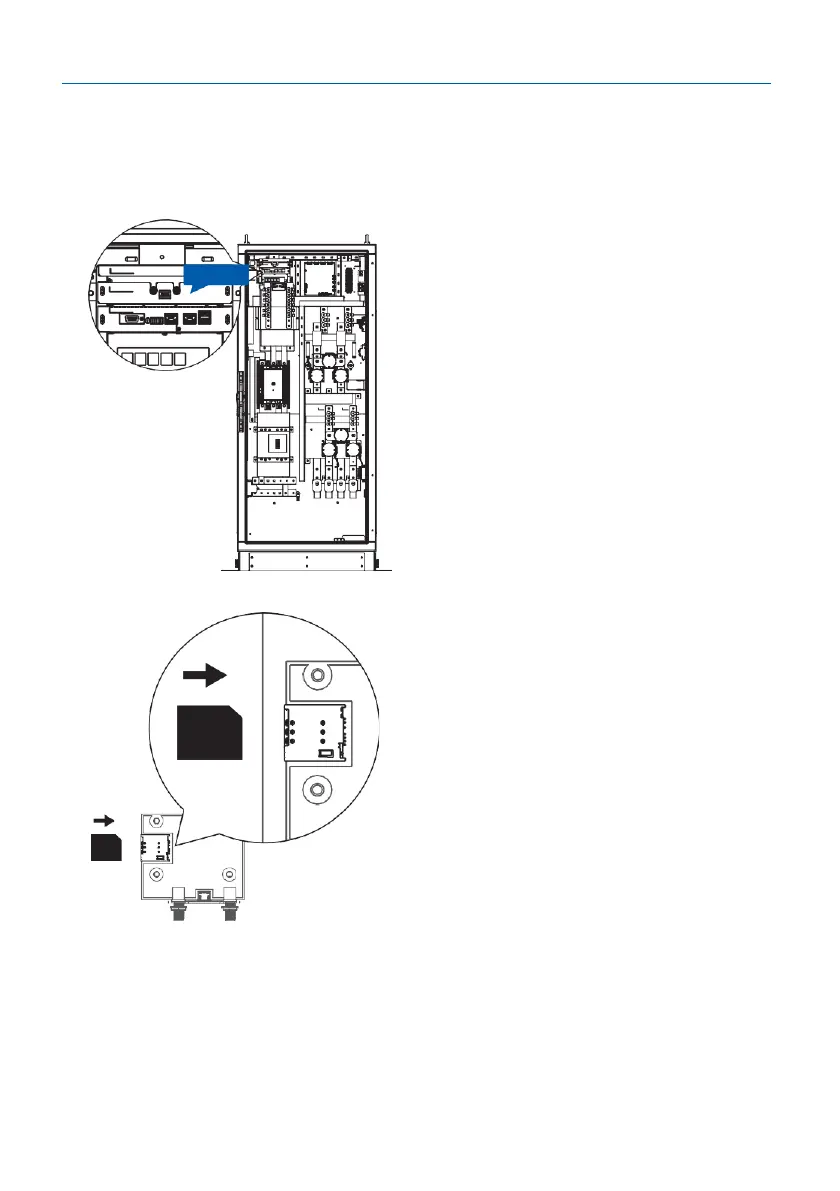
SIM Card Installation
Step 1.
Open the right door. And you can see the
3G/4G/Wi-Fi module inside the cabinet.
Step 2.
Please disable the PIN on the SIM card
before inserting it into the SIM card slot.
The chip side should be facing downward
and its notch is oriented as shown in the
left picture. The slot could be damaged if
it is inserted in the wrong direction.


 To Next Page