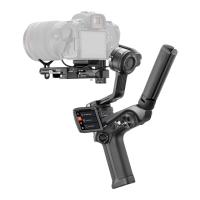
19
Control Mode Description
• Single Press of Mode Button
• Double Press of Mode Button
Switch between pan following mode and locking mode.
Switch between following mode and POV mode.
PF L
Pan Following
Mode
Locking Mode
F
Following Mode
POV
Point of View Mode
(POV Mode)
How to Use
Triple Press of Mode Button
The pan axis rotates 180° without changing the current mode (not available in
locking mode).
Quadruple Press of Mode Button
Reset the position of the tilt axis motor and the roll axis motor of the stabilizer.



 To Next Page
 Loading...