20
Roll Axis
Tilt Axis
Pan Axis
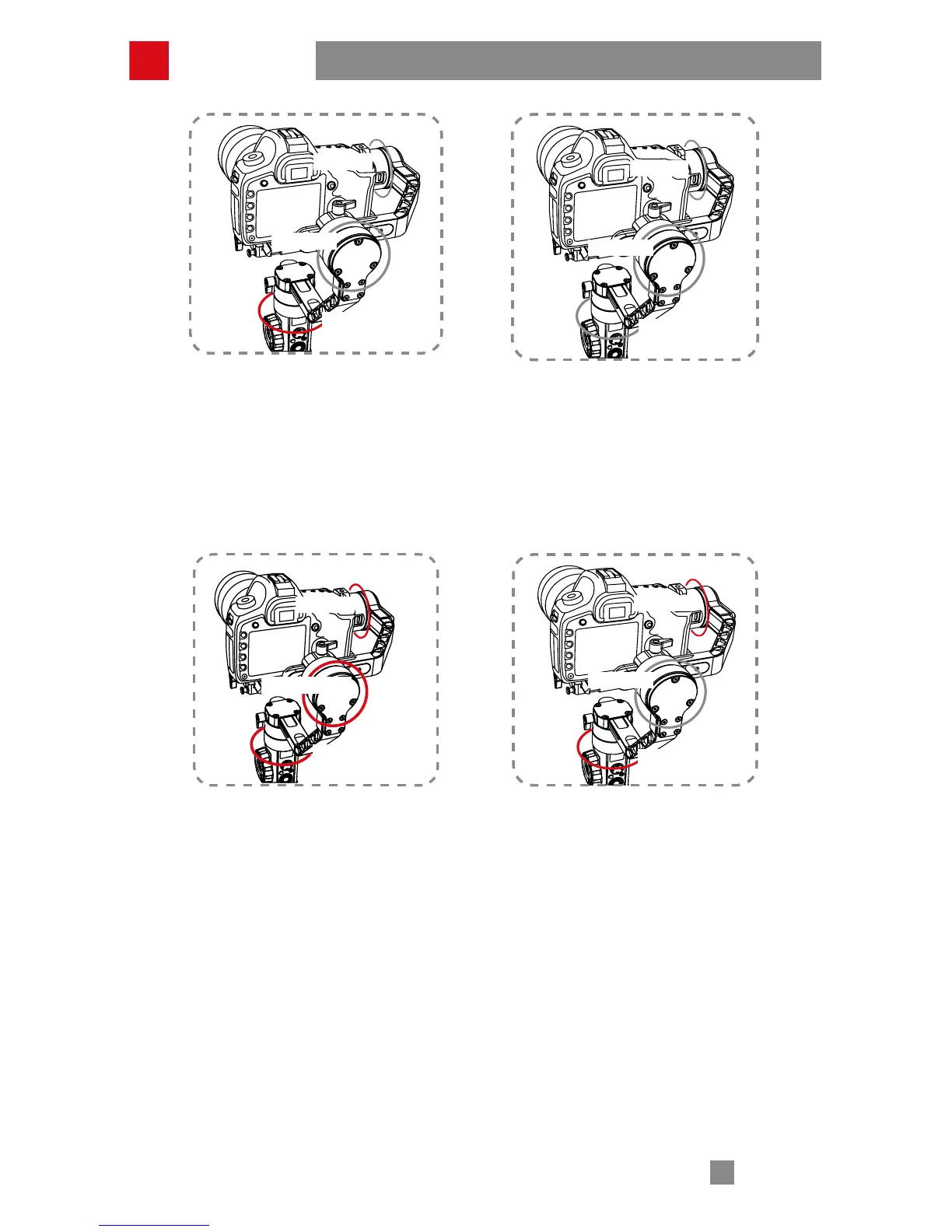
Pan Following Mode (PF):
The camera pans left/right following
the movement of the stabilizer while
the tilt and roll axes are locked. Push
the joystick up/down allows manual
control of the tilt axis.
Locking Mode (L):
This mode locks movement of all three
axes to keep the camera fixed on a
shooting direction. Push the joystick
up/down and left/right allows manual
control of the tilt axis and pan axis.
Roll Axis
Tilt Axis
Pan Axis
Roll Axis45°
Tilt Axis
Pan Axis
Point of View mode (POV):
The mode allows the camera to roll
left/right at a max.angle of 45°, and
pan left/right or tilt up/down with
unlimited 360°rotation following the
movement of the gimbal handle.
Following Mode (F):
The camera pans and tilts following
the movement of the stabilizer. Push
the joystick left/right allows manual
control of the roll axis.
Roll Axis
Tilt Axis
Pan Axis
How to Use



 To Next Page
 Loading...