23
Six-side Calibration
A. Six-side calibration via OLED display guide:
1. Power on the stabilizer and enter standby mode, then press Menu and rotate
the dial to "Calibration" option. Press right to confirm.
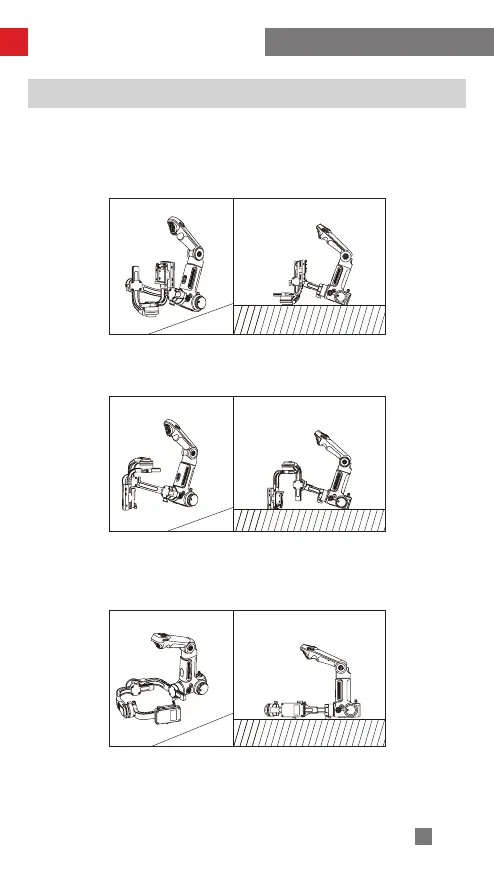
2. As seen below, conduct six-side calibration following the 6 steps shown in the
graphs, finish by pressing any button to exit the menu.
Calibration and Firmware Upgrade
STEP 1
STEP 2
STEP 3
Press the motor of the tilt axis against a level surface and wait until the display of
the stabilizer shows “STEP 2” (as shown above).
Press one side of the camera image transmission and control module against a level
surface and wait until the display of the stabilizer shows “STEP 3” (as shown above).
Press another side of the camera image transmission and control module against
a level surface and wait until the display of the stabilizer shows “STEP 4” (as
shown above).



 To Next Page
 Loading...