6
. TIMER SETTING
The timer can be set in the following configurations:
ON
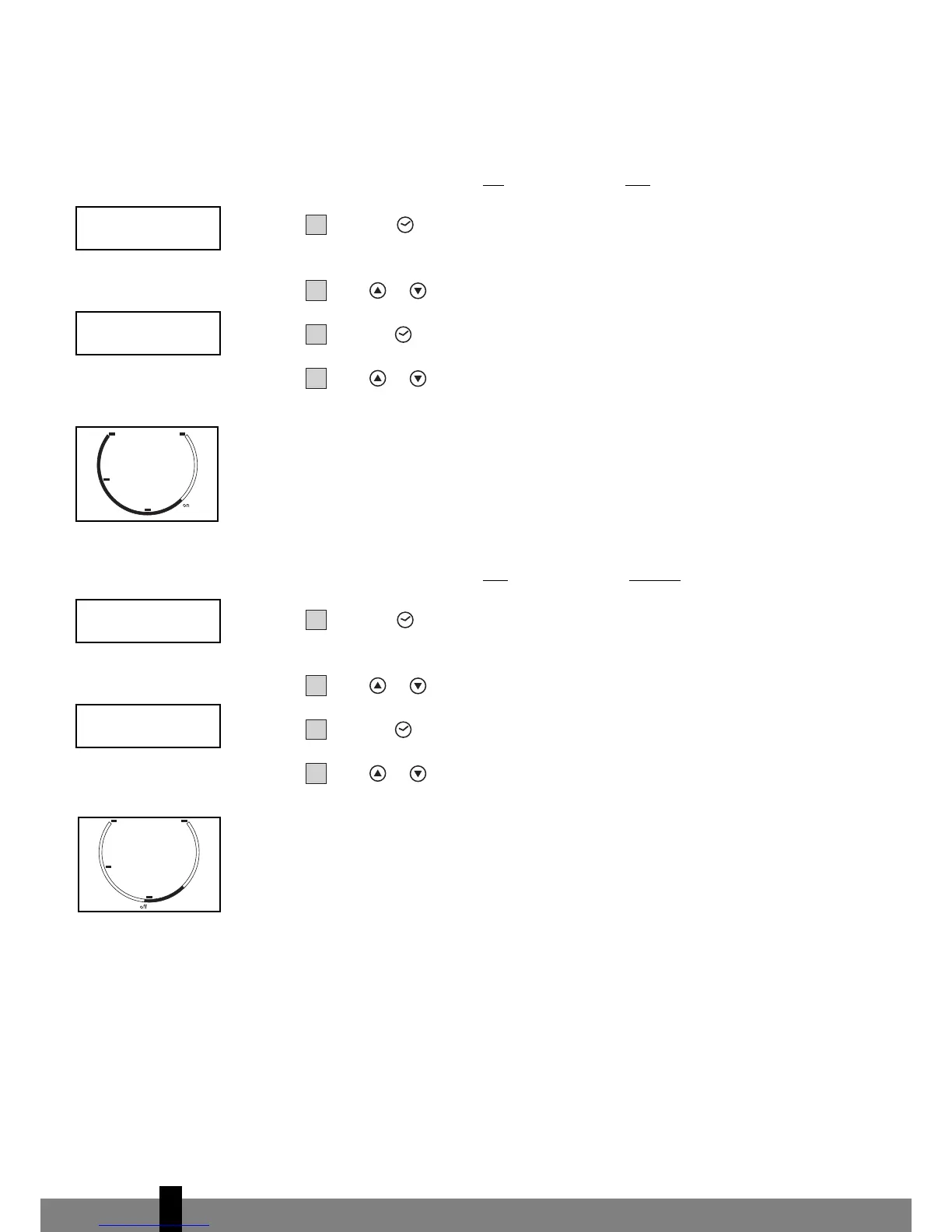
Programming the timer for ON - when the unit is OFF.
Press the push button; the 2 left digits of the 4 digits on the LCD display
are flashing.
Press or to adjust the hour.
Press the push button again, the 2 right digits of the 4 digits are flashing.
Press or to adjust the minutes of the clock in intervals of 5 minutes.
The timer is set. After 10 seconds the time display returns.
The circular time scale will be on between the ON programmed times until 24:00.
The flashing bar on the time scale indicates the real time and moving a phase
every 30 minutes ahead until it reaches the ON timer time, then the black
segments in the circular time scale will disappear.
OFF
Programming the timer for OFF
- when the unit is r
unning.
Press the push button; the 2 left digits of the 4 digits on the LCD display
are flashing.
Press or to adjust the hour.
Press the push button again, the 2 right digits of the 4 digits are flashing.
Press or to adjust the minutes of the clock in intervals of 5 minutes.
The timer is set. After 10 seconds the time display returns.
The circular time scale will be on between the present time to the OFF
programmed time. The flashing bar on the time scale indicates the real time and
moving a phase every 30 minutes ahead until it reaches the OFF timer time, then
the black segments in the circular time scale will disappear.



 To Next Page