Need help?
Do you have a question about the zicox XT423 and is the answer not in the manual?
Provides basic information about the manual and the printer.
Explains the icons used throughout the manual for warnings and notices.
Lists other documents providing technical specifications and development instructions.
Contains notices on manual changes, error reporting, and copyright.
Covers warnings on disassembly, hazardous environments, charging, and hot parts.
Instructions for charging, handling, and storing the battery to prevent damage or hazards.
Warnings and recommendations for using the power adapter safely, including handling and storage.
Lists the items included as standard accessories with the printer.
Lists optional accessories available for purchase separately.
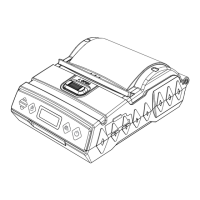
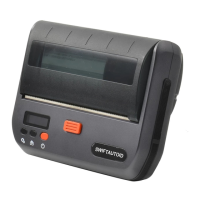
Identifies and labels the components visible on the front face of the printer.
Identifies and labels the internal and external components on the back side of the printer.
Explains icons for config mode, printing status, paper out, cover open, and battery level.
Step-by-step guide on how to install the battery into the printer.
Instructions for connecting the adapter and charging the printer's battery.
Detailed procedure for opening the cover, loading paper, and closing.
Instructions for turning the printer on and off using the power key.
How to feed paper and manage auto-sleep/wakeup functions.
Steps to enter config mode and change settings like darkness and speed.
Procedure to initiate and print a self-test page from the printer.
Details on printer info, system, fonts, and module info provided in the self-test output.
How to connect and control the printer via USB interface.
Information on Bluetooth and Wi-Fi connectivity options for the printer.
Regular cleaning procedures for the printer head, shell, and rollers.
Guidelines for storing and using thermal paper to ensure print quality.
A table listing common printer faults, their reasons, and recommended solutions.
Technical specifications and parameters of the printer, including resolution and print speed.
Details on battery parameters, charging, and physical specifications for paper.
Details on hazardous substances present in printer components as per RoHS standards.

 To Next Page
 General