13
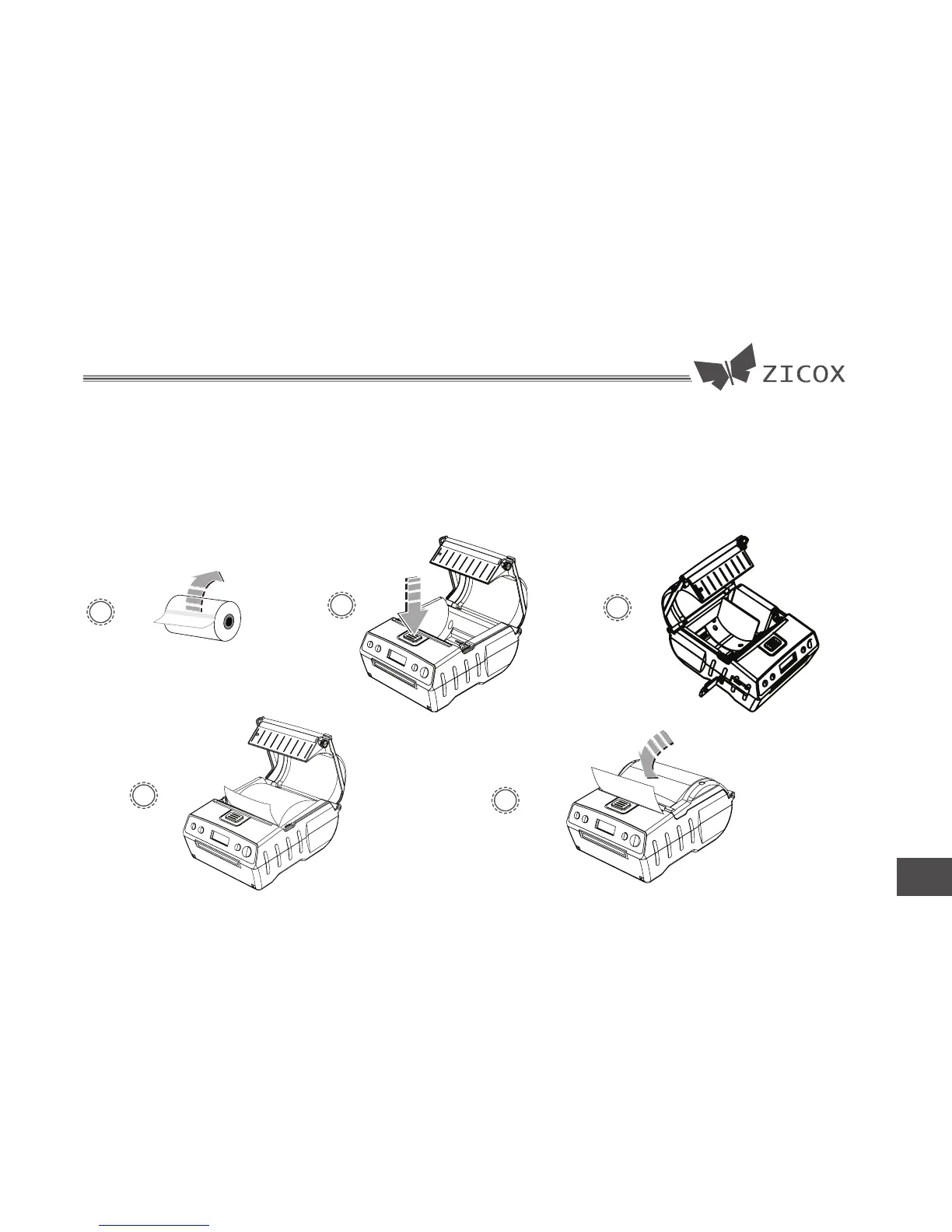
4.3 Loading paper
1. Remove the seal on the paper.
2. Press the button to open the cover.
3. Unscrew 2 screws to change the paper
1
4
2
store size then screw down them.
4. Load paper
5. Close the cover & releaving a section
of paper out of the printer.
3
5


 To Next Page