12
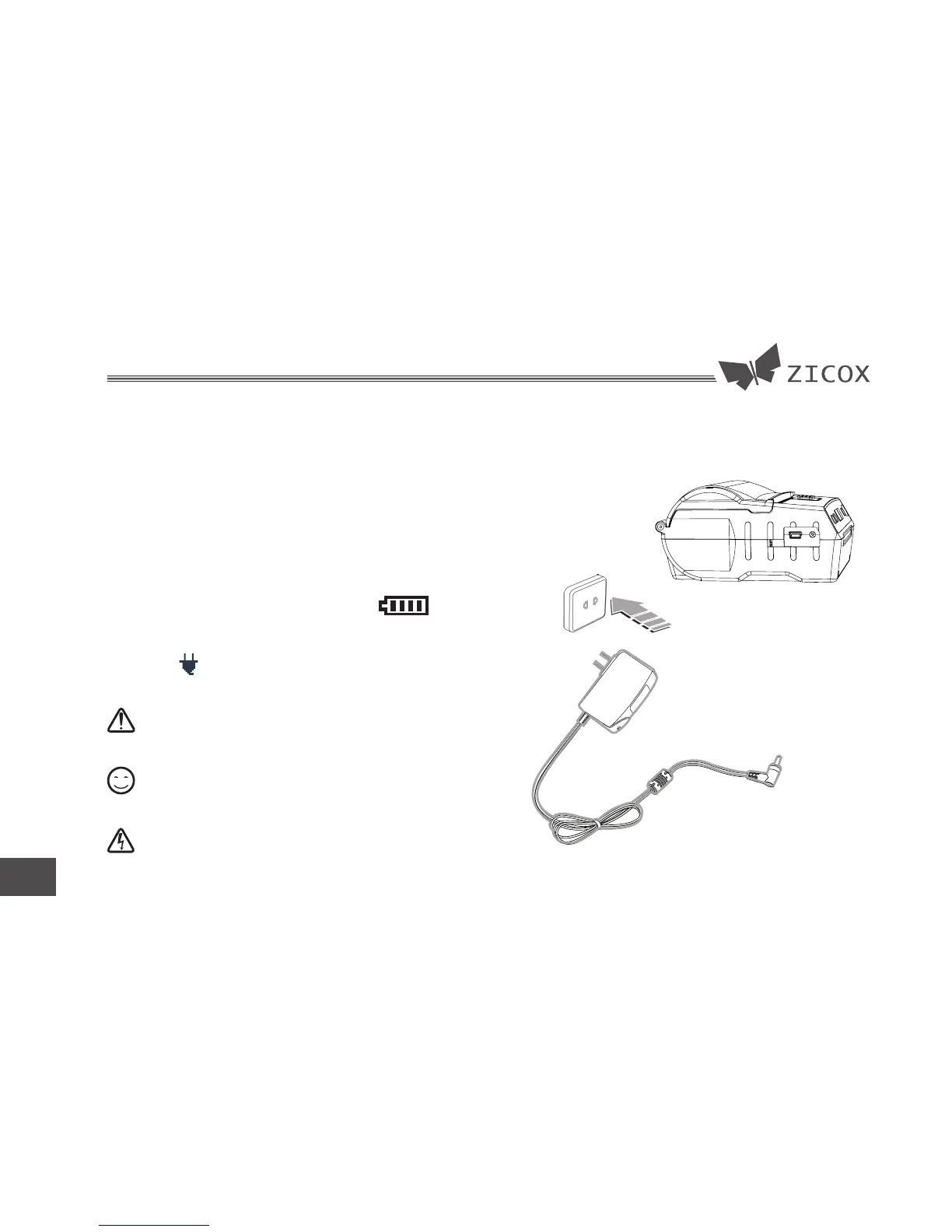
4.2 Charging
Insert the adaptor connector into the
printer charge interface.
Charging :The battery level icon blinks.
Charging completed:
The full battery level icon
d i s p l a y o n t h e s c r e e n a n d t h e p l u g i c o n
blinks.
Please using the certificated adaptor.
The user can print data when charging.
Don't take out the battery when charging.
AC:100V ~ 240V
(50-60Hz)
Alarm
Attent
Notice


 To Next Page