10
3. Display
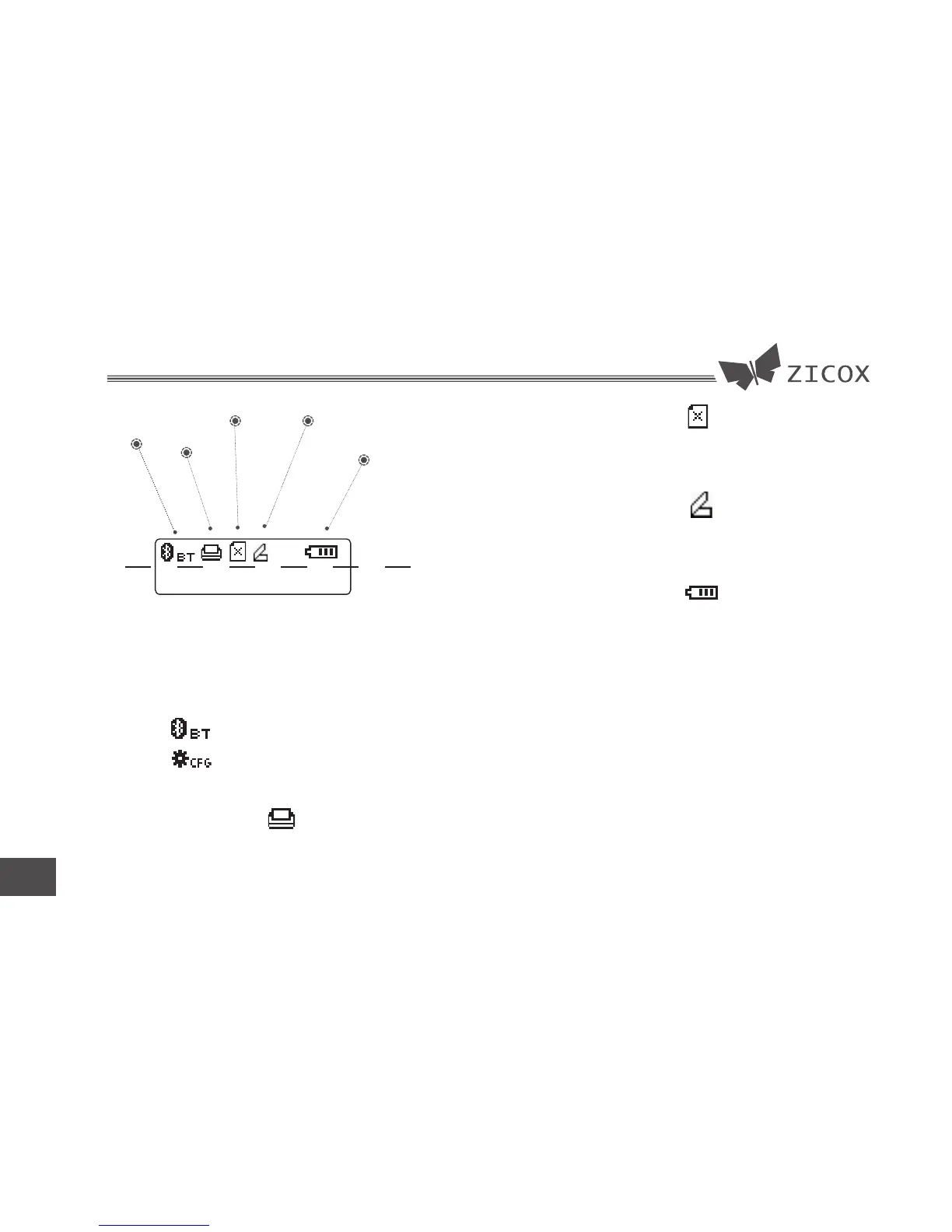
Config mode/
Com module
Printing
Paper out Cover opened
Battery level
Logo area
Text area
PRINT SELFTEST
3.1 Config mode/Com module
Config module/Com module icon display
area:
Icon: Bluetooth module
Config mode
3.2 Printing status
This icon means the printer is printing or
feeding paper.
3.3 Paper out
This icon means printer paper out.
3.4 Cover open
This icon means the printer cover opened.
3.5 Battery level
This icon points out the battery level.
This icon flashes in charging mode.
3.6 Text area
The text was display in this area.


 To Next Page