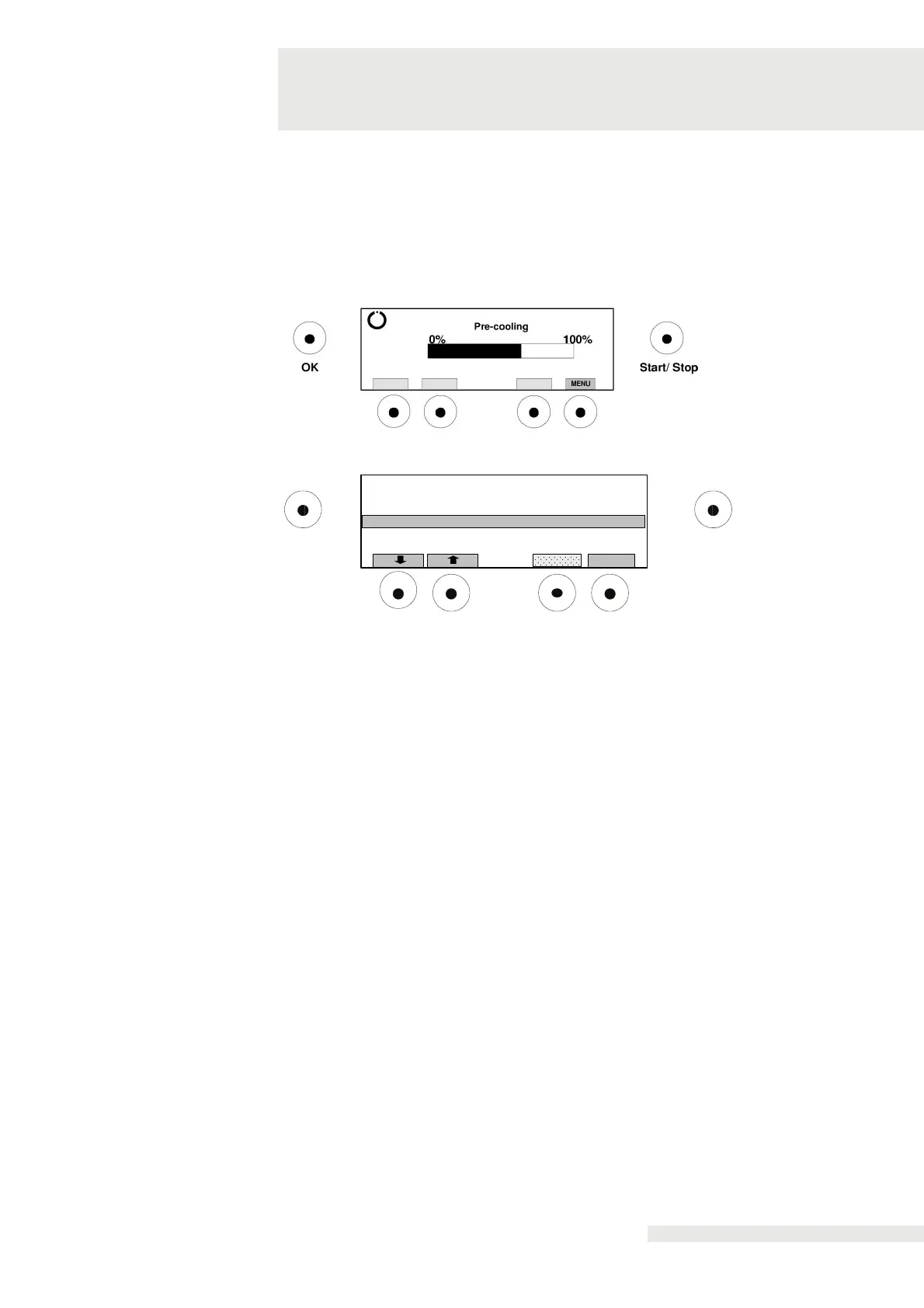
After switching on, CryoMini performs a self-test.
During the test, the current status of the pre-cooling can be read.
During the self-test / initialisation, it is possible to switch to the menu
to configure basic settings.
To enter the menu, press "Menu" on the display during the self-test.
OK
Default Settings
Automatic Service Program S01
Automatic Service Program S02
Info
Start/ Stop
Device Configuration
Select
Technical information can be queried and changed in the menu. To access the
various menu options, use the arrow keys.
The following may be selected:
• Info
• Automatic Service Programme S01
• Automatic Service Programme S02
• Device Configuration
• Default settings
• Service
• Back to treatment
• Defrosting
items
Info
Automatic
maintenance
programme S01
Automatic
maintenance
The selection of a menu item is done with the "Select" button.
Display of technical information about various device components.
No setting is possible.
Only for trained technicians.
Only for trained technicians.


 To Next Page