6
To Activate
MicroChoice
™
Controller:
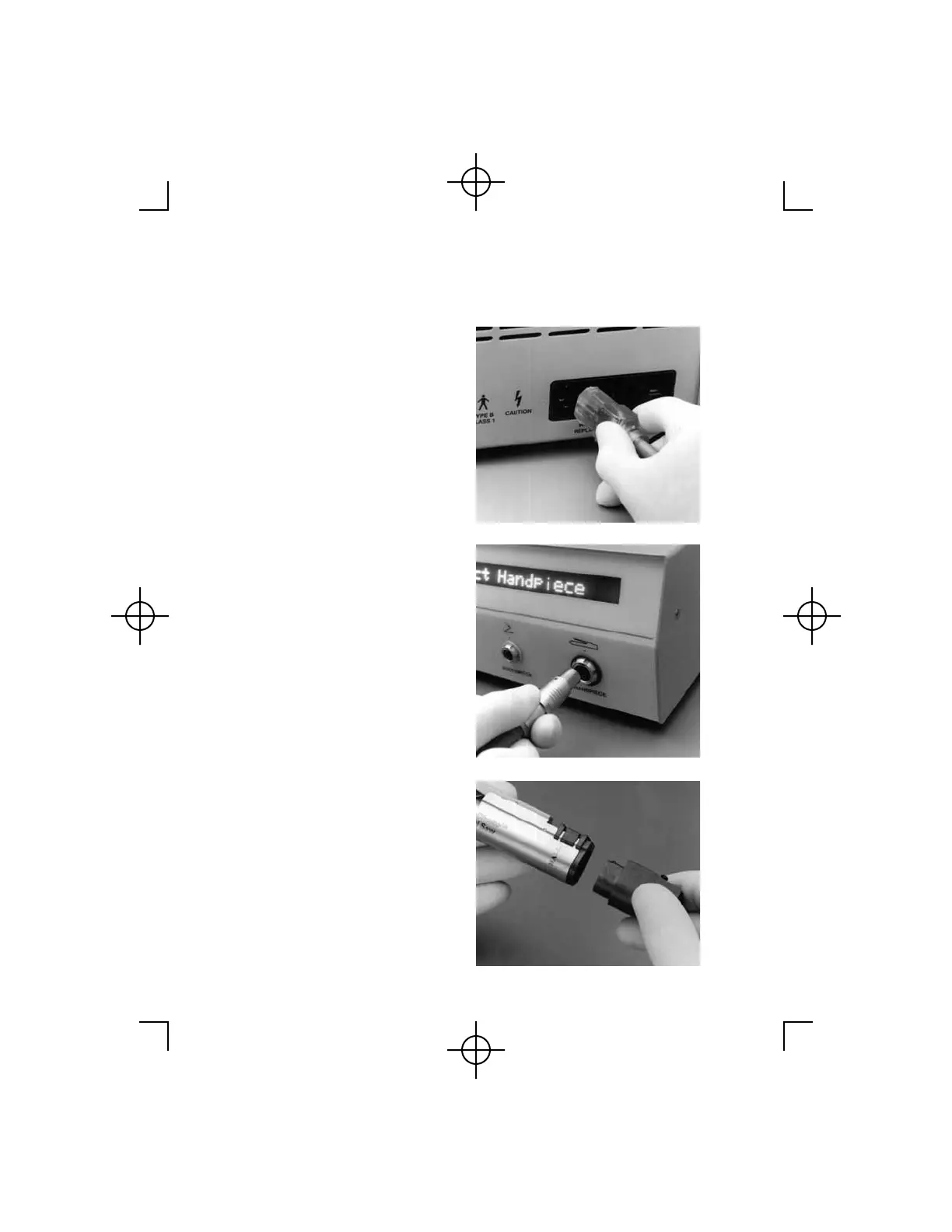
1. Plug the power cord into the
receptacle on the rear of
Controller. Plug remaining end of
power cord into a standard
grounded wall outlet. Once the
power cord has been connected,
no front panel lights should be
activated. If the display panel is
activated, depress the Power On/
Off switch to deactivate the
system.
2. Align the red indicator dot on the
Handpiece Cord connector with
the matching dot above the
Handpiece receptacle. Push the
connector into the Handpiece
receptacle. The receptacle and
cord connector are color coded
(red) and keyed so the cord cannot
be improperly attached. Care must
be exercised so as not to bend or
break the contact pins within the
Controller receptacle.
3. Attach the Handpiece Cord to the
desired handpiece. (See General
Handpiece Instructions, starting
on page 8.) The Handpiece Cord
and handpiece connection area are
keyed so the connection is simple
and unique. Care should be taken
so as not to bend or break the
connector pins within the
Handpiece.



 To Next Page