
 Need help?
Do you have a question about the Zimmer SD Edition PhySys and is the answer not in the manual?
Instructions for packing a device for return shipment to the manufacturer.
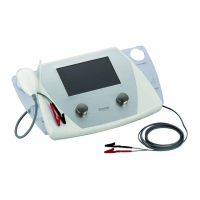
General overview of the PhySys Edition SD therapy device and its components.
Description of the electronic components of the PhySys Edition SD device.
Detailed electronic description of the VacoP device and its mainboard.
Detailed pin assignments for the PhySys Edition SD device's electrical connections.
Overview of the Vaco device's connections and jumper settings.
Procedure for updating the software via SD card.
Steps to download and install the SD-card software update program.
Overview of the mechanical structure of the PhySys Edition SD device.
Exploded view and list of components for the Vaco device.
List of available accessories for the device.
Detailed steps for replacing components within the PhySys Edition SD unit.
Detailed steps for replacing components within the VacoP unit.
Guidelines for handling electronic spare parts and ESD precautions.
List of necessary tools and equipment for troubleshooting.
Common starting issues and troubleshooting steps for the device.
Explanation of error messages and their meanings for the device.
Troubleshooting steps for issues that do not trigger error messages.
Procedures for performing test runs after repairs or module replacements.
Checklist for safety verification of the PhySys Edition SD device.
Checklist for safety verification of the VacoP device.
 General
| Brand | Zimmer |
|---|---|
| Model | SD Edition PhySys |
| Category | Medical Equipment |
| Language | English |












 To Next Page