8.3.2.3. Replacement of the vaco board
¾ Remove the water separator (8.3.2.1)
¾ Remove the pump (8.3.2.2)
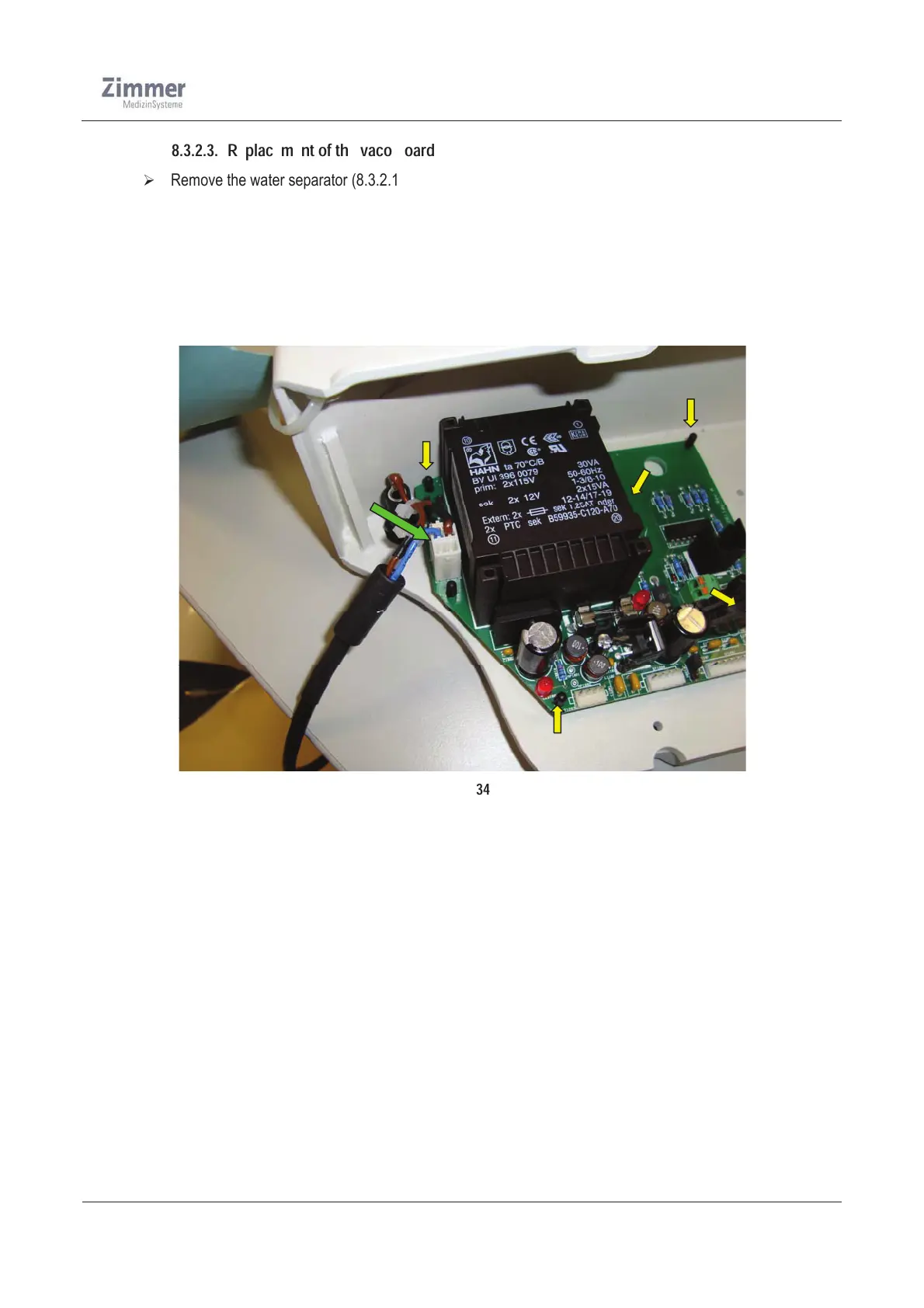
¾ Unplug all connectors and use a gripper to compress the 5 bracket clips at the plastic-stand offs and
remove the PCB
¾ Now mount the new PCB onto the brackets and connect the power supply cable (vaco) to the board
¾ Mount the pump
¾ Mount the water separator
¾ Run a function test (see 10.6.2)
Figure 34













 To Next Page