8.3.1.2. Mounting the rear part of housing
Before closing the housing always check the following:
¾ All boards and all other components are fastened in place
¾ All connectors are fixed and plugged
¾ No loose parts (such as screws) in the housing
¾ Place the rear part of housing onto the lower part of housing and fix the cover to the front part by using the
4 Screws (PT Ejot 3,0x8mm)
¾ Screw the 5 Screws (Allen cylinder screws M4x10mm) located at the bottom of the device (lower part of
housing)
8.3.1.3. Removing of the front part of housing
¾ Opening the rear part of housing (see 8.3.1.1)
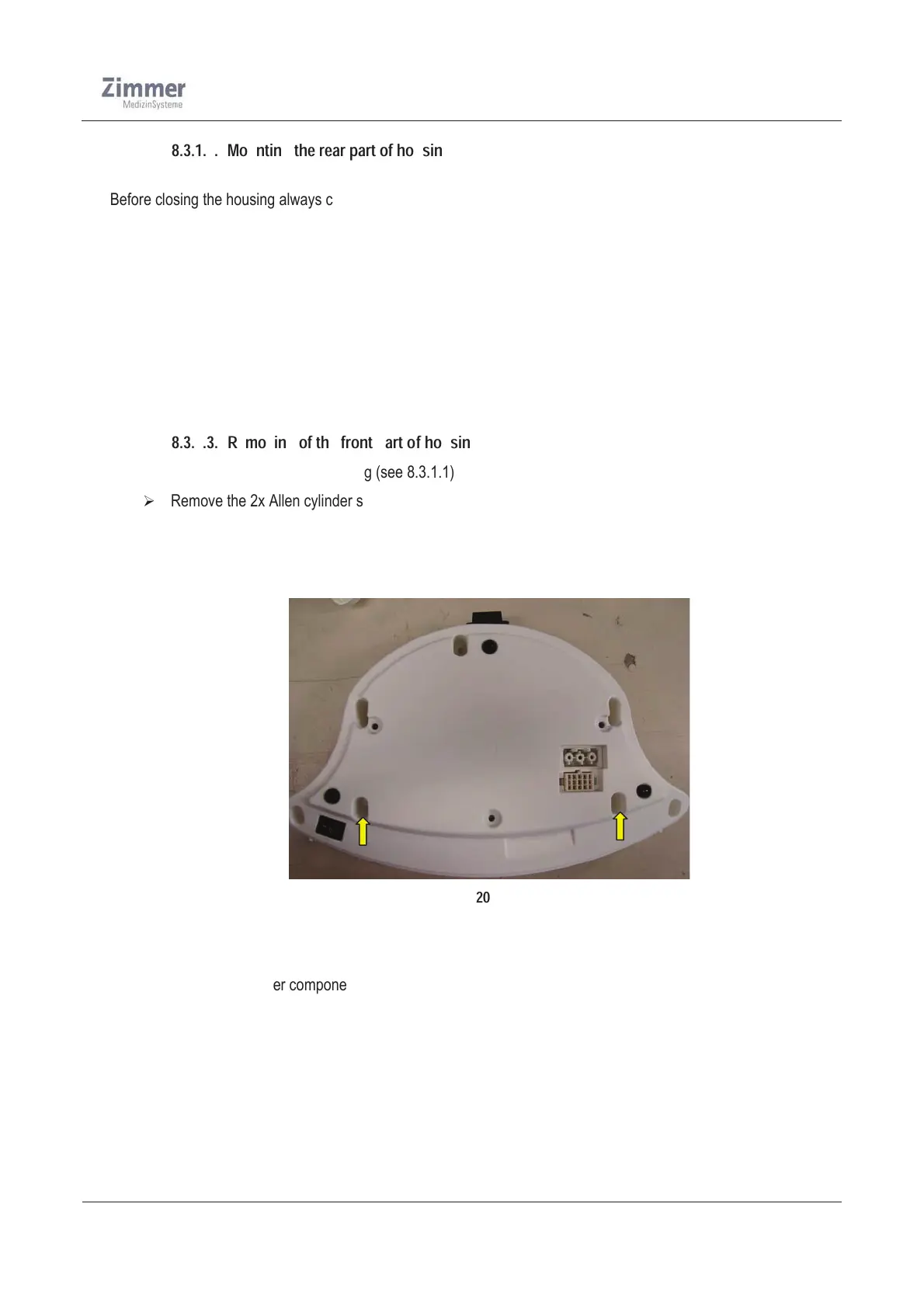
¾ Remove the 2x Allen cylinder screws (M4x10mm) located at the bottom of the device (lower part of
housing)
¾ Disconnect the connecting cables from the mainboard
¾ Now remove carefully the front part of housing from the lower part and place it forward
Figure 20
Before mounting the housing always check the following:
¾ All boards and all other components are fastened in place
¾ All connectors are fixed and plugged
¾ No loose parts (such as screws) in the housing













 To Next Page