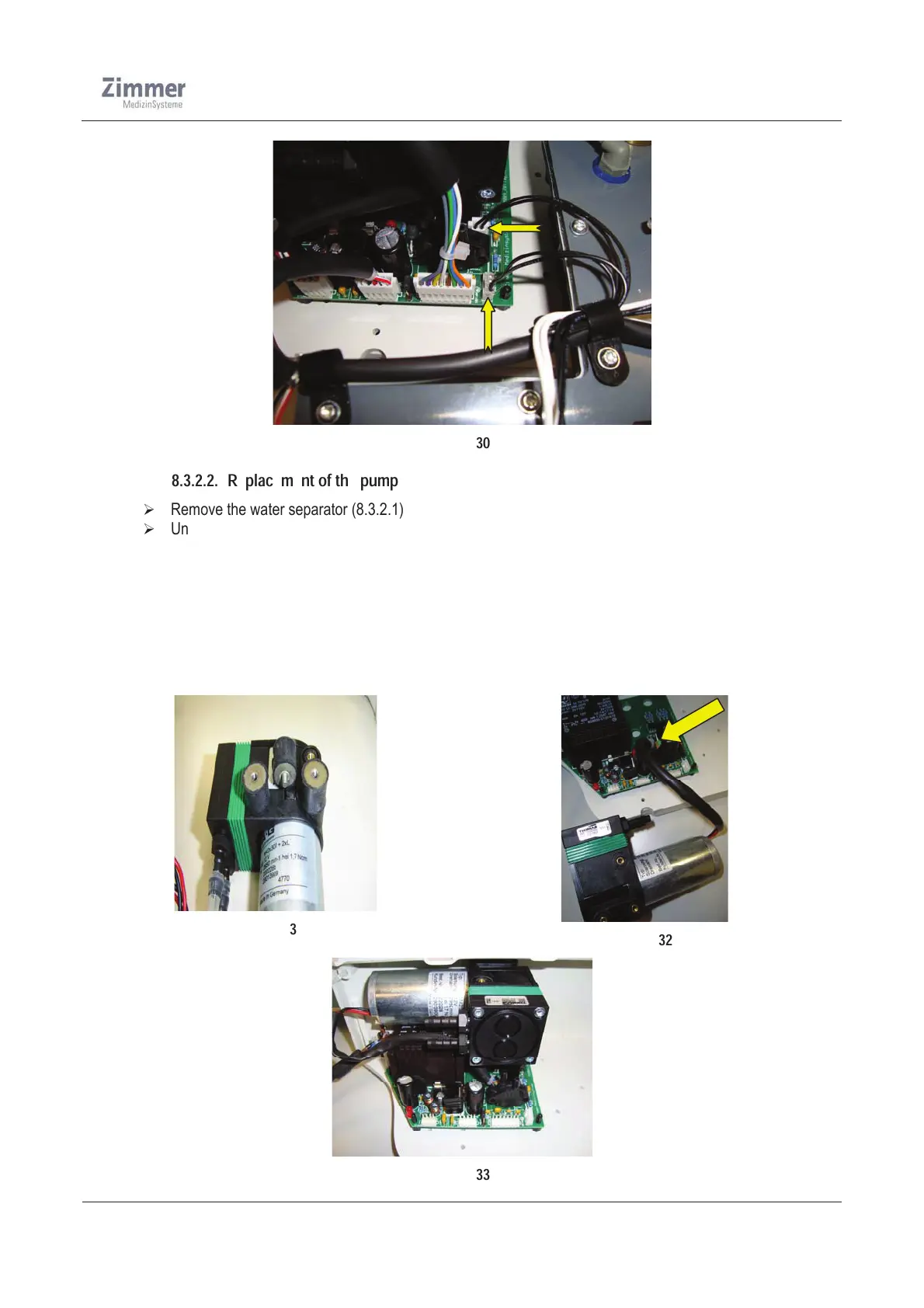
Figure 30
8.3.2.2. Replacement of the pump
¾ Remove the water separator (8.3.2.1)
¾ Unplug the pump cable from the board.
¾ Detach the silicone tube from the pump.
¾ Now unscrew the 3x screws M4x40mm located at the bottom of the housing as shown in Figure 33.
¾ Demount the vibration absorber from the old pump and mount them into the new one
¾ Screw the new pump to the housing and connect the pump cable to the board
¾ Attach the silicone tube to the pump
¾ Mount the water separator again into the housing
¾ Run a function test (see 10.6.2)
Figure 31
Figure 32
Figure 33













 To Next Page