7
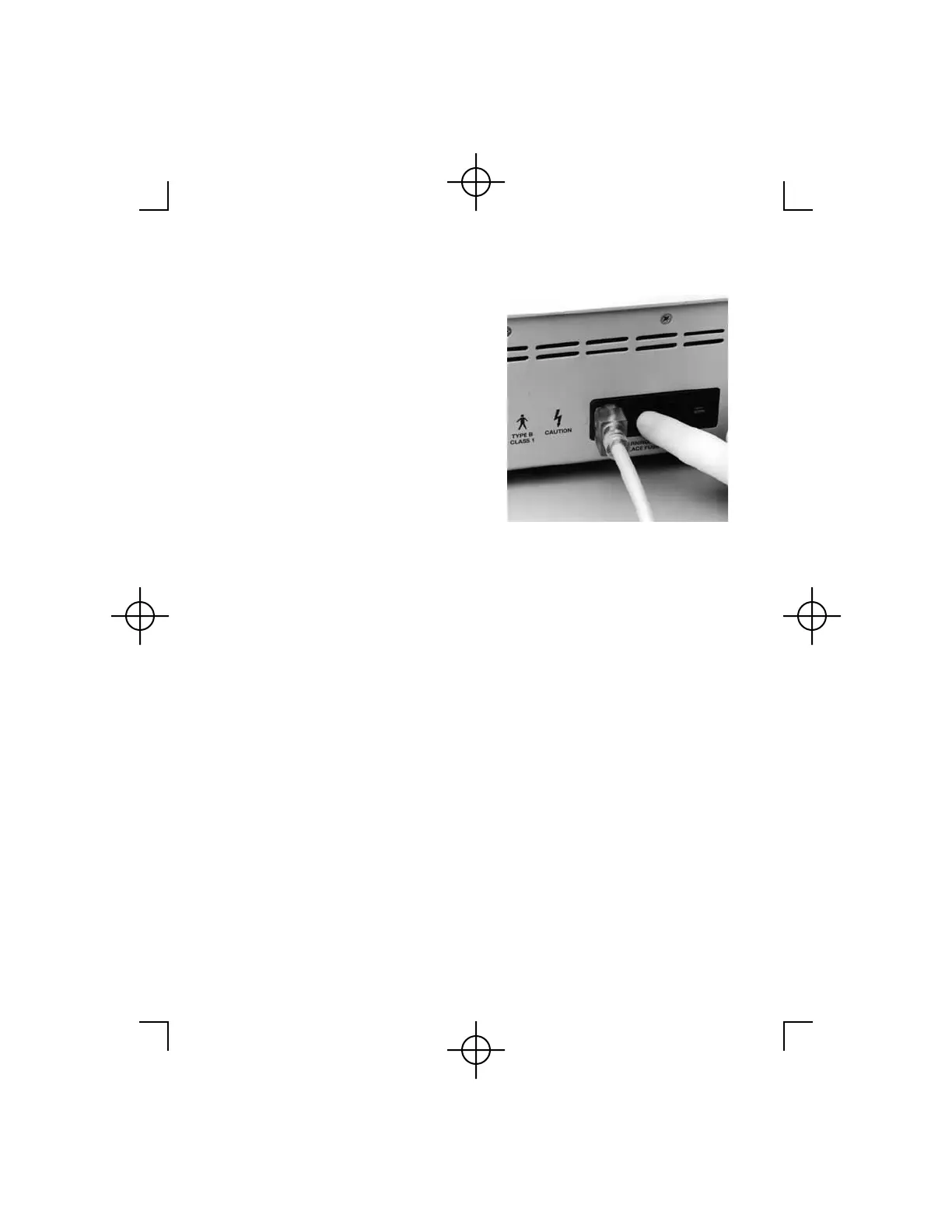
4(a) Once the chosen handpiece has
been attached, activate the system
by depressing the On/Off power
switch on the back of the
Controller. When the power
switch has been depressed, the
display panel will display with
HALL SURGICAL
. The
Controller will go through a self-
diagnostic check indicating the
software version. At the
conclusion of the check, the
attached handpiece I.D. and speed
will be displayed followed by
SETTING DONE!!!
. Lastly
displayed is the handpiece I.D.
and
SAFE ON
. The system is
activated and ready for use.
Detailed instructions regarding
operation of the
MicroChoice
™
Controller and handpieces can be
found on pages 38 - 47,
Handpiece Mode Selections.
(b) With the power on, the Handpiece Cord may be disconnected from one
handpiece and installed on another handpiece. (When power is "ON"
and the Handpiece Cord is removed from one handpiece, power is
disconnected within the Handpiece Cord). When a second handpiece is
connected to the Handpiece Cord, power is restored to the Handpiece
Cord. The Controller will display the I.D. of the second handpiece with
SAFE ON
.



 To Next Page