EasyManua.ls Logo

Zimmer OptonPro - General Operation: Activating the Laser

Zimmer OptonPro
60 pages
Print Icon
To Next Page IconTo Next Page
To Previous Page IconTo Previous Page
Loading...
Instructions for use
6.1. General operation
6
26
Activating the laser
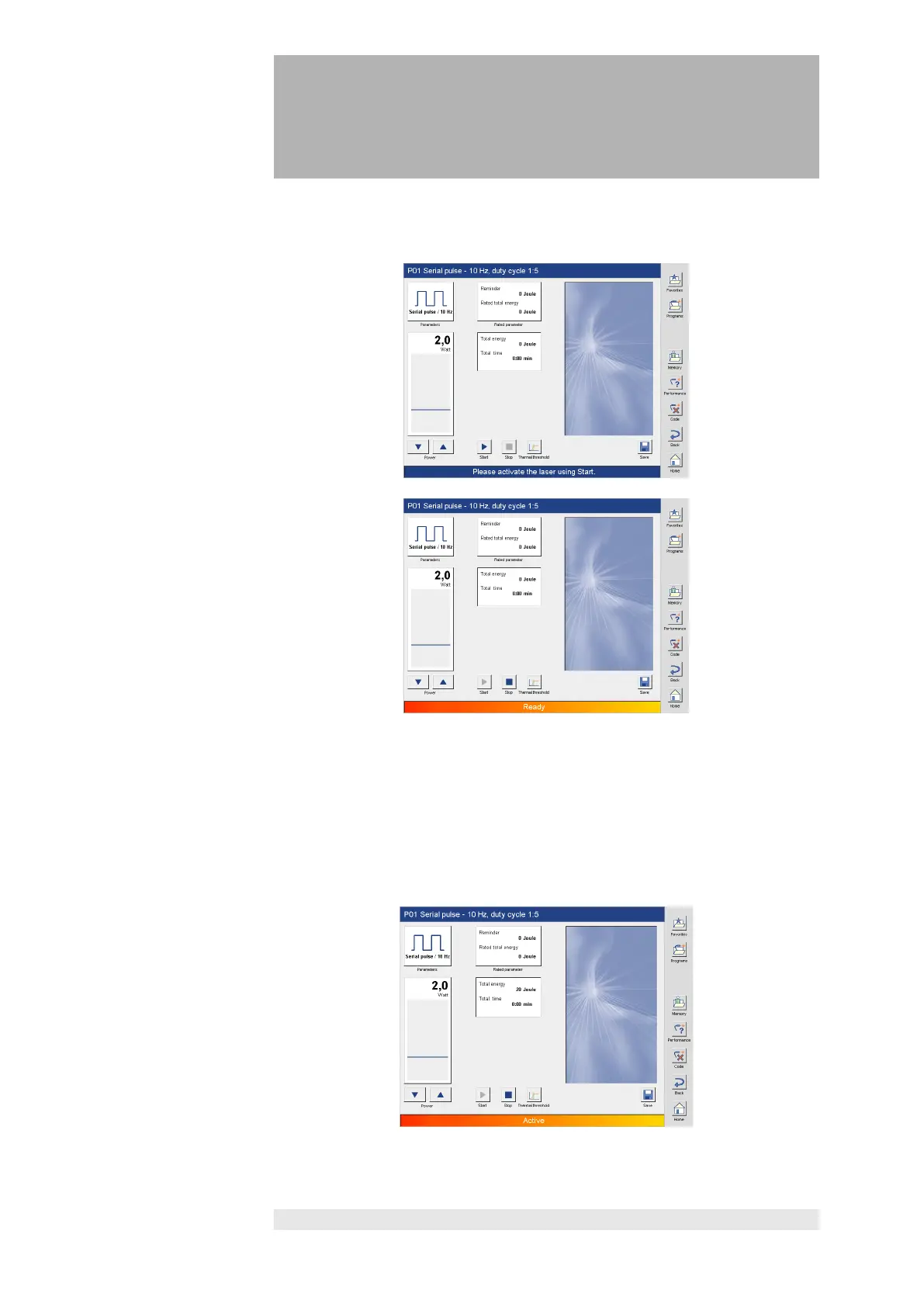
Press the “Start” button to put the laser into operational status.
The operational status of the laser is indicated by the "Ready" message in the
status bar. The “Start” button is inactive, the “Stop” button active.
Aiming Beam
The aiming beam is active when the laser is activated with the start button.
This setting cannot be changed.
Starting treatment
Laser power is delivered by pressing the footswitch, and the “Ready” message
changes to “Active”.
The current power delivered in Watts is shown in the bar graph.

Other manuals for Zimmer OptonPro

Related product manuals