• This is not a therapeutic device.
• Slight humming noise may be heard during operation due to the
inertial movement of the flywheel caused by the structure. It
does not affect the operation of the device.
For exercise bikes and elliptical trainers, any possible humming
noises heard when rotating the pedals backwards occur for
technical reasons and have no negative consequences.
• Noise emissions are greater when loaded.
• Before each training, make sure the protective devices are
operational and bolt and plug connections are tight.
• Wear appropriate (sports) shoes during the training.
MAINTENANCE
Carry out maintenance activities at regular intervals. The tasks listed
below should be carried out at least every 20 hours of operation.
• Check moving parts of the device. If they need lubrication, use a
bicycle bearing grease.
• Check the conditions of such parts as bolts and nuts.
Make sure they are tight.
• Wipe the sweat off the device after each training. Make sure the
display does not come in contact with water or moisture.
• Clean the product with soapy water only. Do not use cleaning
agents.
• Store the device in a dry and warm place.
• Do not expose the device to direct sunlight.
REPLACING BATTERIES
Poor display view or no information displayed at all means
the batteries need to be replaced.
Remove the battery cover and replace the old batteries with two new
ones. When replacing the batteries, respect the ‘+’ and ‘–’ polarities.
If the display does not operate correctly after a restart, remove
the batteries for a few minutes and insert them back.
CAUTION! Used batteries are out of the scope of the warranty. They
contain harmful substances (such as cadmium, mercury, or lead) and
should not be thrown away with household waste. Dispose of them in
an appropriate battery recycling centre.
ENVIRONMENT
The device is delivered in a package to protect it against any possible
transport damage. The packaging is made from non-processed
material and can be recycled. Throw the materials to appropriate
colour containers for selective waste collection.
Protect the environment and do not throw used batteries
into household wastes. Return them to the point of sale or
a special recycling centre.
Used electrical equipment (including the computer and
power supply) are recyclable. Do not throw them out with
household waste as they may contain substances dangerous to the
health and environment. You can actively contribute to sustainable use
of natural resources and the protection of the natural environment by
handing the used device to a recycling centre for used electrical
devices.
ASSEMBLY DIAGRAM (→ See page 2)
ATTENTION! Do not use parts other than those provided by the
manufacturer.
PARTS LIST
USER MANUAL
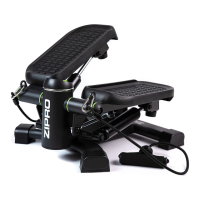
NOTE! Set the stepper on a flat, vertical, and stable surface. It is
advisable to put it on a carpet or rubber mat to protect the floor, in
particular for long-term use.
ACTIVATION OF TWIST:
To set the device for up-and-down and twist workout:
• Set both pedals in the top position at the same height
• Push the dual-function lever in the centreline of the device
forwards as far as possible.
ACTIVATION OF THE UP-AND-DOWN MODE:
To set the device for up-and-down workout:
• Set both pedals in the top position at the same height
• Pull the dual-function lever in the centreline of the device
backwards as far as possible.
COMPUTER MANUAL
Remove the safety film from the display before use.
AUTO ON/OFF – If the device is not used for at least 4 minutes. It is
switched off. The display is activated when the MODE/SELECT button is
pressed or you start exercising.


 To Next Page