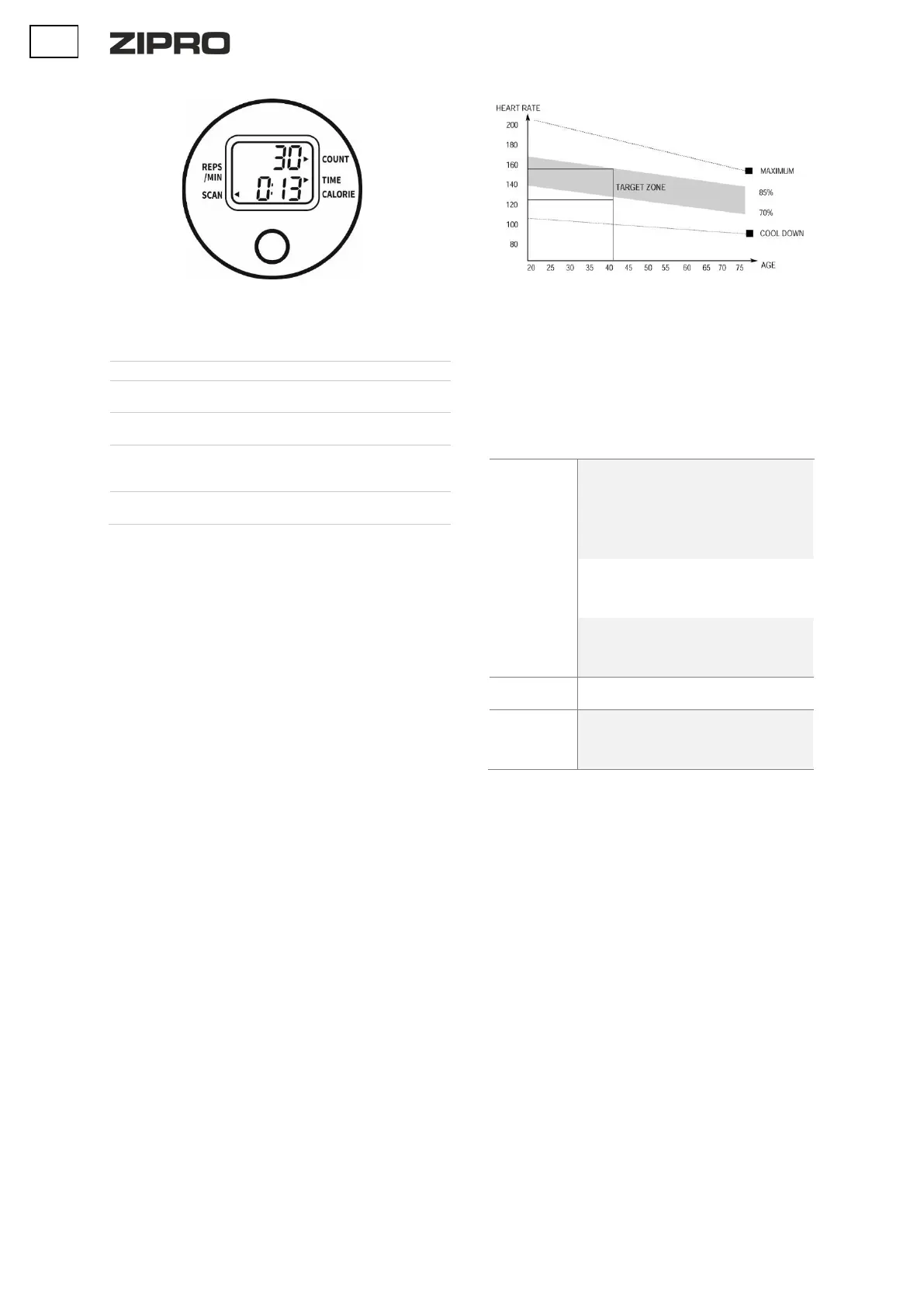
BUTTON:
MODE/SELECT – selects a programme. Keep it down for 4 seconds to
reset all values (total reset).
FUNCTIONS (SPECIFICATION)
Shows the total number of steps
Total exercise duration, from the
start to the end.
Total calories burnt from the
start to the end of the exercise.
Shows the current number of
steps per minute during
exercise.
The display shows TIME,
CALORIES, REPS/MIN in a cycle.
TRAINING AND PHASES
The use of the device is very beneficial. It will improve your physical
condition, strengthen your muscles, and when combined with the right
diet, it will help burn excess fat tissue.
1. WARM-UP
This phase improves blood circulation in the whole body and prepares
the muscles for intensive work. It reduces the risk of cramps and
injuries. It is advisable to do some stretching exercises as shown below.
If you feel pain, stop exercising or reduce the extent of the move.
STRETCHING INNER THIGH MUSCLES
Sit on a flat surface with your legs bent and knees pointing outwards.
Put feet soles together and get them as close to you as possible.
Slightly push the knees downwards and hold for 15 seconds.
THIGH STRETCHING
Sit on a flat surface. Straighten the right leg and press the sole of the
left foot against the tight. Stretch your right arm towards the toes of the
right leg as far as possible. Hold for 15 seconds. Repeat for the left leg.
HEAD SIDE-TO-SIDE
Keep your head straight looking forwards. Keep your shoulders still,
and rotate the head right. Return your head so that you are looking
straight. Next, rotate it left and back to the starting point.
SHOULDERS UP-AND-DOWN
Lift the left hand as high as possible and hold for a few seconds. Repeat
for the right hand.
ACHILLES TENDON STRETCHING
Stand facing a wall. Extend the left foot forward and bend the knee a
little. Keep your right leg straight and back, with the heel on the
ground. Keep both heels flat on the ground and push your hips towards
the wall. Hold for 30 seconds. Repeat with the right leg extended.
Remember not to arch your back during the exercise.
BENDS
Stand up with your legs together. Bend forwards trying to get your
chest as close to the knees as possible. Hold for 15 seconds. Remember
not to bend the knees.
2. EXERCISE PHASE
This is the exercise proper. Maintain your own pace to reach the heart
rate appropriate for your age as shown in the chart below.
3. RELAXATION PHASE
This phase helps steady the circulation and relax the muscles. It is
identical to the warm-up phase. Remember not to strain your muscles.
TROUBLESHOOTING
CAUTION! Opening the housing of the device without a prior contact
with a manufacturer’s service voids the warranty. If you suspect a
failure that requires the housing to be opened, contact manufacturer’s
service.
The device
rocks to sides
The device was
placed on an
uneven surface.
There is an object
disrupting the
balance under the
base of the device.
Place the device on an
even surface.
Remove the object that
upsets the balance.
The bases have not
be assembled
correctly.
Assembly the bases
correctly.
Level the caps on the
rear base.
Caps on the base
have not been
installed and
levelled correctly.
Assembly the rear base
correctly.
Level the caps on the
rear base.
Incorrectly
tightened elements.
Contact the
manufacturer’s service.
Poor display
view or no
information
displayed
WARRANTY
On behalf of the Warrantor, the seller grants a 24-month warranty in the
territory of the Republic of Poland starting on the date of sale.
The warranty for the product does not exclude, limit, or suspend any
rights of the Buyer under the Consumer Rights Act.
The warranty card can be found on the last page.
WARRANTY TERMS AND CONDITIONS
1. The warranty covers only latent defects attributable to the
manufacturer.
2. The claim shall be processed by the point of sale or technical
service under the warranty if the customer produces:
a. a valid and clear warranty card filled in properly with a
sale stamp and signature of the seller,
b. a valid proof of purchase with the date of sale,
c. the reported product or defective part.
In the case of a remote purchase, the warranty card is
valid solely with a proof of purchase (receipt/invoice).
3. The claim is resolved within 14 days of the report by the
Customer.
4. Manufacturing defects identified in the warranty period shall be
repaired free of charge within 21 days following the delivery of
the product to the point of sale or technical service.
5. If it is necessary to import parts for the repair, the warranty
repair period may be extended by the time necessary to import
the part, not longer than by 40 days.
6. Warranty exclusions:
a. mechanical damage and related defects,
b. damage and defects resulting from misuse and
inappropriate storage, assembly, and maintenance,


 To Next Page