¢GETTING STARTED
¢Charging
Prior to using the Zodiac Team Pro+ for the rst time,
you should fully charge the battery.
Use the supplied charger.
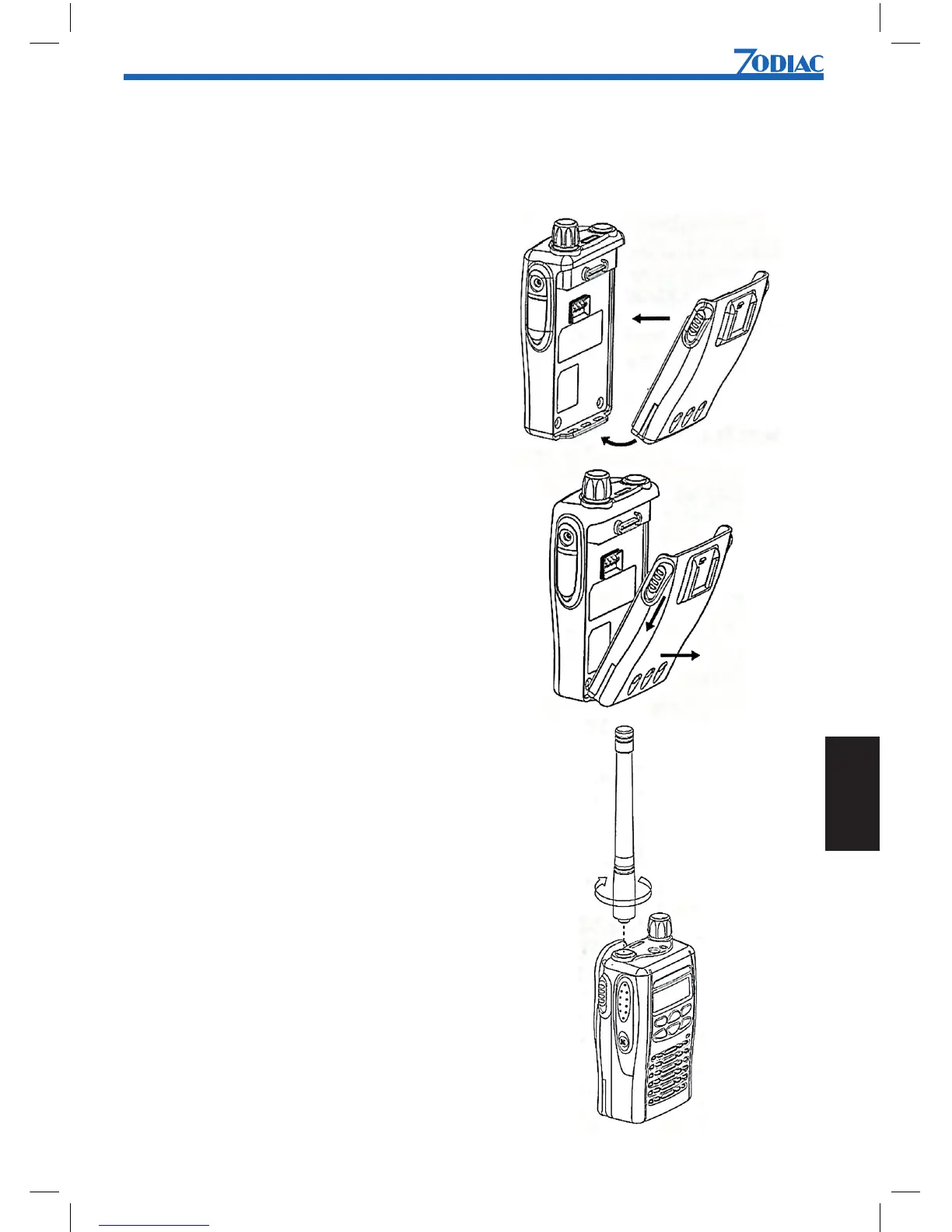
¢Attaching the battery
1. Fit the extensions at the
bottom of the battery into the
slots at the bottom of the
radio’s body.
2. Press the top part of the
battery towards the radio until
you hear a click.
¢Removing the battery
1.Turn off the radio if it is turned on.
2. Slide the battery latches, on
both sides of the battery, downwards.
3. Pull the top part of the battery
away from the radio’s body,
and remove the battery.
¢Attaching the antenna
1. Align the threaded end of the
antenna with the radio’s antenna connector.
2. Turn the antenna clockwise
to fasten it.


 To Next Page