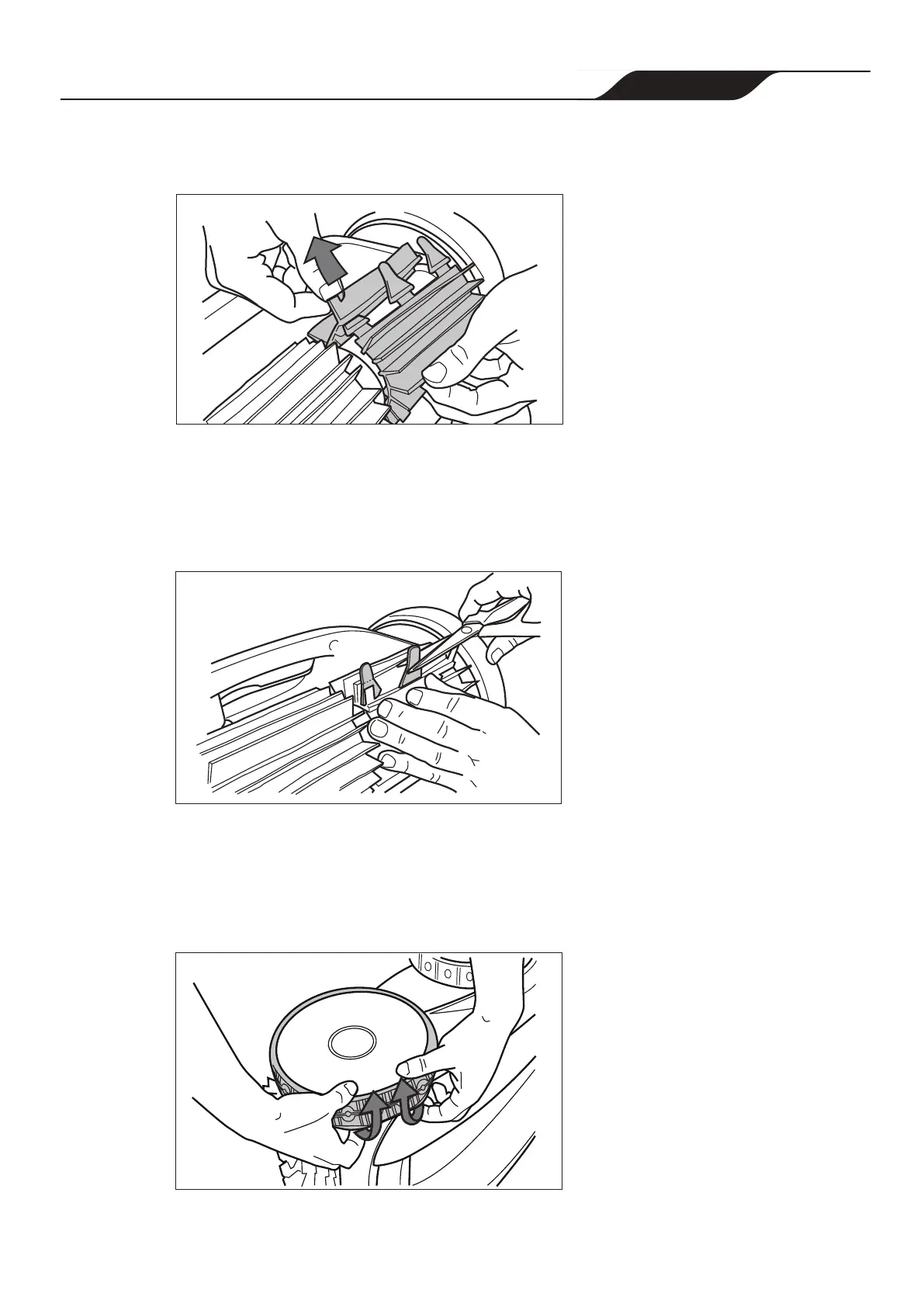
4. Thread each tab into the slot provided and gently feed it through until the heel
comes out at the other side of the slot (Figure 31).
4
Figure 31. Pull Tabs Through Each Slot
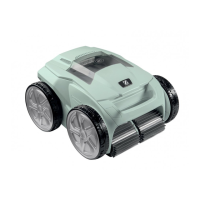
5. Use a pair of scissors to cut the tabs 20mm from the heel so that they are no higher
than the cleaning blade (Figure 32).
6. Repeat the procedure to install the second brush
Figure 32. Cut Tabs
Replacing Tyres
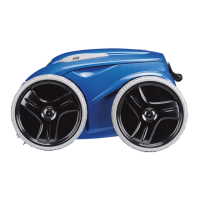
1. Pull on the inside of the old tyre to remove the tyre lip from the wheel
(Figure 33).
1
Figure 33. Pull the Old Tyre Over the Wheel
Page 29
Zodiac
®
VX65iQ Robotic Pool Cleaner
|
Owner's Manual




 To Next Page